


Glorious Keyboard Switches Explained: Which Switch Is Right for You?
Glorious Keyboard Switches Explained: Which. Plain-English explanation of what it means, why it matters & how it affects your buying decisions in SA.
Read moreFix poor airflow in a glass-panel case with the right fan configuration and placement tips. Lower CPU/GPU temps, reduce dust buildup, and improve cooling flow 😎❄️
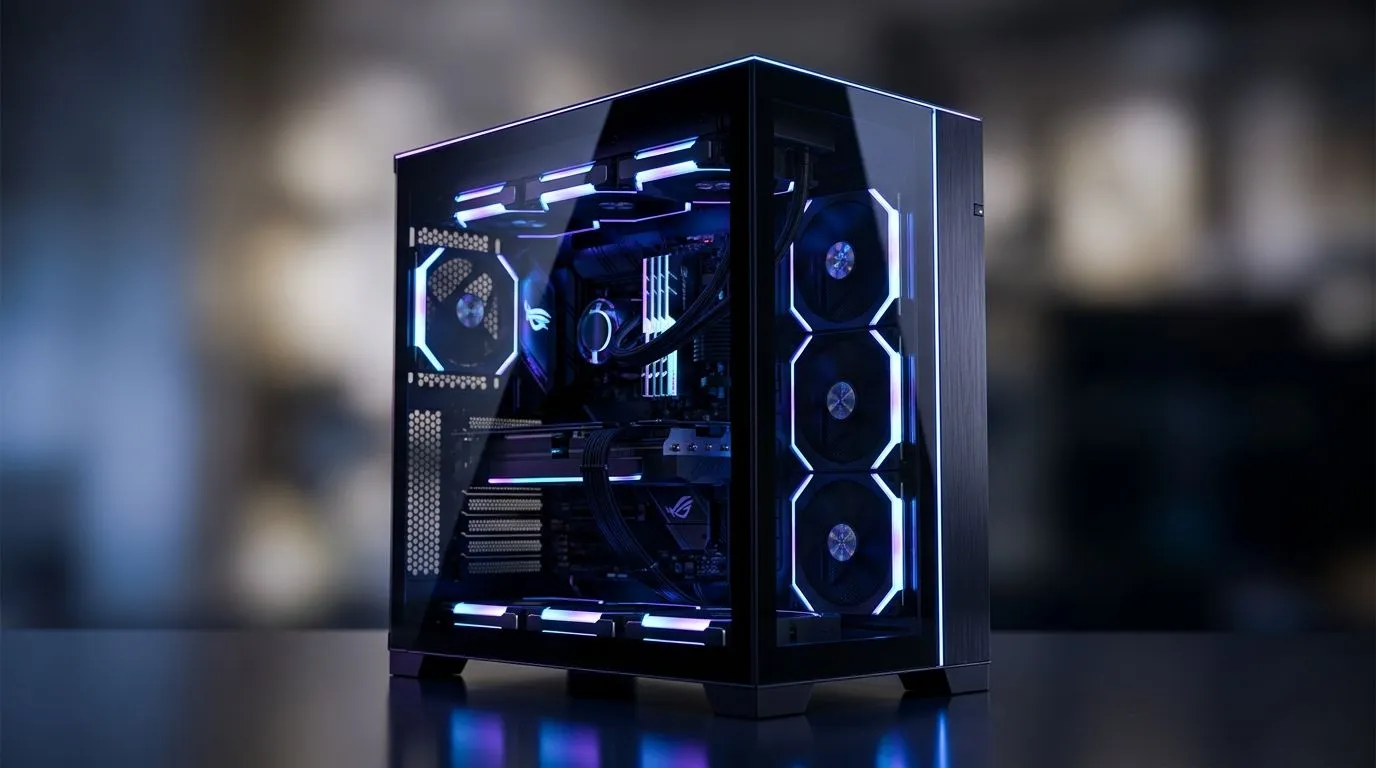
There is nothing quite like the aesthetic of a premium tempered glass PC case. Watching your custom RGB lighting dance across your components is satisfying... but if your temps are climbing, that glass box might be turning into a sauna. Many South African gamers struggle with thermal throttling simply because their fan configuration is fighting against physics. Let’s look at how to fix poor airflow in a glass-panel case and keep your hardware running cool under pressure.
The secret to a cool system isn't just more fans; it is about direction. You want to create positive pressure, meaning more air is pushed in than pulled out. If you are browsing our latest computer cases for an upgrade, look for front-panel mesh options rather than solid glass fronts. If you are already committed to a glass-front design, your intake fans need every bit of help they can get.
aim for a 2:1 ratio of intake to exhaust fans. By pushing more air in than you pull out, you force air through the small gaps in your chassis, preventing dust buildup and keeping your GPU significantly cooler during intense sessions.
If you are rocking a premium Fractal Design PC case, you likely have excellent cable management options. Use them. Excess cables block the path of air moving from your front intakes to your exhaust. Place your intake fans at the front and bottom, and ensure your exhaust is at the rear and top. This creates a natural chimney effect that helps heat rise and exit the case efficiently.
For those on a tighter budget, you can still achieve great results with Gamdias gaming cases. Even if you find affordable options under R1500, the principle remains the same: clear the path for your intake fans 🚀.
Still seeing high temps? Check your fan curves in the BIOS. Many stock settings are tuned for silence rather than performance. Bump your fan speeds up by 10% when your CPU hits 60°C. Also, double-check that your GPU isn't choking near the bottom glass panel. If your temps persist, it might be time to consider a high-airflow mesh front panel kit or an AIO liquid cooler to move heat directly out of the case. 🔧
Ready to Find Your Perfect Match? A cool PC is a fast PC, and your components deserve the best environment. Explore our massive range of PC cases and find the perfect chassis to keep your build running at peak performance today.
Use front intake and rear or top exhaust to create steady airflow. This helps fix poor airflow in a glass-panel case and improves cooling flow.
Aim for an intake front/bottom and exhaust rear/top layout. Proper glass panel fan placement reduces hotspots and improves temps.
Most builds benefit from at least 3–5 fans. Start with front intake plus rear exhaust, then add top fans if your GPU or CPU runs hot.
Typically, intake fans push cool air into the case and exhaust fans pull hot air out. Matching airflow direction helps fix poor airflow.
They can restrict airflow, especially with poor fan placement. Correct fan configuration and clear intake paths prevent heat buildup.
Yes. Use radiator fan orientation that supports your case airflow direction (intake or exhaust) to avoid overheating and airflow conflicts.
Create gradual curves based on CPU and GPU temps. Fine-tuning fan curves improves cooling efficiency and helps maintain steady airflow.
Prioritize intake paths with filters and keep positive pressure when possible. Good fan setup reduces dust while improving airflow.
Glorious Keyboard Switches Explained: Which. Plain-English explanation of what it means, why it matters & how it affects your buying decisions in SA.
Read more
Winter Keyboard Buying Guide. Everything you need to know with SA pricing, step-by-step instructions & expert recommendations.
Read more
Keyboard Buying Guide. Everything you need to know with SA pricing, step-by-step instructions & expert recommendations.
Read more
LGBTQ+ Gamers Keyboard Guide: January Edition. Everything you need to know with SA pricing, step-by-step instructions & expert recommendations.
Read more
Keyboard Maintenance Guide Gamers. Everything you need to know with SA pricing, step-by-step instructions & expert recommendations.
Read more
Accessibility Focused Keyboard Guide: January. Everything you need to know with SA pricing, step-by-step instructions & expert recommendations.
Read more
CS2 Low FPS: Monitor Bottleneck. Real-world benchmark data, FPS numbers & performance analysis. What SA gamers can actually expect.

Is AOC a Good Monitor Brand for Gaming in South Africa Detailed answer with SA data, expert analysis & practical recommendations for local buyers.

What Gaming Monitor Can You Get for R20,000. Full parts list, Rand pricing & expected performance. Build confidently with SA-available components.

What Gamers Actually Bought: November Report. Real purchase data from SA retailers revealing what local buyers are actually choosing and why.

Can the RX 7700 XT Handle 1440p 144Hz Gaming. Performance testing verdict with real data & practical recommendations for SA buyers.

Top Laptop with Core i7 + RX 7700S: Picks picks evaluated on performance, value & SA availability with current Rand pricing from Evetech.

RX 7700 XT Black Myth Wukong 2 FPS: Performance. Real-world benchmark data, FPS numbers & performance analysis. What SA gamers can actually expect.

RTX 6080 Gran Turismo 7 PC Performance: FPS Test. Real-world benchmark data, FPS numbers & performance analysis. What SA gamers can actually expect.

MacBook Pro 16-Inch M5 Max: Complete Specs,. Everything you need to know with SA pricing, step-by-step instructions & expert recommendations.

Travelling With a MacBook: Travellers. Everything you need to know with SA pricing, step-by-step instructions & expert recommendations.

Back-to-School Parent Guide: Laptops. Everything you need to know with SA pricing, step-by-step instructions & expert recommendations.

MacBook Air 13-Inch M5: Complete Specs, Features. Everything you need to know with SA pricing, step-by-step instructions & expert recommendations.