

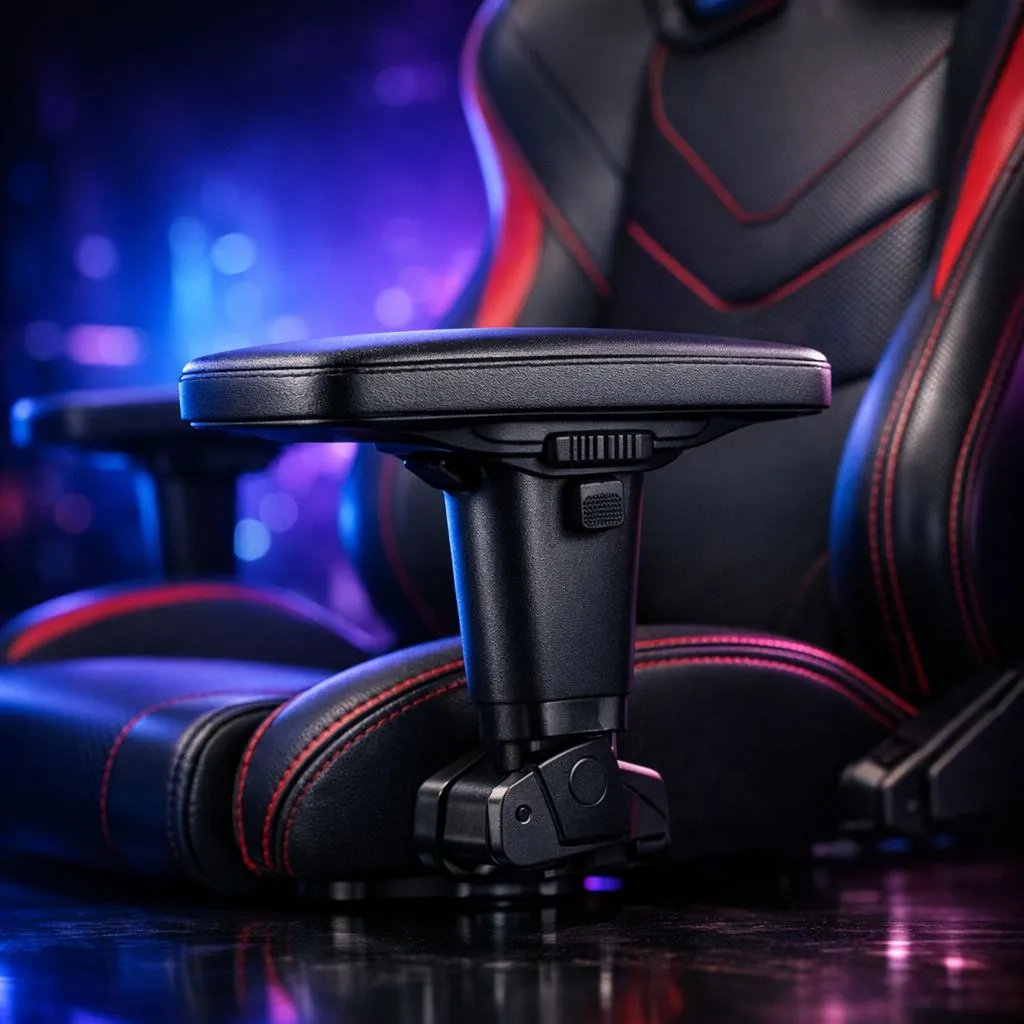
Gaming Chair Armrests: Complete Guide to Types & Features
Ever finished a long session in Apex Legends or FIFA only to find your shoulders feeling tight and your wrists strained? Most South African gamers focus on the seat foam or the aesthetic... but the real hero of ergonomics is often overlooked. This Gaming Chair Armrests: Complete Guide to Types & Features will help you understand why those adjustable rests are vital for your health and performance. 🔧
Decoding the "D": What 1D to 4D Armrests Actually Mean
When you are browsing for new gaming chairs in South Africa, you will see terms like 2D, 3D, and 4D adjustability. These are not just marketing buzzwords; they represent the planes of movement available to support your limbs.
1D armrests are basic... they only move up and down. While better than fixed arms, they lack the nuance needed for different desk heights. Moving up the ladder, Gamdias Gaming Chairs often feature 2D or 3D options, adding rotation and forward-back movement. This allows you to tuck the chair closer to your desk or angle the pads inward while using a controller. 🎮
The gold standard is the 4D armrest. This adds lateral (side-to-side) movement. If you have a narrower or broader frame, being able to slide the armrests closer to your body ensures your elbows are always supported without forcing your shoulders into an awkward shrug.
Why Ergonomic Support is a Non-Negotiable for Local Gamers
We often spend hours locked into a single position. Without proper support, the weight of your arms pulls on your trapezius muscles... leading to that familiar burning sensation in your neck. High-quality Vertagear Gaming Chairs are designed to mitigate this by providing a stable platform that aligns your wrists with your keyboard or mouse.
By using this Gaming Chair Armrests: Complete Guide to Types & Features to pick your next throne, you are investing in your long-term health. If you prefer a more executive feel with world-class engineering, Noblechairs Gaming Chairs offer some of the most robust armrest mechanisms in the industry, ensuring there is zero "wobble" when you are lining up a critical headshot.
Ergonomic Pro Tip ⚡
To find your ideal armrest height, sit with your shoulders relaxed and your elbows at a 90-degree angle. Adjust the armrests until they just touch the underside of your elbows. They should support the weight of your arms without pushing your shoulders upward.
Material Matters: Comfort Beyond Adjustability
It is not just about how the armrests move... it is about how they feel against your skin during a hot Gauteng summer. Most armrests use a firm PU (polyurethane) padding. It is durable and easy to clean, but the density matters. Cheap armrests feel like hard plastic, while premium options have a slight "squish" that absorbs pressure.
If you are looking at premium gaming chairs over R5,500, you will notice the build quality of the armrest stalks. Metal internals are far superior to plastic ones, as they won't crack or lose their "click" over years of use. ✨
Selecting the Right Features for Your Setup
Before you hit that buy button, consider your desk. If you have a shallow desk, you need armrests that can slide backward so you can sit close enough to reach your peripherals. If you play mostly with a controller, look for 3D or 4D rests that pivot inward... this supports your forearms while your hands are joined in the middle. 🚀
Investing in the right features today prevents the "gamer’s lean" that ruins your posture over time. Whether you are a casual browser or a competitive pro, your arms deserve a dedicated place to rest.
Ready to Upgrade Your Comfort? Don't let poor ergonomics hold back your performance. From entry-level support to professional 4D adjustability, we have the perfect seat for your setup. Explore our massive range of gaming chairs and find the perfect match to conquer your world.











