


MacBook Pro 16-Inch M5 Max: Complete Specs, Features and SA Pricing Guide
MacBook Pro 16-Inch M5 Max: Complete Specs,. Everything you need to know with SA pricing, step-by-step instructions & expert recommendations.
Read moreBuying a gaming chair for long hours? This gaming chair buying guide covers lumbar support, adjustability, and materials so you stay comfortable and focused for hours 😌🕹️
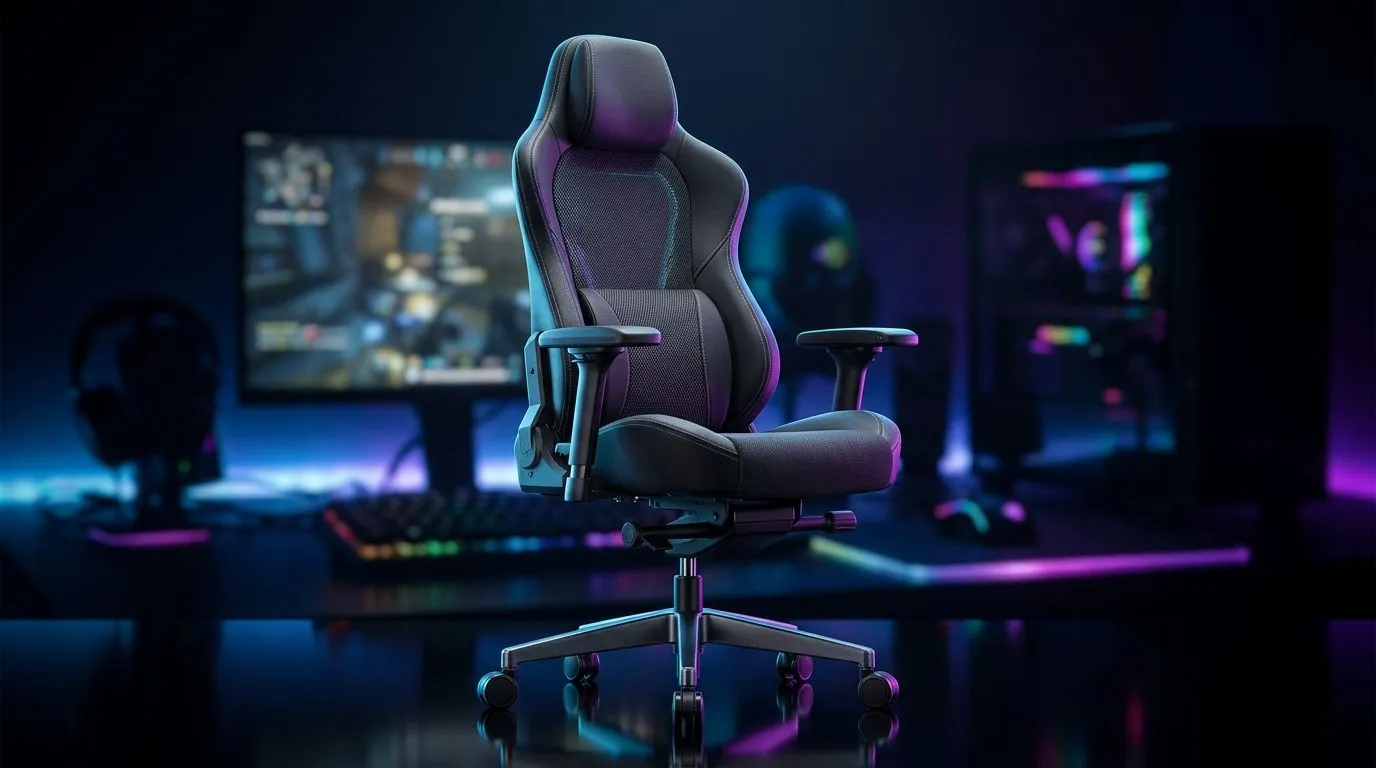
If you’ve ever finished a six-hour raid, a late-night CS grind, or a deadline-heavy work session feeling like your back filed a complaint… you already know why chair choice matters. A proper gaming chair is not just about looks. It affects posture, focus, and how long you can stay comfortable without fidgeting every 20 minutes. For South African gamers, streamers, and remote workers, that matters every day 🔧
The best chair for long hours is the one that supports your body, suits your setup, and fits your budget in ZAR. That sounds obvious, but many buyers still focus on style first. A flashy design can distract from the real questions... Is the lumbar support useful? Do the armrests move enough? Will the seat feel firm after a few months?
When comparing options, look beyond the marketing language. Prioritise these basics:
A chair should encourage a neutral sitting position. In plain English, that means your hips stay planted and your lower back gets support. If the seat base is too narrow or too soft, long sessions become harder to tolerate.
Lower-back support is one of the most useful features for extended use. Some chairs use a built-in cushion, while others offer adjustable lumbar systems. Adjustable support usually gives you a better fit because not every spine is the same.
Your shoulders should not stay lifted while you type or game. Adjustable armrests help reduce strain in your neck and upper back. If you use a controller sometimes and mouse-and-keyboard at other times, this becomes even more important.
PU leather looks clean and is easy to wipe down. Fabric often feels cooler in warmer rooms. In South Africa, that matters during summer when a room can heat up fast. Pick the material that suits your environment, not just the one that looks premium in photos.
A chair should be matched to the user, not just the office corner. Check the recommended weight rating and frame construction before buying. Stronger materials usually last better under daily use.
A good chair can still feel wrong if the rest of the desk setup is off. If your desk is too low, your shoulders hunch. If it’s too high, your wrists suffer. That is why the chair and desk should work together, not fight each other.
If you are planning a full setup refresh, it is worth browsing a proper gaming desk range alongside your chair shortlist. You can start with this selection of gaming desks at Evetech to compare size, style, and layout options.
For gamers who want a more premium desk feel, it helps to explore brand-specific options too. If you already trust the brand, these links make the comparison faster:
Before you click buy, ask these quick questions:
If the answer to most of these is yes, you are probably looking at a chair worth considering. If not, keep shopping. Comfort is not something you want to compromise on just to save a few rand upfront.
When testing a chair, sit as you normally game. Lean back. Reach for your mouse. Rest your elbows. A chair can look perfect in photos, but the real test is whether your body relaxes naturally after 15 minutes.
Little features often make the biggest difference over time. A tilt mechanism can help you change position during breaks. A headrest may be useful if you recline often. Smooth castors matter if you roll around a lot on hard flooring. Even the stitching and foam density can affect how a chair ages.
That is why it helps to think of a chair as part of your daily routine, not a one-off purchase. If you work, study, and game from the same seat, durability becomes as important as comfort. A decent chair should support you through load shedding catch-up sessions, weekend tournaments, and the usual after-work grind without falling apart halfway through the year ✨
The best gaming chair is not always the most expensive one. It is the one that fits your body, your desk, and your daily habits. Focus on support, adjustability, build quality, and material first. Then compare price, style, and brand preference.
If you are building a more comfortable setup overall, pairing your chair with the right desk can improve your posture more than you might expect. Take your time, compare properly, and buy for the long haul... not just the first good-looking option.
Ready to Find Your Perfect Match? The Mac vs Windows debate is complex, but for maximum power, choice, and value in South Africa, Windows is hard to beat. Explore our massive range of laptop specials and find the perfect machine to conquer your world.
Focus on lumbar support, adjustable height and armrests, seat comfort, and recline range. A good gaming chair buying guide helps you match posture to long sessions.
Lumbar support gaming chair features matter most for long hours. Look for adjustable lumbar pads to reduce slouching and back strain during play.
Many people prefer breathable mesh vs leather for heat control. Choose the material that keeps you comfortable and reduces sweat during long gaming.
Yes. Armrest adjustability helps set proper elbow and shoulder angles, supporting better posture and less fatigue during extended sessions.
Prioritize gaming chair seat comfort with quality foam density, proper seat depth, and supportive cushioning. These ergonomic gaming chair features reduce pressure points.
Check the gaming chair recline range and lock positions. A wider, stable recline lets you alternate between active gaming and resting without strain.
Verify seat height adjustment, headrest support, and gaming chair weight capacity. Matching measurements is key for long hours of use.
A well-designed ergonomic gaming chair can support posture. Look for lumbar support gaming chair features and adjustability similar to office chairs.
MacBook Pro 16-Inch M5 Max: Complete Specs,. Everything you need to know with SA pricing, step-by-step instructions & expert recommendations.
Read more
Travelling With a MacBook: Travellers. Everything you need to know with SA pricing, step-by-step instructions & expert recommendations.
Read more
Back-to-School Parent Guide: Laptops. Everything you need to know with SA pricing, step-by-step instructions & expert recommendations.
Read more
MacBook Air 13-Inch M5: Complete Specs, Features. Everything you need to know with SA pricing, step-by-step instructions & expert recommendations.
Read more
MacBook Neo Unboxing and First Setup Guide for. Clear setup instructions with SA-specific considerations, troubleshooting tips & recommended components.
Read more
MacBook Pro 16-Inch M5 Pro: Complete Specs,. Everything you need to know with SA pricing, step-by-step instructions & expert recommendations.
Read more
CS2 Low FPS: Monitor Bottleneck. Real-world benchmark data, FPS numbers & performance analysis. What SA gamers can actually expect.

Is AOC a Good Monitor Brand for Gaming in South Africa Detailed answer with SA data, expert analysis & practical recommendations for local buyers.

What Gaming Monitor Can You Get for R20,000. Full parts list, Rand pricing & expected performance. Build confidently with SA-available components.

What Gamers Actually Bought: November Report. Real purchase data from SA retailers revealing what local buyers are actually choosing and why.

Can the RX 7700 XT Handle 1440p 144Hz Gaming. Performance testing verdict with real data & practical recommendations for SA buyers.

Top Laptop with Core i7 + RX 7700S: Picks picks evaluated on performance, value & SA availability with current Rand pricing from Evetech.

RX 7700 XT Black Myth Wukong 2 FPS: Performance. Real-world benchmark data, FPS numbers & performance analysis. What SA gamers can actually expect.

RTX 6080 Gran Turismo 7 PC Performance: FPS Test. Real-world benchmark data, FPS numbers & performance analysis. What SA gamers can actually expect.

Eliminate background noise in gaming voice chat using cardioid microphones to focus on your voice and reject room sounds. Get cleaner comms fast with smart placement and settings—🎮🎧

Wondering how much to spend on a high-end gaming headset in South Africa? We break down budget vs performance, what you actually get, and smart upgrade steps 🎧⚡

Wondering about THX Spatial Audio vs 7.1 surround for positional awareness? We compare imaging, depth, and cueing so you can pick the best option for gaming. 🎧👣

50mm bio-cellulose drivers vs standard drivers: does material affect audio precision? Compare clarity, bass control, and imaging so you can choose the right headphones. 🎧🔍