

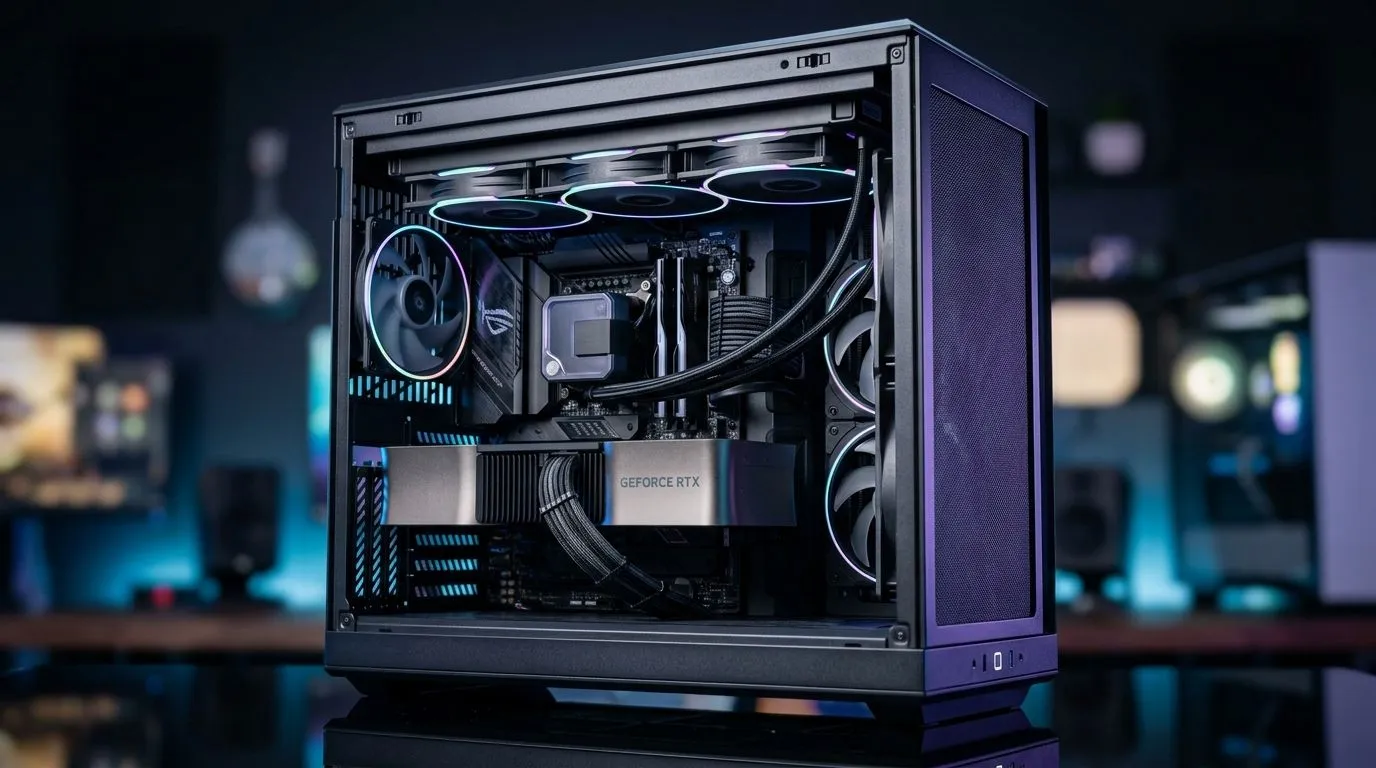
Why Gaming PC Airflow Matters in Hot South Africa
South African summers can really push your gaming PC to its limits. High temperatures paired with dust from almost everywhere means your rig’s airflow needs serious attention if you want smooth, lag-free gameplay. Proper gaming PC airflow helps keep internal components cool, boosts performance, and extends your build’s lifespan 🛠️. But dealing with dust buildup and radiator efficiency can be tricky under local conditions.
Understanding Dust Challenges for Your Gaming PC
Dust is a common enemy for gamers here. It sneaks in through intake fans, settles on your motherboard, and clogs your radiator fins. The result? Reduced heat dissipation and throttled performance. A PC case with good dust filtration can make a massive difference.
Consider the Fractal Design PC cases — they’re widely praised for efficient airflow and built-in dust filters that keep your hardware cleaner, especially in dusty environments like Johannesburg or Cape Town.
Dust-Proof Your Gaming Rig
Check and clean your dust filters every two months. Even the best filters get clogged, decreasing airflow and increasing temps. Use compressed air, but avoid opening your PC too frequently. {{/TipBox}}
Radiator Placement and Cooling Efficiency in South Africa’s Heat
Liquid cooling enthusiasts face a unique challenge: hot ambient air means radiators struggle to shed heat. The key is smart radiator placement combined with optimal airflow.
For example, front-mounted radiators draw in warmer air, which isn’t ideal in high ambient temperatures. Rear or top-mounted radiators can ventilate hot air more effectively, helping keep your coolant temperatures down. You want fresh, cooler air entering your case to maximise radiator performance.
If your budget is R1500 or less, browsing quality options at the Gamdias gaming cases selection is a great place to find cases designed with airflow optimisation in mind, including smart radiator mounts and fan configurations.
Choosing the Right Case for South African Conditions
A gaming PC’s airflow begins with the right chassis. Your case’s internal layout and fan placements should promote smooth air movement—intake fans up front and exhaust fans at the rear or top are standard.
Evetech offers a wide variety of computer cases suited for varying airflow needs and dust prevention, from budget options to premium builds. Prioritise cases that have well-positioned dust filters, good ventilation grilles, and space for multiple fans or radiators.
Don’t overlook build material either. Mesh front panels improve airflow dramatically compared to solid panels, especially when paired with good filtration.
Final Thoughts: Keep Your Gaming PC Cool and Dust-Free
South African gamers must adapt to local heat and dust by fine-tuning their gaming PC airflow and radiator setups. Remember, your PC case acts as the first line of defence against dust while enabling the airflow your components depend on. Radiator placement, regular filter maintenance, and choosing the right case matter immensely.
Optimising these factors will maintain low temps, improve system stability, and keep your FPS rock solid even when the mercury rises outside.
Beat the Heat with Fan Curves
Adjust your fan curves in BIOS or software to ramp up earlier during hot days. This keeps temps down with minimal extra noise. {{/TipBox}}
Explore our curated Gamdias gaming cases for airflow-focused builds that handle South African climes well.
Upgrade Your Cooling Setup Today Don’t let heat or dust slow you down—choose from our premium range of cases built for airflow and durability. Shop now at Evetech for performance that leaves lag in the dust.











