



PCIe 5.0 vs PCIe 4.0 for Video editing in 4k in SA
PCIe 5.0 vs PCIe 4.0 for video editing in 4k is mainly about fit, features, compatibility, cost, and upgrade path, not one automatic winner. SA buyers should match the choice to the setup.
Read moreWant HDMI to VGA signal conversion that actually works? This complete guide explains how adapters work, key limitations, and best-use tips for displays and projectors. ✅⚠️
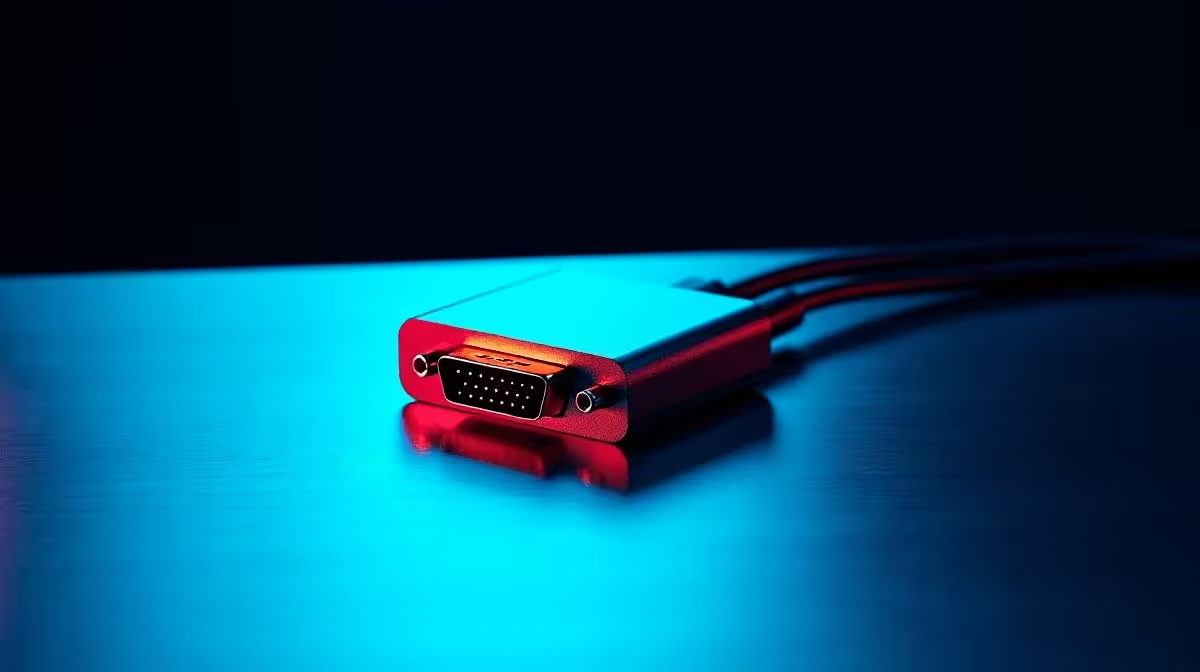
If you’ve ever tried to connect a modern laptop, console, or media device to an older monitor or projector, you’ve probably hit the same wall… HDMI on one side, VGA on the other. It’s a common headache in South African homes, classrooms, and small offices. The good news? HDMI to VGA signal conversion can work well… but only when you understand its limits first. ⚡
HDMI is a digital signal. VGA is analogue. That matters because you cannot simply use a passive cable and expect magic. An active adapter or converter is usually required to translate the signal properly. Without that conversion, the display often stays black, flickers, or shows no signal at all.
This is why the right cable solution matters. If you’re upgrading a setup, browsing comprehensive cable solutions can save you time and a few rand. It helps to shop with the whole chain in mind, not just one connector. 🔧
The biggest limitation is direction. Most HDMI to VGA devices only work one way… from HDMI source to VGA display. They do not convert VGA back into HDMI. That catches people out during upgrades.
Resolution is another limit. Many converters support up to 1080p, but performance depends on the adapter quality and the display itself. If your monitor is older, it may look soft even when the signal works correctly. That is normal for analogue output.
Audio is also a frequent surprise. VGA carries video only. So if you need sound, you’ll usually need separate speakers or an audio connection. That’s why a proper setup is more than “just the cable”.
Think of a student in Pretoria trying to connect a new laptop to a lecture hall projector. Or a gamer in Durban wanting to reuse an old office monitor as a second screen. In both cases, a converter can keep good hardware in service a bit longer… which is smart, practical, and budget-friendly.
If you prefer branded options, HP cable solutions and Promate cable solutions are worth checking when you want to compare form factor, build quality, and connector options. Always match the adapter to your device’s output and the display’s input. No guessing.
Before you buy, check three things:
Make sure your laptop, GPU, or console actually outputs HDMI.
Confirm the monitor or projector accepts VGA and supports the resolution you need.
Some converters draw extra power through USB. That can affect reliability.
If your adapter supports USB power, plug it into the source device or a reliable USB port first. It can stabilise weak signals and prevent random dropouts on older projectors.
A good converter is a bridge, not an upgrade. It helps old displays keep working, but it won’t add features like 4K, HDR, or digital audio. For many users, though, that is enough. It turns a dead end into a usable setup… and that can be a very worthwhile save in ZAR terms.
If you only need one display working today, keep it simple. Buy the right active adapter, test it before a big presentation, and keep a spare cable nearby. That little bit of prep can save a lot of stress later. 🚀
Ready to Find Your Perfect Match? The Mac vs Windows debate is complex, but for maximum power, choice, and value in South Africa, Windows is hard to beat. Explore our massive range of laptop specials and find the perfect machine to conquer your world.
Most HDMI to VGA conversions need an active, powered converter because HDMI and VGA use different signaling.
It can, but compatibility depends on the device output mode and the converter. Always check resolution and HDCP behavior.
Common limitations include lower VGA max resolution, no true digital-to-analog audio routing, and potential HDCP restrictions on protected content.
Usually no. VGA carries no audio, so most HDMI to VGA setups require a separate audio output like 3.5mm or optical.
Black screens often come from HDCP, unsupported resolutions, or using a passive adapter. Try a different converter and set output to 720p/1080p.
Many converters support up to 1080p input but output to VGA typically tops out around 480p–1080p scaling limits depending on the model.
No. Standard HDMI to VGA is typically one-way (HDMI source to VGA display). Bidirectional claims may still behave differently.
Connect HDMI to the source, VGA to the display, power the converter if needed, then select the correct projector/monitor input and set the source output.
PCIe 5.0 vs PCIe 4.0 for video editing in 4k is mainly about fit, features, compatibility, cost, and upgrade path, not one automatic winner. SA buyers should match the choice to the setup.
Read more
Wi-Fi 7 vs Wi-Fi 6e for competitive esports comes down to router support, latency goals, device compatibility, and coverage. SA buyers should match the choice to the real network setup.
Read more
ATX 3.1 vs ATX 3.0 for mMO and live-service games buyers - what changes is mostly about compatibility, budget, upgrade path, and setup fit. SA buyers should check device support and real needs before expecting a clear win from either option.
Read more
LGA 1851 vs LGA 1700 can affect Twitch and YouTube streaming when gaming and encoding share CPU resources. For SA creators, the real-world difference depends on encoder choice, memory support, motherboard cost, thermals, and upgrade plans.
Read more
X870E vs X670E for aaa single-player gaming is mainly about fit, features, compatibility, cost, and upgrade path, not one automatic winner. SA buyers should match the choice to the setup.
Read more
Hall Effect switches vs Mechanical switches for mMO and live-service games is mostly about compatibility, budget, upgrade path, and setup fit. SA buyers should check device support and real needs before expecting a clear win from either option.
Read more
A fake 113GB GTA VI ISO reportedly used empty padding around a small malware payload. SA gamers should delete unofficial builds, keep Windows security active and wait for official channels.

Wi-Fi 6E vs Wi-Fi 6 matters for 4K video editing when files move across a network. The real-world difference between Wi-Fi 6E and Wi-Fi 6 for video editing in 4K depends on NAS access, cloud uploads, router range, and SA creator workflows.

The difference between PCIe 5.0 and PCIe 4.0 for SA gamers is mostly bandwidth headroom. Compare GPU slot needs, NVMe speed, motherboard support, and upgrade timing before paying extra for a newer platform.

Gaming PC stuck pixel checks in South Africa should confirm the monitor fault first. Use colour tests, screenshot comparison, cable swaps, display menu checks, and clear photos before deciding on support.

Shokz OpenFit Air 2 earbuds weigh 7.2g each and use a redesigned dual-driver open-ear layout. SA buyers should choose them for comfort and awareness, not maximum isolation.

AMD's current driver now lists a Radeon RX 9050 4GB, while product coverage details a narrowed memory system. SA buyers should weigh the low VRAM ceiling against current local Radeon options.

Samsung Display has demonstrated a 16-inch 2.5K OLED laptop panel running at 300Hz. SA buyers should wait for a named notebook, full panel specifications and a local price before planning an upgrade.

Microsoft says some Windows 11 game crashes after recent updates are linked to RGB-related drivers. Affected SA gamers should confirm the update and driver before using the published registry workaround.

RTX 5090 on a 650W PSU is a tight pairing with very limited headroom. For SA gaming PCs, focus on total system draw, PSU quality, connector support, CPU choice, and avoid OC plans unless the full build is carefully power-limited.
PCIe 5.0 vs PCIe 4.0 for video editing in 4k is mainly about fit, features, compatibility, cost, and upgrade path, not one automatic winner. SA buyers should match the choice to the setup.

850W PSU safety for RTX 5090 is plausible with a quality unit and balanced parts. In SA, confirm connector support, CPU power draw, case airflow, PSU age, and spare capacity before building around 850W.
Wi-Fi 7 vs Wi-Fi 6e for competitive esports comes down to router support, latency goals, device compatibility, and coverage. SA buyers should match the choice to the real network setup.