

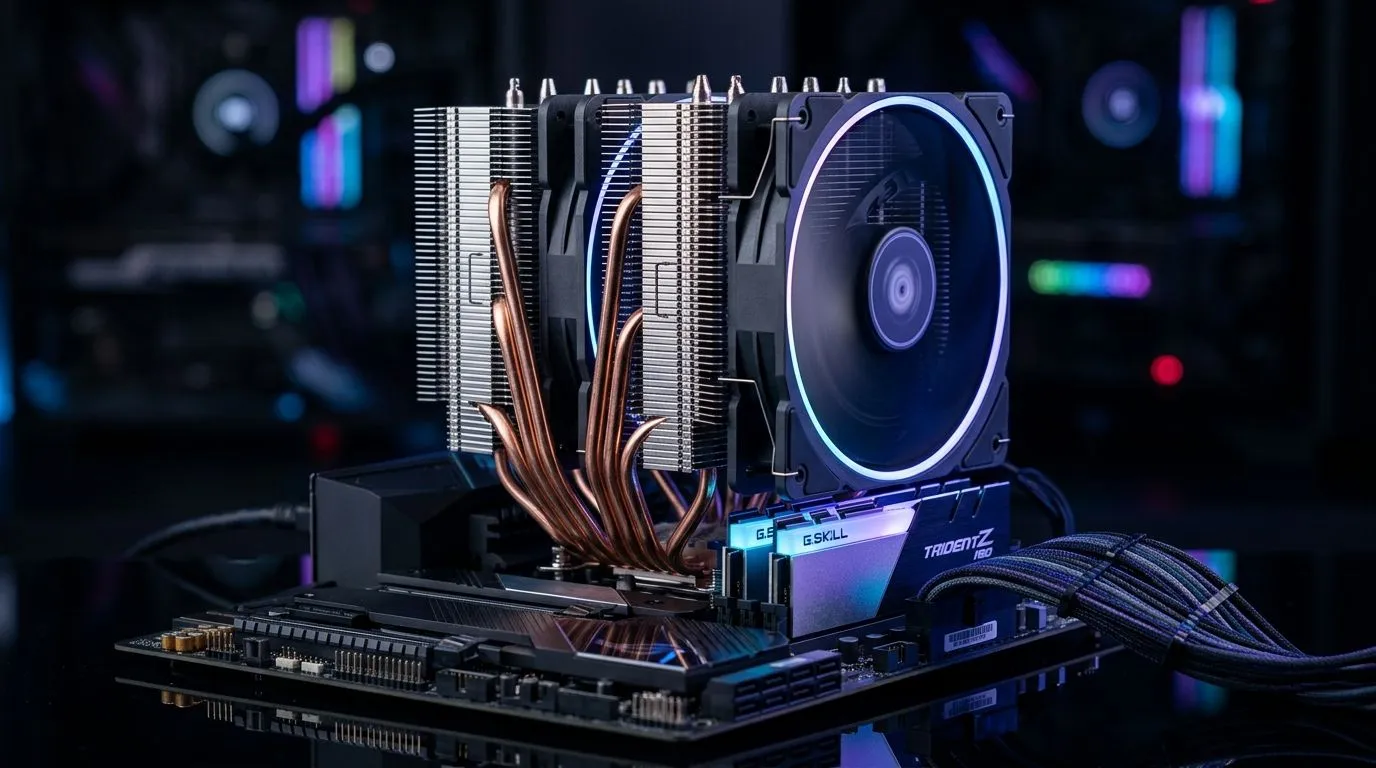
Heatpipe Layout and RAM Clearance: the “gotcha” that decides cooling 🔧
If you’ve ever bought an air cooler and then realised it won’t play nicely with your RAM, you know the pain. In South Africa, where upgrades are often pieced together and prices matter, that kind of mismatch feels expensive… fast. Today we’re breaking down Heatpipe Layout and RAM Clearance Explained for Air Coolers so you can choose confidently, avoid awkward returns, and get better temps without sacrificing looks or compatibility.
Air coolers look simple on the box. But inside, heatpipe placement and fin geometry can make or break your build.
Heatpipe Layout and RAM Clearance Explained for Air Coolers: what actually affects fit? ⚡
Heatpipes move heat from the CPU contact plate to the fin stack. The way they’re routed (the “layout”) determines how much space they take up near the motherboard surface and RAM slots.
Here’s what to watch:
- Direct contact area vs. heatpipe bend direction: some coolers route pipes to tuck alongside the motherboard, while others sweep across the RAM zone.
- Fin stack height and offset: even if the cooler “fits the socket,” the heatpipes or fan shroud might overlap RAM heatsinks.
- Fan mounting position: a 120mm fan cooler might have different offsets than a dual-tower design, affecting clearance.
Evetech stocks a wide selection of air coolers, including popular models with different fan sizes and brands, which is helpful when you’re planning a tight RAM fit.
Before you buy: quick compatibility checks that save money ✨
Before you commit, do these three checks. They take 2 minutes and prevent “why won’t this latch?” moments.
- Item
- Item
- Item
Productivity Pro Tip 🔧
On the build day, take a quick phone photo of your motherboard with the RAM installed, then hold the cooler (or a printed cut-out of its dimensions) over the RAM area. If it blocks the slot locks, you’ll know instantly before you remove screws and lose patience.
Pick the right cooler: use Evetech filters to match your build 🚀
Instead of guessing, start broad, then narrow.
If you want to compare different cooler families quickly, browse:
- All air coolers here: Air cooler options
- Air coolers specifically: Air Cooler range on Evetech
- 120mm fan models, often easier to align in tighter layouts: 120mm air coolers
Brand choice can also help when you’re trying to match typical RAM clearances seen in real builds. For example:
And remember… you’re not only buying cooling. You’re buying fit, serviceability, and how clean your cable routing stays once everything is mounted.
Practical RAM fit tips (especially with RGB) 🌟
- If your RAM is close to the CPU, consider coolers with pipes that route away from the RAM ends.
- If you’re using high-profile heatsinks, aim for a cooler that explicitly supports taller RAM.
- Plan for fan clearance too. A cooler that technically fits the RAM can still force your case fan to hit the fin stack.
If you’re building for gaming in South Africa, stable CPU temps mean steadier boost behaviour. That’s the real win.
Ready to Find Your Perfect Match? The Mac vs Windows debate is complex, but for maximum power, choice, and value in South Africa, Windows is hard to beat. Explore our massive range of laptop specials and find the perfect machine to conquer your world.











