

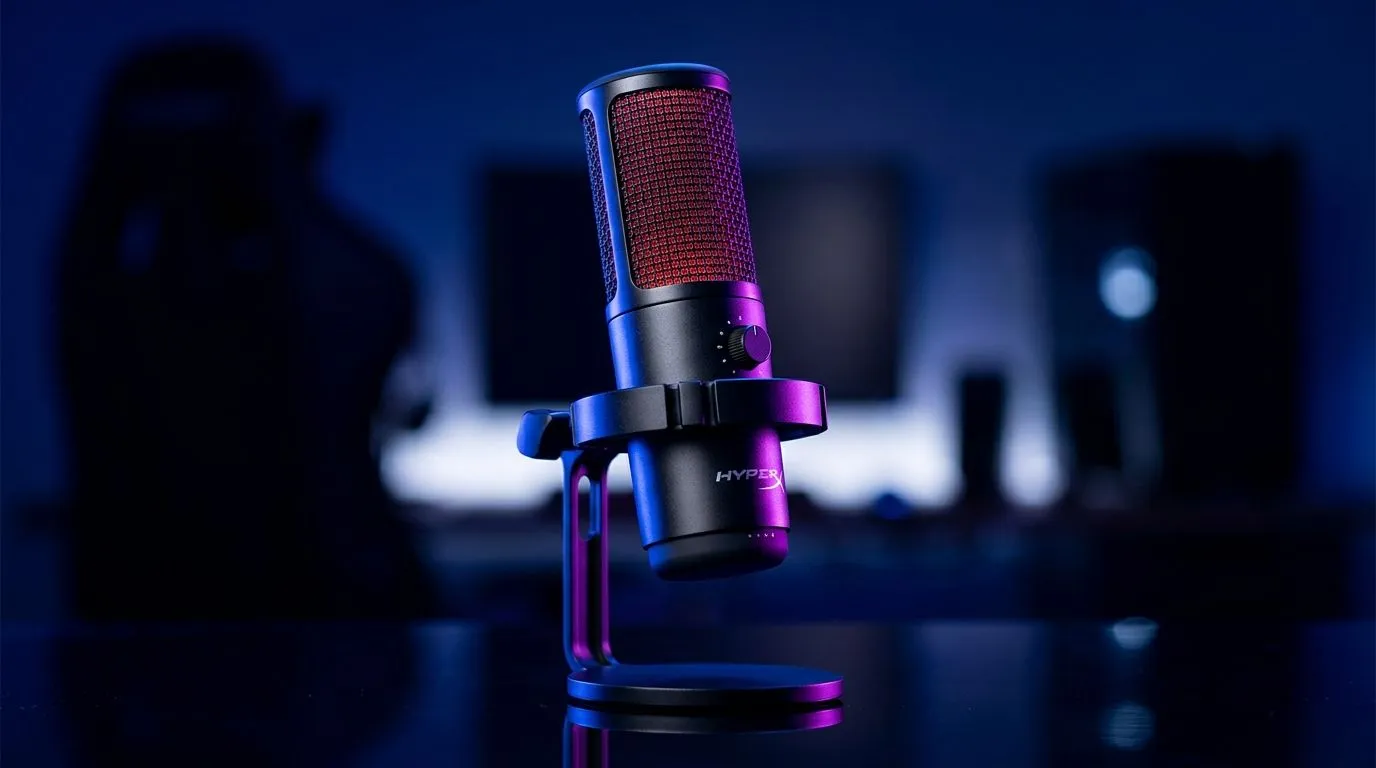
Hi-Res Studio-Quality Recording on the HyperX QuadCast 2
If your current mic makes you sound like you’re recording from the back seat of a minibus taxi, it’s time for an upgrade 🔥 South African streamers, podcasters, and Discord regulars know the pain... great gameplay means nothing if your audio sounds muddy. The HyperX QuadCast 2 is built for clearer voice capture, cleaner streams, and a more polished on-mic presence. For creators chasing that crisp, studio-style sound without a complicated setup, this one deserves a proper look.
Hi-Res Recording Quality for HyperX QuadCast 2
The main appeal of the HyperX QuadCast 2 is simple... it aims to capture your voice with more clarity and less fuss. That matters whether you’re streaming Apex, hosting a weekend podcast, or making tutorial content for your audience. Good microphone quality helps your voice sit more naturally in a mix, which means less editing later and a more professional final result.
HyperX positions the QuadCast 2 as a creator-focused microphone, and its design reflects that. It’s built for desk use, quick setup, and dependable vocal capture. If you’re comparing options for a new streaming rig, you can start by browsing Evetech’s streaming essentials range to see how a mic fits into the bigger setup.
Why voice clarity matters more than most people think
Viewers forgive average webcam quality more easily than poor audio. A soft, clipped, or noisy voice makes streams feel less professional immediately. Cleaner sound also helps on Zoom, Teams, and online classes. If you’re creating from home, the mic is often the first upgrade that changes how people perceive your setup.
HyperX QuadCast 2 setup tips for South African creators
One of the strongest parts of a mic like this is ease of use. You don’t need a full studio to sound better. A good desk position, a bit of gain control, and sensible room placement can do a lot. Keep the microphone slightly off-centre from your mouth to reduce plosives. Use a boom arm if your desk picks up too much vibration. And if your room is reflective, soft furnishings help more than people expect.
Creator Audio Tip ⚡
On Windows, check your microphone input levels before going live. A few minutes spent setting gain correctly can save you from distorted voice clips and awkward stream re-runs later.
If you’re building a more complete creator corner, it helps to think beyond the mic. Lighting, framing, and camera quality all affect how polished your content feels. Evetech’s webcams selection is a useful next stop if your face cam still looks grainy or soft.
Building a cleaner streaming setup with the right accessories
The best mic in the world can’t fully fix a messy setup. That’s why many South African creators pair audio upgrades with a few practical extras. A stable desk mount, proper cable management, and decent lighting can make the whole recording space feel more intentional. If you’ve ever watched a streamer with okay gear but excellent presentation, that’s usually why.
For RGB fans who want their setup to look as good as it sounds, small accents can go a long way. Evetech’s CORSAIR streaming essentials listings are worth a glance if you’re after premium accessories that match a clean battlestation aesthetic. If your room needs visual pop, the Cololight streaming gear range can help bring that warm, content-creator look without overcomplicating your desk.
A quick real-world example
Picture this. You’re recording a late-night commentary after a full load shedding schedule shuffle. Your room isn’t perfect. The neighbours are loud. The fan is on. A better mic won’t erase every background sound, but it can make your voice more present and easier to hear. That alone improves watchability. For creators, that’s often the difference between “good enough” and “I’d follow this channel.”
Is the HyperX QuadCast 2 worth it for gaming and content?
If your priority is sounding clearer with minimal setup hassle, the HyperX QuadCast 2 makes a lot of sense. It’s especially appealing for streamers, aspiring podcasters, and gamers who want a more refined voice without diving into complex interfaces and studio mixers. It suits the creator who values convenience but still wants a more professional result.
The bigger question is whether it fits your whole setup. If your PC, camera, and lighting are already solid, a quality mic is one of the smartest upgrades you can make. If you’re still building from scratch, start with the essentials that improve the full experience, not just one part of it. That’s how you stretch your budget properly in South Africa.
Final thoughts on studio-quality recording
A good microphone does more than improve sound. It improves confidence. When you know your voice is coming through cleanly, you focus more on content and less on technical distractions. That’s the real value of a creator mic like the HyperX QuadCast 2... smoother communication, better audience retention, and a setup that feels ready for more serious work. ✨
Ready to Find Your Perfect Match? The Mac vs Windows debate is complex, but for maximum power, choice, and value in South Africa, Windows is hard to beat. Explore our massive range of laptop specials and find the perfect machine to conquer your world.











