


MacBook Pro 16-Inch M5 Max: Complete Specs, Features and SA Pricing Guide
MacBook Pro 16-Inch M5 Max: Complete Specs,. Everything you need to know with SA pricing, step-by-step instructions & expert recommendations.
Read moreDoes higher thermal capacity improve gaming performance and workstation stability? Learn when thermal mass helps, when it won’t, and what to prioritize for sustained FPS and quieter runs. 🔥🧊
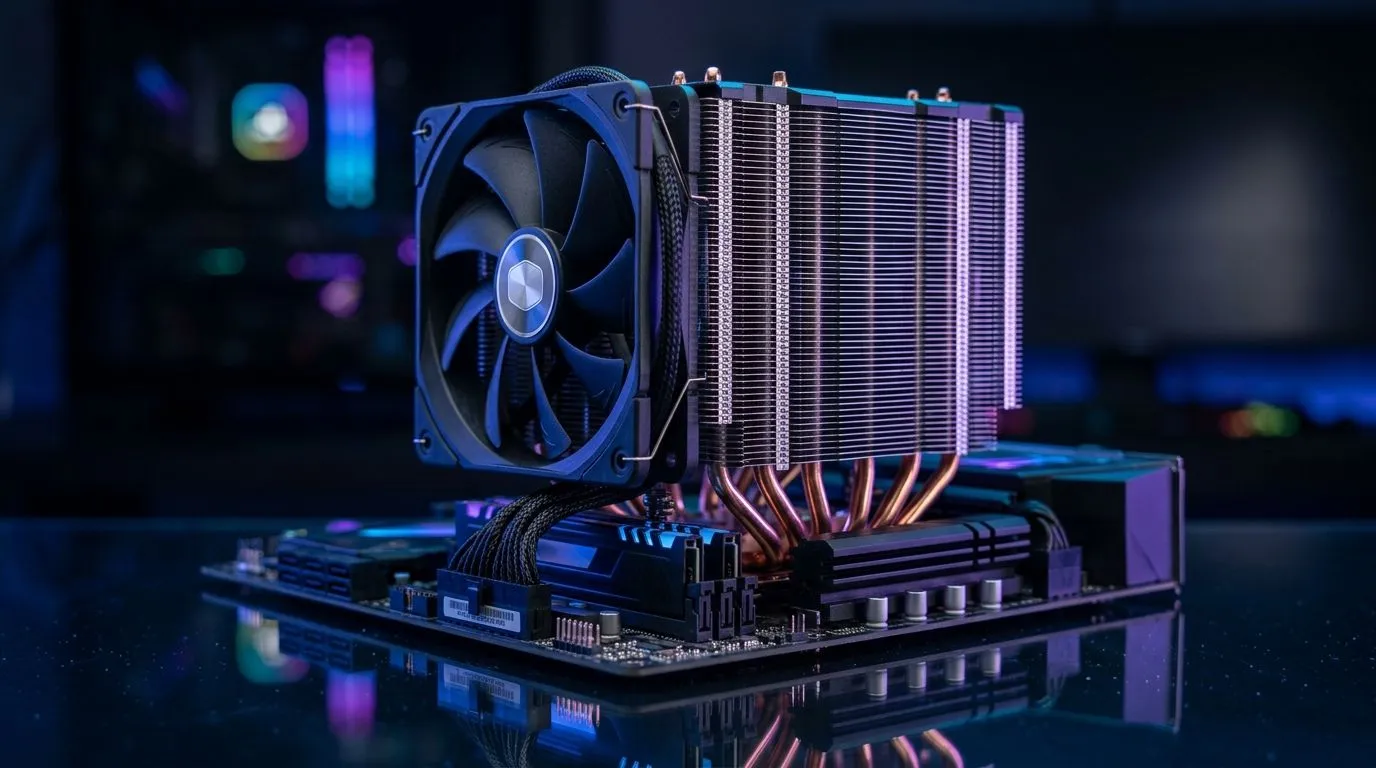
South African gamers chase stable FPS like it’s kitted loot… but heat is the silent boss. 🔥 If your PC throttles, even the “best” GPU feels slow. So you’re probably wondering: does higher thermal capacity improve gaming performance? The short answer is… it can help, but only in specific scenarios. Let’s break down what “thermal capacity” does, when it matters, and how to pick the right cooler for your build. ⚡
Higher thermal capacity usually means your cooler (or its heat sink material) can store more heat before temperatures rise quickly. That can reduce sudden temperature spikes during bursts, like peak CPU moments in games, and it may buy time before the fans ramp up.
Here’s the simple way to think about it. A game loads your CPU, the chip produces heat, and your cooler has to move that heat away.
So, if your gaming sessions are short bursts, a higher thermal mass can help smooth out those spikes. But for long, heavy loads (think multiplayer nights, streaming, or CPU-heavy titles), the cooler’s ability to actively transfer heat matters more. In other words, capacity is the buffer… dissipation is the escape route. 🚀
A practical example: imagine your CPU spikes to a temperature where it would throttle. With more thermal buffer, it might hover below that threshold a bit longer. But if the cooler can’t keep up, temperatures will still climb eventually.
Most buyers focus on “Wattage” and fan size, which is fine, but also look at:
If you’re building on a tight budget, air coolers are often the most cost-stable choice in South Africa. They’re also straightforward to maintain.
If you want the most reliable gaming temperatures, start with a sensible target: keep your CPU below its throttle region and avoid noisy fan ramping.
For air cooling, the “right” solution is often a mix of thermal mass and airflow. For example, a bigger heatsink with quality heat pipes can help hold temperatures steadier under frequent bursts.
If you’re testing whether better thermal capacity helps in your actual games, run the same benchmark twice and compare fan noise and clock stability, not just peak CPU temperature. Use a monitoring tool like HWiNFO to watch sustained temps over 10 to 20 minutes, because a buffer that only helps for 30 seconds can still lose during longer sessions.
When shopping, Evetech’s air cooler selection is a solid place to compare like-for-like. Start broadly, then narrow by air cooler and fan sizing:
Before you commit to a cooler, confirm:
If you’re pairing your CPU with a modern GPU, stable CPU cooling can make your whole system feel smoother… especially in games that lean on the CPU for simulation and networking.
Does higher thermal capacity improve gaming performance? Yes, but think of it as temperature stability insurance, not guaranteed FPS. It helps when:
For longer sessions, you still need strong heat dissipation through airflow and fan performance. Get both, and you’ll feel the difference in consistent clocks and calmer temps. ✨
Ready to Find Your Perfect Match? The Mac vs Windows debate is complex, but for maximum power, choice, and value in South Africa, Windows is hard to beat. Explore our massive range of laptop specials and find the perfect machine to conquer your world.
Higher thermal capacity can reduce short-term spikes, but sustained FPS mainly depends on cooling capacity, fan curves, and thermal throttling behavior.
No. Thermal mass acts as a buffer for heat, while cooling capacity (heatsink size, cooler design, airflow, and heat dissipation) determines how fast heat is removed.
It helps during short, repeat-heavy bursts where the system can later recover. Strong cooling still matters for long sessions and sustained loads.
It can delay throttling by slowing temperature rise, but it cannot prevent throttling if the cooling system can’t maintain safe temperatures over time.
Airflow and cooling design usually matter more for sustained workstation performance. Thermal mass can improve stability briefly, then airflow keeps temperatures controlled.
It can influence how quickly clocks drop under load. However, benchmark consistency is largely driven by total cooling capacity and power limits.
Compare sustained temperatures and clock stability under your real workload. Look for fewer temperature spikes and less throttling, not just peak temps.
Only if it improves real cooling performance in your case. Prioritize cooler compatibility, heatsink design, airflow, and realistic thermal results.
MacBook Pro 16-Inch M5 Max: Complete Specs,. Everything you need to know with SA pricing, step-by-step instructions & expert recommendations.
Read more
Travelling With a MacBook: Travellers. Everything you need to know with SA pricing, step-by-step instructions & expert recommendations.
Read more
Back-to-School Parent Guide: Laptops. Everything you need to know with SA pricing, step-by-step instructions & expert recommendations.
Read more
MacBook Air 13-Inch M5: Complete Specs, Features. Everything you need to know with SA pricing, step-by-step instructions & expert recommendations.
Read more
MacBook Neo Unboxing and First Setup Guide for. Clear setup instructions with SA-specific considerations, troubleshooting tips & recommended components.
Read more
MacBook Pro 16-Inch M5 Pro: Complete Specs,. Everything you need to know with SA pricing, step-by-step instructions & expert recommendations.
Read more
CS2 Low FPS: Monitor Bottleneck. Real-world benchmark data, FPS numbers & performance analysis. What SA gamers can actually expect.

Is AOC a Good Monitor Brand for Gaming in South Africa Detailed answer with SA data, expert analysis & practical recommendations for local buyers.

What Gaming Monitor Can You Get for R20,000. Full parts list, Rand pricing & expected performance. Build confidently with SA-available components.

What Gamers Actually Bought: November Report. Real purchase data from SA retailers revealing what local buyers are actually choosing and why.

Can the RX 7700 XT Handle 1440p 144Hz Gaming. Performance testing verdict with real data & practical recommendations for SA buyers.

Top Laptop with Core i7 + RX 7700S: Picks picks evaluated on performance, value & SA availability with current Rand pricing from Evetech.

RX 7700 XT Black Myth Wukong 2 FPS: Performance. Real-world benchmark data, FPS numbers & performance analysis. What SA gamers can actually expect.

RTX 6080 Gran Turismo 7 PC Performance: FPS Test. Real-world benchmark data, FPS numbers & performance analysis. What SA gamers can actually expect.

Eliminate background noise in gaming voice chat using cardioid microphones to focus on your voice and reject room sounds. Get cleaner comms fast with smart placement and settings—🎮🎧

Wondering how much to spend on a high-end gaming headset in South Africa? We break down budget vs performance, what you actually get, and smart upgrade steps 🎧⚡

Wondering about THX Spatial Audio vs 7.1 surround for positional awareness? We compare imaging, depth, and cueing so you can pick the best option for gaming. 🎧👣

50mm bio-cellulose drivers vs standard drivers: does material affect audio precision? Compare clarity, bass control, and imaging so you can choose the right headphones. 🎧🔍