

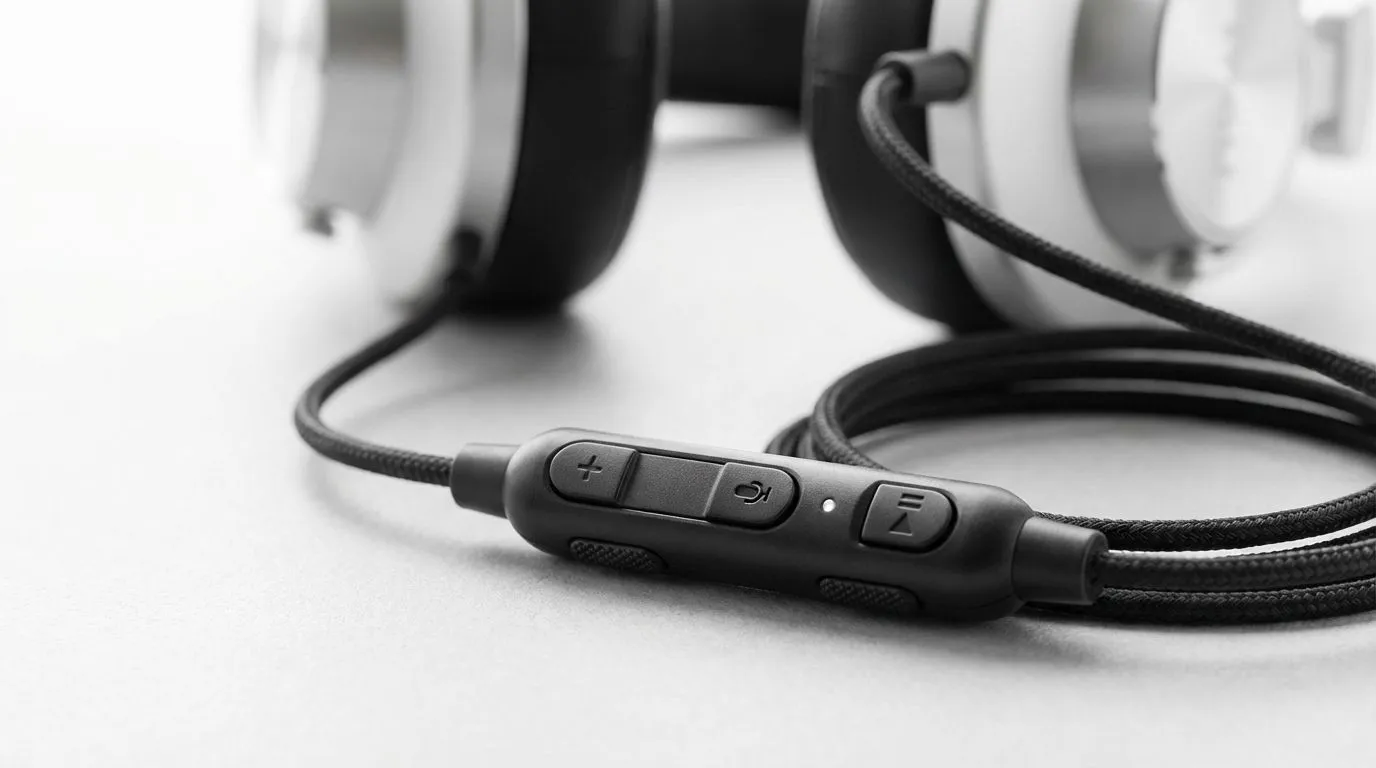
Ever been in a clutch moment and your audio is too low? Tabbing out to adjust settings is a recipe for disaster. This is where in-line controls on headsets become your best friend. These small modules let you adjust volume or mute your mic instantly. No software needed... just a quick flick of the finger. It keeps you in the game while staying in total control of your environment. ⚡
The Core Functions of In-line Controls on Headsets
At their most basic, these controls are physical interfaces built directly into the headset cable. They usually feature a small wheel for volume adjustment and a sliding toggle to mute the microphone. This is vital for South African gamers who often deal with noisy environments or unexpected interruptions at home. Instead of fumbling for a keyboard shortcut, you can reach down and silence your mic in a split second.
When browsing the wide selection of headphone headsets at Evetech, you will notice that these controls vary in complexity. Some high-end models even include buttons to toggle virtual surround sound or adjust chat-mix levels. This allows you to balance game audio and Discord chatter without ever taking your eyes off the screen.
Why Tactile Feedback Matters for Performance
In the heat of a match, speed is everything. Software-based volume control is precise but slow. Physical in-line controls on headsets offer tactile feedback that your brain processes instantly. You do not need to look at the controller to know if you are turning the volume up or down. This muscle memory is a massive advantage in competitive titles like Apex Legends or Valorant.
Audio Precision Tip ⚡
If your in-line volume wheel feels scratchy or causes static, try rotating it rapidly while the headset is unplugged. This often clears out dust buildup on the potentiometer without needing tools. It is a quick fix to keep your audio crisp during long sessions.
Comparing In-line Modules to On-Earcup Controls
Not all headsets put their controls on the wire. Many modern wireless designs move these buttons to the earcups themselves. If you prefer a cleaner cable or a wireless setup, looking through the range of Razer headphones and headsets is a great starting point. On-earcup controls are often more durable as there is no cable to fray... but they can be harder to find by touch alone during an intense firefight.
A perfect example of modern control integration is the Razer Barracuda X Chroma Wireless. While it focuses on a sleek, wireless experience, it ensures that the most important toggles are exactly where your thumb expects them to be. Whether the controls are on the cord or the cup, the goal remains the same... keeping you immersed. 🔧
When Are These Controls Most Useful?
In-line controls are particularly useful for multi-platform gamers. If you are switching your headset between a PC, a console controller, and a mobile device, having the controls on the headset itself ensures a consistent experience. You do not have to learn the specific volume menus for every different operating system. 🚀
They are also a lifesaver for professional environments. If you use your gaming headset for work-from-home meetings, the physical mute toggle provides a visual and tactile guarantee that you are "off-air." It is about peace of mind as much as it is about performance.
Ready to Take Control of Your Audio? Finding the right balance of comfort and control is essential for any South African gamer. Explore our massive range of headset specials and find the perfect gear to dominate your next session.











