

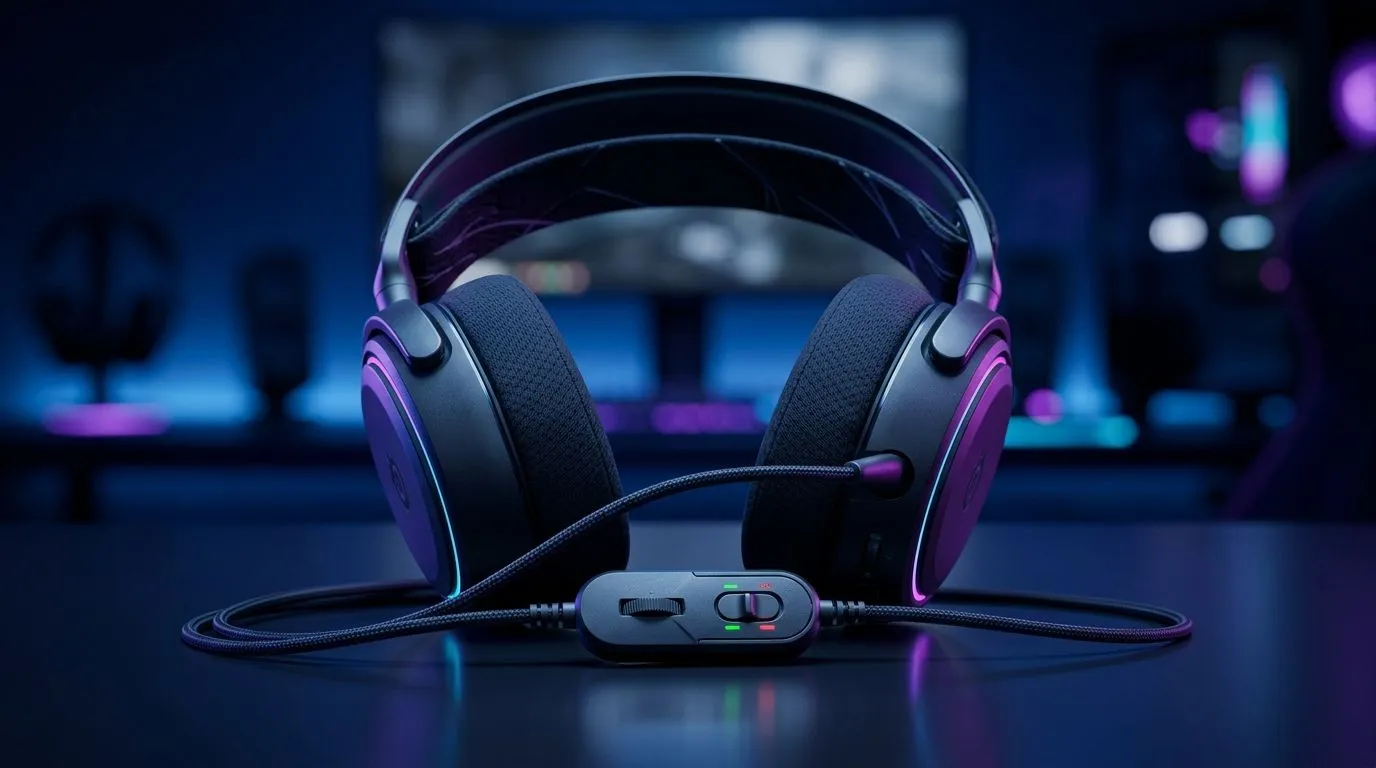
In-Line Volume Control on a Gaming Headset Explained: Why It Matters for SA Gamers
If you’ve ever been mid-match and realised your headset volume is way off… you know the pain. In South Africa, load shedding, shared spaces, and fast console/PC switching are real. You want control you can reach instantly. That’s where in-line volume control on a gaming headset explained becomes more than a spec sheet detail. It’s about comfort, consistency, and not missing those footsteps while you’re fumbling with menus.
What “In-Line Volume Control” Actually Does 🔧
“In-line volume control” means a physical dial, slider, or buttons placed along the headset cable. Instead of opening your game audio settings, you adjust volume right at the source. Usually, it sits between the headset and your PC/console.
Most headsets with this feature:
- Let you turn volume up or down quickly
- Offer finer control than tiny software steps
- Reduce the need to alt-tab during ranked matches
The big win? Less friction. A small adjustment, in seconds, without breaking your focus.
Dial vs Slider: Which Feels Better?
Dials tend to be smooth and quick to fine-tune. Sliders can feel more precise, especially if you’re adjusting repeatedly during a session. Either way, you’re aiming for consistent volume levels across Discord, game chat, and in-game audio.
Quick Check
When shopping, look for “in-line volume control” in the product description. Don’t assume all wired headsets include it.
Benefits You’ll Notice During Gameplay ⚡
In competitive play, audio timing matters. When volume is wrong, footsteps, abilities, and dialogue lose clarity. In-line control helps you quickly balance:
- Music vs game SFX
- Teammate voice vs your game audio
- Windows notifications vs immersion
And in SA households where multiple people share a room, you can lower volume instantly without asking everyone to “hold up”.
Micro-Scenario: Ranked While Someone Streams
You’re in a lobby. Your friend sends a meme on Discord. The ad break on their stream gets loud. Instead of hunting through settings, you nudge the in-line dial… problem solved.
Compatibility Tips for Consoles and PCs ✨
In-line volume control usually works anywhere that accepts a standard 3.5mm connection (or a headset analogue input). The actual outcome depends on:
- Whether your device supports 3.5mm audio
- If the headset is wired with inline controls (not all are)
- Your device’s chat-mix features (PC setups can differ)
For South African buyers, the easiest path is to match the headset to your platform’s connection type.
Productivity Pro Tip ⚡
On Windows, use the built-in Sound Mixer to keep Discord and your game at sensible levels, then use the headset in-line control for fast “moment” adjustments. This prevents one app update from ruining your whole audio balance during ranked.
Example Headsets to Consider from Evetech
If you want to shop with confidence, start with models known for comfort and everyday usability. Here are a few Evetech options worth checking:
- If you’re eyeing a wireless gaming headset with easy day-to-day control, explore the Razer Barracuda X Chroma Wireless Headset (Phantom White): See the Razer Barracuda X Chroma deal page
- For a wider look at gaming-ready Razer headphones and headsets, browse this category page: Explore Evetech’s Razer headphones headsets range
- Want to compare across brands and styles? Use this broader headsets category to filter by connection type and features: Shop headphone headsets at Evetech
How to Choose the Right In-Line Control (Without Regret) 🚀
Before you buy, confirm three things:
- Control type: dial, slider, or buttons
- Cable length: enough reach to avoid tugging while seated
- Connection: ensure it matches your PC/console setup
Then think about your routine. If you stream, play on a shared desk, or swap between apps often, in-line control is one of those “small” features that makes daily use smoother.
Ready to Find Your Perfect Match? The Mac vs Windows debate is complex, but for maximum power, choice, and value in South Africa, Windows is hard to beat. Explore our massive range of laptop specials and find the perfect machine to conquer your world.











