

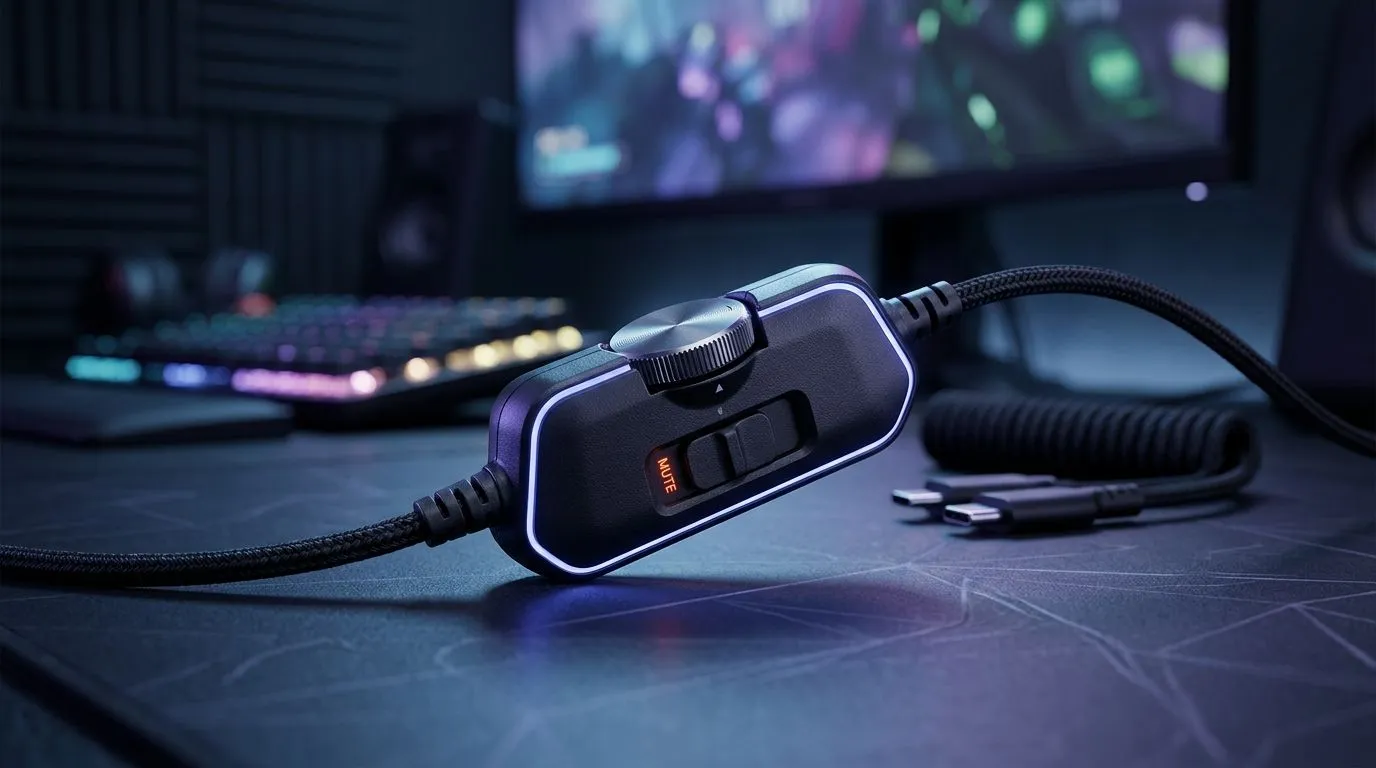
In‑Line Volume and Mute Controls: Competitive Match Guide for South African Gamers 🎮
If you’ve ever muted at the worst possible moment… or fumbled volume mid-round, you already know. The “right” headset is more than surround sound. It’s how fast you can change volume, mute instantly, and keep your hands on your mouse. In South African ranked lobbies, milliseconds matter. So let’s break down in-line volume and mute controls, and how to choose a headset that helps you play cleaner, communicate clearer, and tilt less.
This guide focuses on a practical setup you can use today, whether you’re on PC, console, or a mixed couch session with friends.
In‑Line Controls That Actually Help: What to Look For 🔧
The best in-line controls are simple, tactile, and predictable. Here’s what to prioritise:
Volume: dial vs buttons
- Dial volume is great for fine adjustments. But it must be easy to turn without looking.
- Button volume is faster for big changes. Still, you need clear separation between buttons.
Mute: instant and unmistakable
A real “competitive” mute should:
- be reachable by your thumb or forefinger while the other hand aims,
- avoid accidental presses when you move,
- offer a visible indicator when muted (some models do this via LED).
Cable length and placement
In-line controls fail when the cable sits wrong. Route it so the control sits near your dominant hand, not across your chest.
Setup Pro Tip ⚡
Windows and voice apps can be picky about audio devices. Before a match, open Sound settings and confirm your headset is selected for both Output and Input. Then test the mute key by watching the input meter move as you toggle mute. This prevents the dreaded “I muted… but Discord still heard me.”
Match-Test Your Headset: Fast Checks Before Ranked 🚀
Before you commit to a night of ranked, run a 60-second test:
- Mute speed test: Put your hands in your usual position. Mute/unmute without looking.
- Voice clarity check: Record a 10-second clip in Discord or your voice client and listen back.
- Volume consistency: Turn volume up and down while talking. You want smooth control, not jumps.
- Comfort under strain: Lean forward and turn your head slightly. If you brush the inline buttons by accident, you’ll do it in-game.
If you share a setup with family or roommates, these tests also help you avoid awkward moments. Your future self will thank you.
Recommended Headsets for In‑Line Volume and Mute Controls (Evetech) ✨
Not every headset includes well-positioned in-line controls, and not every price point fits every lifestyle. Evetech stocks multiple Razer options designed for everyday clarity and fast changes. Start here based on your needs:
- If you want a premium wireless option with strong everyday usability, check out the Razer Barracuda X Chroma (wireless): https://www.evetech.co.za/razer-barracuda-x-chroma-wireless-headset-phantom-white/best-deal/24367
- If you’re comparing model families and want to browse Razer’s lineup for headphone and headset options, use this collection page: https://www.evetech.co.za/PC-Components/razer-headphones-headsets-105
- Prefer a broader scan of headphone and headset categories at Evetech? Start here: https://www.evetech.co.za/components/headphone-headsets-100
When you shortlist, choose the one where the mute feels obvious. The best control scheme is the one you can use while your brain is focused on aim.
In‑Line Volume and Mute Controls: Your Competitive Communication Plan 🎧
Here’s the simple strategy many top players use:
- Keep volume slightly below “comfortable shouting.”
- Adjust volume in the first minute of a session, not during a clutch.
- Use mute intentionally. If your team needs silence (reloads, utility timing, family noise), mute quickly and unmute on your cue.
One last thing… if your controls require looking or careful finger placement, it’s costing you time. Switch it now, and your comms will feel calmer immediately.
Ready to Find Your Perfect Match? The Mac vs Windows debate is complex, but for maximum power, choice, and value in South Africa, Windows is hard to beat. Explore our massive range of laptop specials and find the perfect machine to conquer your world.











