

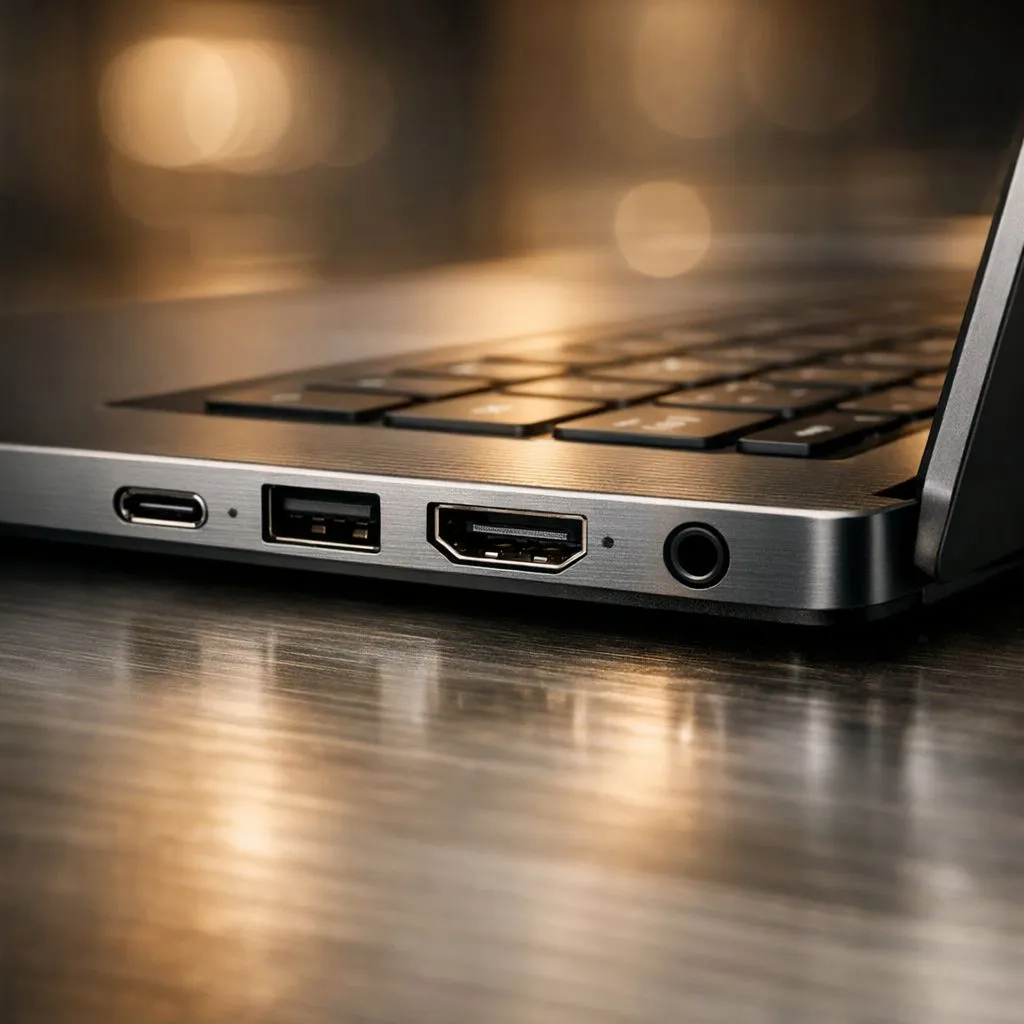
You've just unboxed your powerful new laptop. It's sleek, fast, and feels like the future. But then it hits you… you can't plug in your mouse. Or your favourite monitor. Or even your trusty old USB drive without a clumsy adapter. Suddenly, that minimalist design feels more like a major headache. In the world of portable power, understanding laptop ports isn't just a techy detail; it's the key to unlocking your machine's true potential.
The Unsung Heroes: Why Laptop Port Selection is Crucial
Before you get dazzled by CPU speeds and GPU specs, take a moment to look at the sides of the machine. Those little slots are your gateway to the outside world. The right laptop ports mean seamless connectivity for everything from a second screen for multitasking to a stable wired internet connection for that crucial online match.
A great laptop balances power with practicality. It should simplify your workflow, not complicate it with a bag full of dongles. When browsing the best gaming laptop deals in South Africa, paying attention to connectivity ensures you get a machine that works for you, right out of the box.
Your Guide to Essential Laptop Ports in 2024 🔧
The world of laptop ports can seem confusing, with different shapes and symbols. Let's decode the most important ones you'll find today.
The Almighty USB-C (and its powerful cousin, Thunderbolt)
That small, oval-shaped port is USB-C, and it's brilliant. But here's the catch: not all USB-C ports are created equal. The shape is just the connector; its capabilities can vary wildly.
- Standard USB-C: Handles data transfer and sometimes charging.
- USB-C with DisplayPort: Can output video to a monitor.
- Thunderbolt 4: The king of connectivity. This one port can handle lightning-fast data transfer (up to 40Gbps), connect multiple 4K monitors, and charge your laptop… all through a single cable.
Many premium Intel laptops on special feature Thunderbolt 4, making them a fantastic choice for creators and professionals who need a powerful, one-cable docking solution.
HDMI: The Old Faithful for Displays
HDMI (High-Definition Multimedia Interface) is your go-to port for connecting to most monitors and TVs. It’s simple and reliable. For gamers, the version matters. HDMI 2.1 is the new standard, supporting higher resolutions and refresh rates like 4K at 120Hz. This is a must-have feature if you plan on connecting your rig to a high-end display. You'll find modern ports like these on many of the latest GeForce RTX gaming laptops, built to push pixels at incredible speeds.
Don't Forget the Classics: USB-A, Ethernet & More
While USB-C is the future, the classic rectangular USB-A port is still essential for connecting most peripherals like your mouse, keyboard, and external hard drives. For gamers, a dedicated Ethernet (RJ45) port is non-negotiable for a lag-free, stable online experience. Many modern notebooks, including a wide range of Ryzen laptop deals, still offer a healthy mix of these legacy ports for maximum convenience.
Matching Laptop Connectivity to Your Needs 💻
So, which laptop ports do you actually need? It all depends on how you use your machine.
A student might prioritise a lightweight design with a versatile USB-C port for charging and presentations. A content creator will need Thunderbolt for fast external SSDs and an SD card reader for camera footage.
For gamers, the ideal setup includes at least one HDMI 2.1 or DisplayPort-capable USB-C, multiple USB-A ports for a headset and mouse, and that all-important Ethernet port. The good news is you don't have to spend a fortune to get great connectivity. Many of the best gaming laptops under R20k offer a fantastic selection of ports to get you started without needing a single adapter.
Check Before You Buy! ⚡
Not sure if a laptop's USB-C port can connect to a monitor? Look for a small lightning bolt symbol (indicating Thunderbolt) or a 'D' symbol (indicating DisplayPort Alt Mode) next to the port itself. If there are no symbols, check the laptop's official spec sheet on the product page to confirm its video output capabilities. A few minutes of research can save you hours of frustration!
Ultimately, the best laptop is one that fits seamlessly into your life. Thinking about laptop ports and connectivity beforehand ensures your new device is a powerful tool, not a source of frustration. ✨
Ready to Plug In and Play? Don't let a lack of ports bottleneck your performance. Choosing a laptop with the right connectivity is the first step to building the perfect setup. Explore our massive range of laptop specials and find a machine with the power and ports to conquer your world.











