

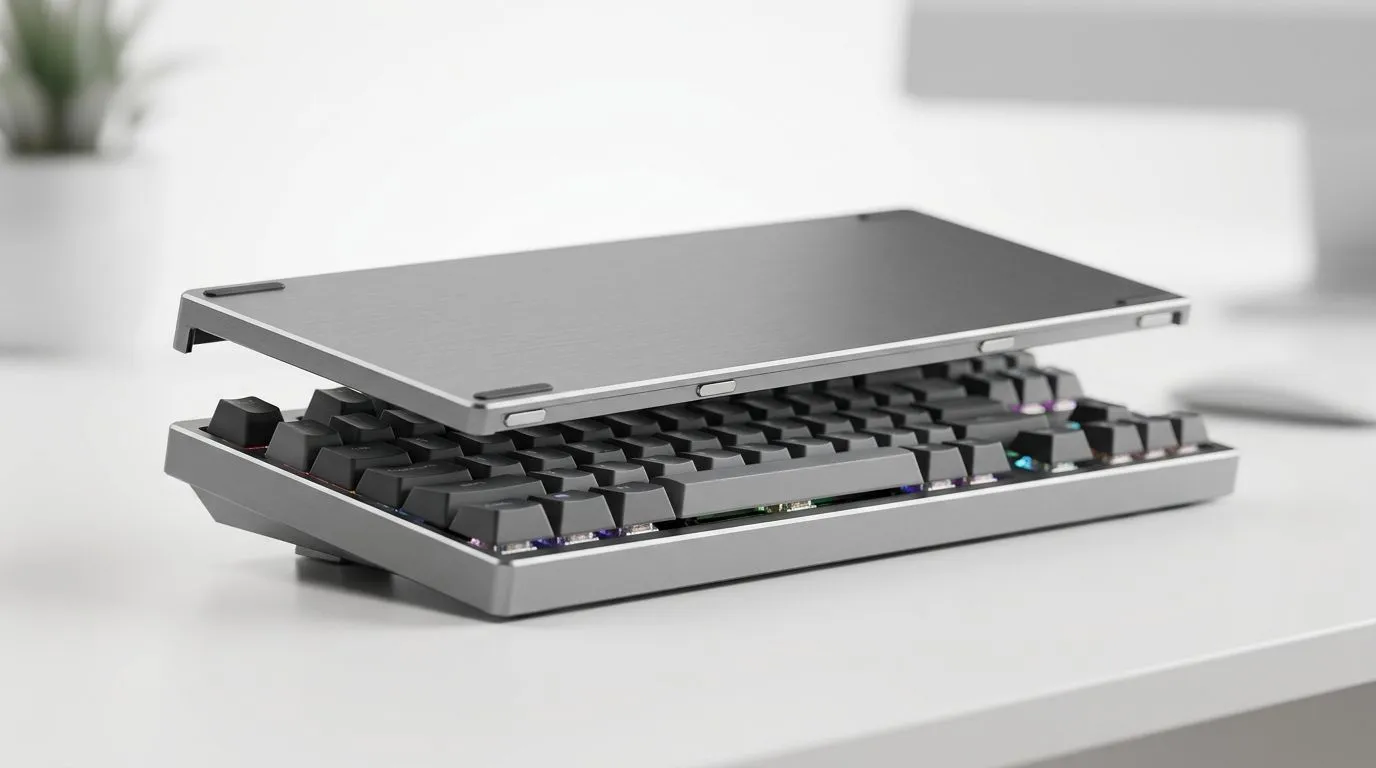
Magnetic Top Covers for 2-in-1 Classic and Skeleton Keyboards: Why South Africans Care 🔧
If you’ve ever owned a keyboard that looked perfect… until the dust, fingerprints, and random knocks started stacking up, you’ll get it. In SA homes, we’re constantly shifting between desk setups, gaming sessions, and long work days. A magnetic top cover can turn a “set it and forget it” keyboard into something you can protect quickly without losing that clean, custom look.✨
But it’s not just about style. These covers help manage everyday grime and can make your desk feel more “finished” on day one.
Magnetic Top Covers for 2-in-1 Classic and Skeleton Keyboards: The Smart Upgrade Mindset ⚡
A magnetic top cover is basically a fast shield. You attach it, it stays put, and when you need the full typing feel or visual, you remove it just as easily.
What changes with a 2-in-1 classic and skeleton design is flexibility:
- Classic mode often means a more enclosed look and a “cleaner” desk aesthetic.
- Skeleton mode keeps the exposed switch area vibe but can be more open to dust build-up.
So the real win is control. You decide what your keyboard is “doing” today, not the other way around.
What to check before you buy
Not all magnetic covers fit every board. Before purchasing, confirm:
- The cover is designed for your keyboard layout and case style
- Magnetic alignment feels secure (no wobble)
- It doesn’t interfere with key travel or surface clearance
If you’re shopping for the keyboard itself first, you’ll usually get better results pairing it with accessories meant for that specific design family.
Magnetic Top Covers for 2-in-1 Classic and Skeleton Keyboards: Deal-Seeking Tips for SA Gamers 🚀
Let’s be real: accessories are only worth it if your keyboard foundation is right. If you’re currently comparing keyboard options, start here:
- set a budget (including cover, switches, and keycaps)
- pick wired vs wireless based on your gaming habits
- match your keyboard to your monitor setup and desk space
If you want to browse solid keyboard options first, these Evetech pages can help you narrow choices fast:
- Wired gaming keyboard browsing: keyboard deals you can act on
- Compare pricing and availability: cheapest gaming keyboard options in South Africa
- If you’re also considering bundles: keyboard + mouse combo deals
- For wired connectivity filters: cheapest gaming keyboard with wired connectivity
- For wireless connectivity filters: cheapest gaming keyboard with wireless connectivity
Productivity Pro Tip ⚡
Productivity Pro Tip ⚡
On Windows, use the PowerToys FancyZones utility to create custom snap layouts for your windows. It's a lifesaver for managing multiple apps on an ultrawide monitor, letting you organise your timeline, preview window, and asset folders perfectly for video editing.
Magnetic Top Covers for 2-in-1 Classic and Skeleton Keyboards: Installation, Care, and Real-World Use ✨
You don’t need to baby a good magnetic cover, but you do want it to stay clean and aligned.
Quick install checklist
- Clean the top surface lightly before attaching (a dry microfiber works).
- Lower the cover straight down to avoid misalignment.
- Press gently at the corners first, then across the edges.
- Test a few keys near the cover edges. No sticking or interference?
Daily care that actually helps
- Wipe the cover with a dry cloth weekly.
- Don’t use harsh solvents on matte finishes.
- If you’re in a dustier environment, remove the cover occasionally and do a quick brush-off.
A small habit like this prevents the “sticky top” feeling you get when dust mixes with skin oils over time.
The gaming benefit you’ll notice
Even if you’re not thinking about dust… your fingers do. A keyboard that feels consistent day to day helps you stay in the zone. Less grime on exposed areas means less time cleaning and more time playing.
Magnetic Top Covers for 2-in-1 Classic and Skeleton Keyboards: Making the Right Choice (And Avoiding Regret) 🔧
Before checkout, ask yourself:
- Do I want a clean desk look most of the time?
- Am I swapping between work and gaming quickly?
- Is my setup exposed to dust from pets, open windows, or road dust?
If the answer is “yes” to even one, a magnetic top cover is a sensible protection step. Especially for 2-in-1 designs, where skeleton-style exposure can invite build-up.
Want to build your setup around the right keyboard foundation first, then finish it with the right cover? That’s usually the least painful path… and it helps you avoid buying the wrong fit.
Ready to Find Your Perfect Match? The Mac vs Windows debate is complex, but for maximum power, choice, and value in South Africa, Windows is hard to beat. Explore our massive range of laptop specials and find the perfect machine to conquer your world.











