

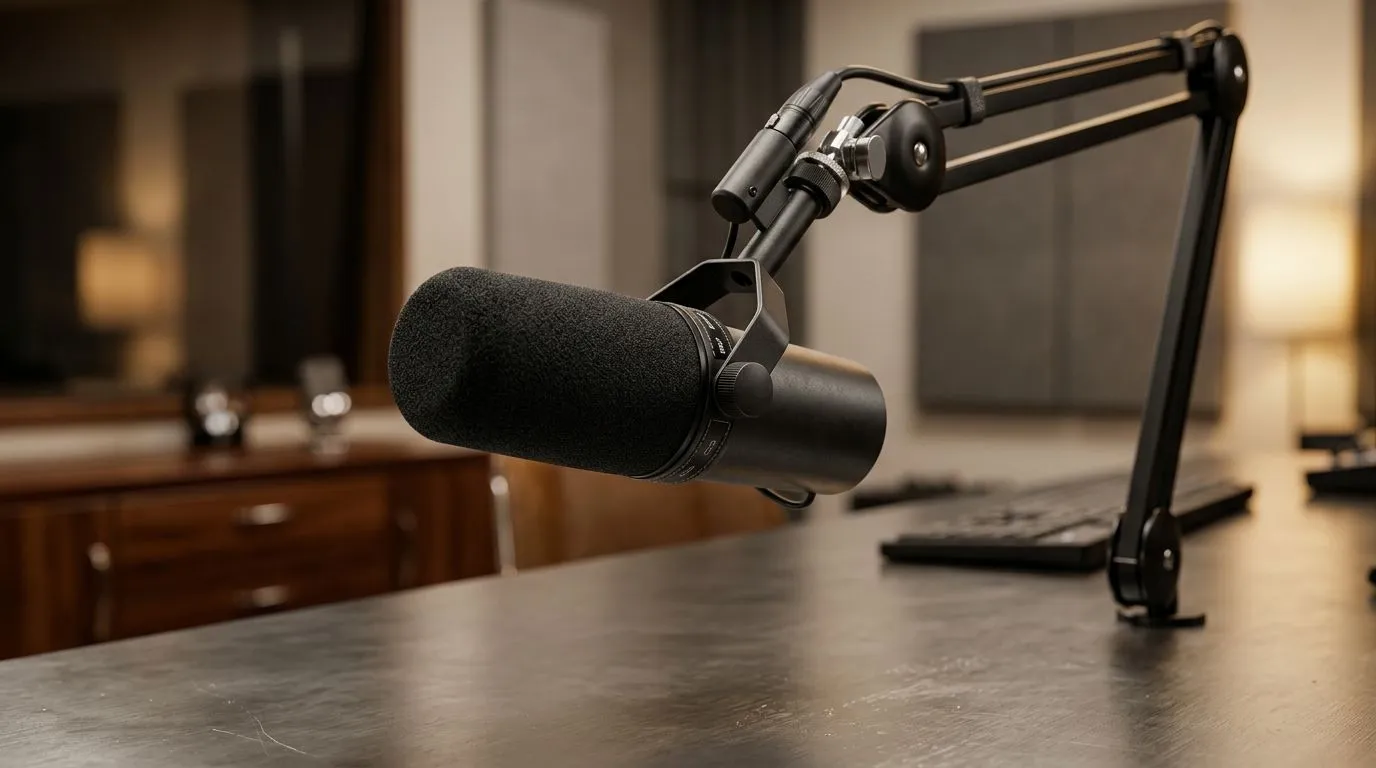
Mic pick up keyboard noise: fix it with cardioid placement
If your mic keeps catching every keypress, you’re not alone. South African streamers, Discord regulars, and home-office creators all hit the same wall... loud typing, noisy switches, and a voice that sounds buried under clacks. The good news? You do not need a studio. With smarter cardioid placement, a few desk tweaks, and the right gear, you can make your voice come through cleanly 🔧
Mic pick up keyboard noise: what cardioid placement actually does
A cardioid mic is designed to listen mainly from the front and reject sound from the rear. That matters because your keyboard usually sits right in front of, or below, the mic. If the mic points at the keyboard, it will hear more of it. If you angle it properly, the capsule favours your mouth and ignores more of the desk.
The simplest fix is this:
- Keep the mic closer to your mouth than to your keyboard
- Aim the rear of the mic towards the keyboard
- Place the keyboard slightly lower than the mic’s pickup path
- Use a boom arm if your desk sits too close to your hands
This is not just theory. It is basic polar-pattern behaviour. Most cardioid microphones follow that design principle consistently, which is why placement matters so much more than people think.
Mic pick up keyboard noise: the small adjustments that make a big difference
Start with distance. A mic placed too far away boosts room sound and keyboard noise. Too close, and you get plosives. For most voice setups, a hand’s span from your mouth is a solid starting point.
Then check angle. Tilt the mic slightly so the front capsule faces your chin, not your keys. If you type loudly, shift the mic a little off-axis. Even a small change can reduce key chatter in the recording.
A few practical fixes help too:
- Use a lighter touch on the keys
- Add a desk mat to soften desk vibrations
- Swap to quieter switches if you game and stream often
- Turn down mic gain and speak a touch closer
If you are building a streaming setup, it helps to plan the whole chain. A good starting point is Evetech’s range of streaming essentials. It is an easy way to compare gear that suits local budgets and setups.
Quick Audio Tip ⚡
If your mic keeps catching keyboard noise, rotate it so the rear faces the keyboard, then lower gain before turning anything else up. Many creators chase software filters first, but placement usually fixes more than noise reduction ever will.
Mic pick up keyboard noise: gear choices that support cleaner audio
Some microphones are simply more forgiving than others. A cardioid mic with decent off-axis rejection can make a cramped desk feel far more manageable. That said, accessories matter too. A boom arm, shock mount, and pop filter can improve consistency fast.
If you want a more polished creator setup, browse a focused selection like CORSAIR streaming gear. Brand-specific browsing can save time when you already know the sort of ecosystem you want.
Lighting and camera placement also help more than many people realise. If viewers can see your setup clearly, they are more likely to forgive a small room. For that, check out webcams that suit your desk and display arrangement. Better framing can make a modest room feel intentional, which boosts the overall stream quality.
And if you want to add atmosphere without clutter, Cololight options can help create a cleaner visual backdrop. That matters when your audio is sorted and you want the rest of the scene to match.
Mic pick up keyboard noise: a simple setup routine for South African gamers
Here is a quick routine you can use before going live:
- Open your voice app or recording software
- Speak at your normal volume
- Tap the keys you use most often
- Move the mic a few centimetres at a time
- Re-test until your voice stays clear and the typing drops away
This works because acoustics are physical. No fancy setting beats a better starting position. If your keyboard is especially loud, place the mic slightly above mouth level and point it downwards just enough to keep the capsule away from the desk edge.
For gamers in apartments, reselling houses, or shared rooms, that little adjustment can save a lot of frustration. You do not need to silence your whole space. You just need to bias the microphone towards your voice and away from the keyboard.
Mic pick up keyboard noise: what to do before buying anything new
Before you spend more, test your current gear properly. Many people blame the mic when the real issue is gain, placement, or desk bounce. Record a short clip, listen back on headphones, and compare changes one at a time.
If you still want an upgrade, prioritise the full setup rather than the mic alone. A better arm, a more directional microphone, and a webcam with a cleaner frame can lift the whole experience. That is where smarter buying pays off.
Ready to Find Your Perfect Match? The Mac vs Windows debate is complex, but for maximum power, choice, and value in South Africa, Windows is hard to beat. Explore our massive range of laptop specials and find the perfect machine to conquer your world.











