

Quick Answer
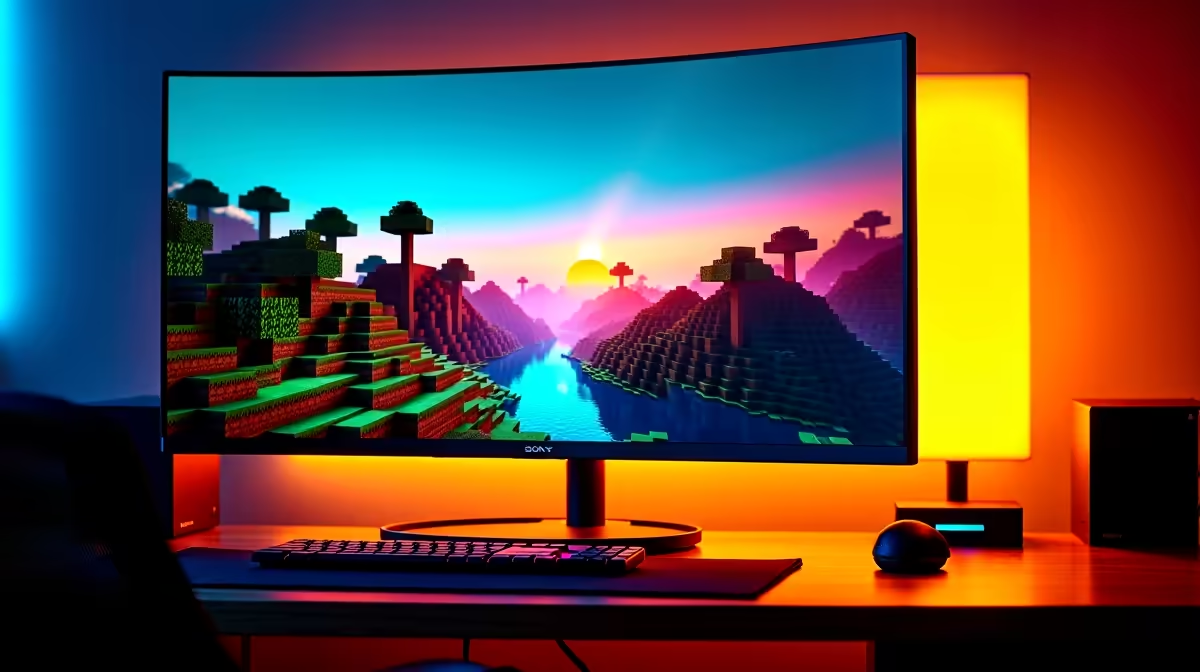
Minecraft supports ultrawide resolutions natively in Java Edition, including 21:9 and 32:9 aspect ratios, without mods. Bedrock Edition has limited ultrawide support that requires workarounds. This guide covers how to configure both editions for ultrawide, fix common stretching issues, and optimise performance on wide displays.
Ultrawide Support in Minecraft Java Edition
Minecraft Java Edition handles ultrawide resolutions well without any modifications. To run Java at 21:9 or 32:9, launch the game and navigate to Options, Video Settings. Set your window resolution to your monitor's native resolution (for example, 3440x1440 for 21:9 or 5120x1440 for 32:9). Java Edition renders the full field of view across the entire ultrawide viewport, so you genuinely see more of the world horizontally compared to 16:9. The FOV slider (default 70) behaves differently on ultrawide because the horizontal FOV is calculated from the vertical FOV. At the default 70 vertical FOV on a 21:9 display, your horizontal field of view is approximately 100 degrees versus 88 degrees on 16:9. This is a noticeable and advantageous difference for exploration, building, and spotting enemies. The GUI (HUD, inventory, menus) scales based on the GUI Scale setting. At ultrawide resolutions, the default Auto scale may produce a GUI that is too small. Manually set GUI Scale to 3 or 4 for comfortable HUD visibility without the interface looking oversized.
Ultrawide Setup for Minecraft Bedrock Edition
Bedrock Edition (Windows 10/11 Edition) does not officially support ultrawide resolutions as a standard display option. The game window can be dragged or set to borderless fullscreen at your monitor's native ultrawide resolution, but UI elements stretch, and the aspect ratio handling is inconsistent across releases. The most reliable fix is to run Bedrock in windowed mode at a 16:9 resolution (1920x1080 or 2560x1440) centered on your ultrawide display, using your Windows display settings to place the Bedrock window in the centre of the screen with black bars on either side. This gives a clean 16:9 image without UI stretching. Some players use third-party resolution tools to force Bedrock into a true ultrawide aspect ratio, though this is unsupported and may cause UI clipping. For serious ultrawide Minecraft play, Java Edition is the significantly better choice.
Performance Optimisation at Ultrawide Resolutions
Ultrawide gaming pushes more pixels than 16:9 at equivalent vertical resolution. At 3440x1440 (21:9), you are rendering roughly 35 percent more pixels than at 2560x1440 (16:9). For Minecraft Java Edition, this means frame rates drop proportionally compared to 16:9, particularly with high render distances and shader packs. Without shaders, a modern mid-range GPU (RTX 3060, RX 6700 XT) handles Minecraft Java at 3440x1440 with 16 to 20 chunk render distance well above 144 FPS using Sodium (a performance optimisation mod). With SEUS Renewed or Complementary Reimagined shaders, the same GPU at 3440x1440 drops to 60 to 80 FPS at High shader settings. For 32:9 displays (5120x1440), a higher-tier GPU is needed for shader performance. Without shaders, Sodium enables most mid-range GPUs to handle 32:9 above 100 FPS. Sodium and Iris (a shader-compatible performance mod) are the two most impactful mods for ultrawide performance in Java Edition and are compatible with each other. Install via Modrinth or the Fabric mod loader.
Shader Packs and Visual Settings for Ultrawide
Ultrawide displays amplify the visual impact of Minecraft shader packs because more of the sky, terrain, and lighting is visible at once. Complementary Reimagined is the most popular balanced shader for ultrawide: it has extensive in-game configuration, performs well on mid-range hardware, and has beautiful volumetric lighting that looks exceptional on 21:9. SEUS PTGI (path-traced global illumination) is the premium option for players with RTX 3080 or above, delivering physically accurate lighting at the cost of heavy GPU load. For competitive multiplayer at ultrawide, avoid shader packs entirely and use Sodium with the default renderer for maximum frame rates. Vanilla tweaks resource packs (higher resolution textures, better connected textures) provide meaningful visual improvements at ultrawide with zero performance cost. For GUI scaling in ultrawide with shader packs, the Minecraft Menu GUI Scale setting in Sodium options allows fractional scaling, which helps position the HUD optimally on wide displays.
Frequently Asked Questions
**Does Minecraft Java Edition support 32:9 ultrawide natively? **Yes. Java Edition renders at any resolution and aspect ratio you set in the game window, including 32:9. GUI Scale should be manually set to 3 or 4 to prevent the interface from being too small.
**Will mods work at ultrawide resolutions in Minecraft? **Yes. The vast majority of Java Edition mods are resolution-agnostic and work correctly at 21:9 and 32:9. Mods with custom GUIs occasionally have minor layout issues at extreme aspect ratios but are typically updated quickly.
**Does Minecraft Bedrock Edition support ultrawide monitors? **Not officially. Bedrock Edition stretches UI elements at non-16:9 resolutions. Running Bedrock in a 16:9 windowed mode on your ultrawide monitor is the recommended workaround until official support is added.
**Does FOV change at ultrawide in Minecraft? **Horizontal FOV increases automatically at wider aspect ratios in Java Edition because Minecraft uses vertical FOV as the base measurement. At 21:9 you see approximately 12 to 15 percent more of the world horizontally than at 16:9 with the same FOV slider setting.
Ready to Find Your Perfect Match? Build your ultrawide gaming setup at Evetech











