

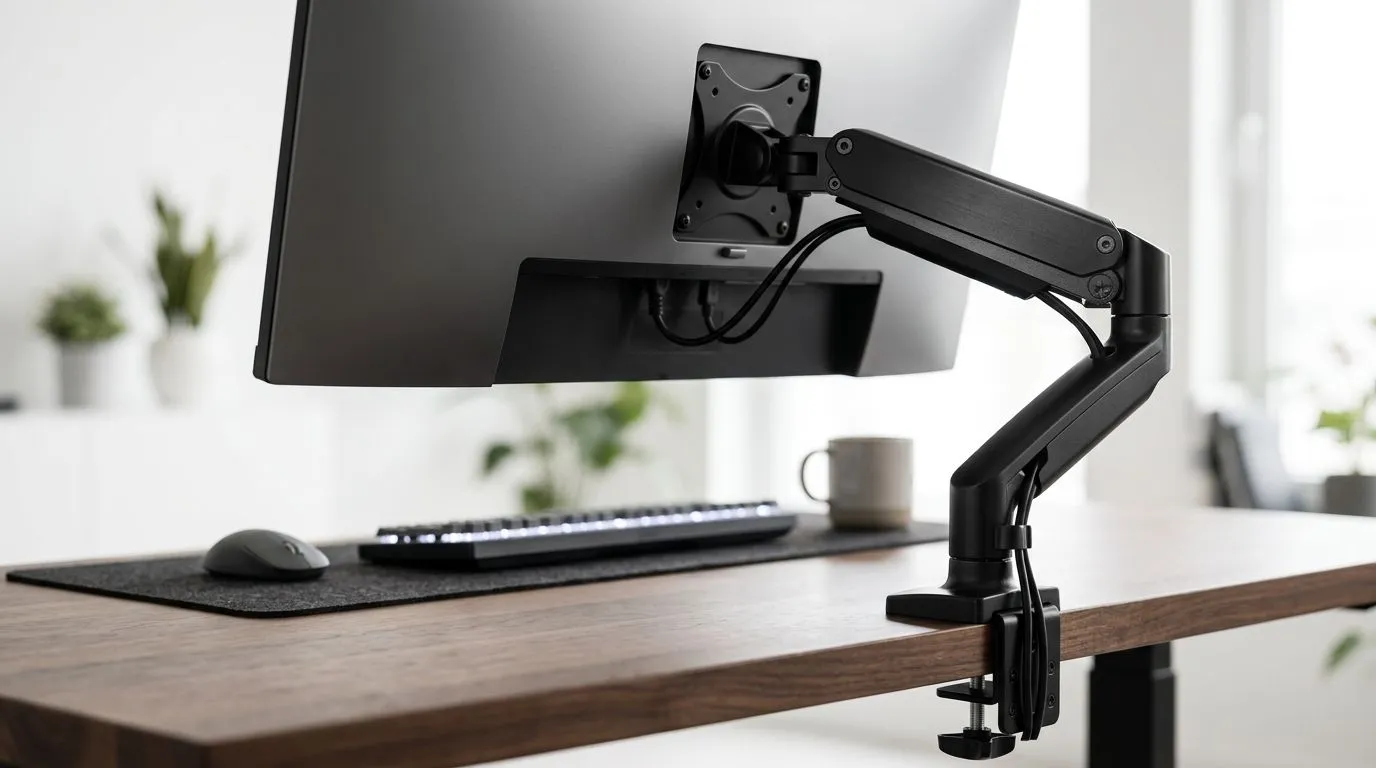
Monitor Arm Mounting vs Fixed Monitor Stands for a Spacious Desk
If your desk finally has breathing room, the next decision gets surprisingly practical: do you keep your monitor on fixed stands, or free up even more space with a monitor arm? For South African gamers, streamers, and remote workers, the answer affects posture, desk clutter, and how “finished” your setup feels. A spacious desk changes the conversation… because now you can optimise for comfort, not just survival. 🔧
Monitor Arm Mounting vs Fixed Monitor Stands for a Spacious Desk: what really changes
The big difference is flexibility.
A fixed stand gives you a simple, stable setup. You place the screen down, and that’s that. It’s easy, reliable, and usually included with the monitor. But it also locks in the monitor’s depth and height. On a large desk, that can still leave you working around the stand rather than using the space well.
A monitor arm does the opposite. It lifts the screen off the desk and gives you height, tilt, swivel, and depth adjustment. That means your keyboard, mouse, speakers, and even a console controller can sit more naturally in front of you. If you’ve ever had to shuffle a mouse pad around a bulky stand, you already know the pain.
For a deeper desk, the spacing advantage becomes clearer. You can pull the monitor back for better viewing distance, then tuck it closer when you want more immersion. That kind of control is especially useful if you swap between gaming, browsing, and work in the same day.
Monitor arm mounting vs fixed monitor stands for a spacious desk: comfort and posture
There’s a strong ergonomic case for an arm… but only if you use it properly.
The top of the screen should sit close to eye level. That reduces neck strain and helps your shoulders stay relaxed. With fixed stands, many users end up stacking books or raising their chair. That usually creates another problem somewhere else.
A monitor arm makes fine-tuning easier. You can align a main display with a second screen, or angle a curved monitor exactly where you want it. That matters for long sessions. A good setup should feel like it disappears in the background. You notice the game, not the furniture.
If you’re building a battle station with a wider footprint, the desk itself matters too. Evetech’s gaming desk range is a solid place to start if you want a surface that can handle a cleaner, more flexible layout: gaming desks built for tidy setups.
Monitor arm mounting vs fixed monitor stands for a spacious desk: desk space and cable control
This is where arms often win.
A fixed stand eats real estate. It takes up the middle of the desk, and the cable routing usually runs straight down behind it. That can look fine, until you add a headset stand, docking station, lamp, or second screen.
A monitor arm clears the base entirely. Suddenly there’s room for:
- a larger mouse mat
- a compact speaker setup
- a mic arm
- cleaner cable routing
- more legroom under the desk
The result is not just aesthetic. It can make cleaning easier too. Less clutter means less dust collecting around cables and monitor feet. On a spacious desk, this can make the whole setup feel more premium without actually changing the gear.
For a polished look, some buyers prefer premium desks from brands like AutoFull, Arozzi, or Nitro. Those options can pair nicely with an arm-based layout, especially if you want a more cohesive setup: AutoFull gaming desks, Arozzi gaming desks, and Nitro gaming desks.
Quick Setup Tip ⚡
If you use a monitor arm, measure your desk depth before buying. A spacious desk is great, but you still need enough rear clearance for clamp mounting, cable bend radius, and comfortable screen placement.
Monitor arm mounting vs fixed monitor stands for a spacious desk: when a fixed stand still makes sense
Arms are not automatically better for everyone.
A fixed stand can be the smarter choice if you:
- prefer a set-and-forget setup
- move your monitor often
- do not want to check VESA compatibility
- use a monitor with an unusual shape or heavy curve
- want the simplest possible installation
There’s also the stability factor. A fixed stand has fewer moving parts. If you tend to lean on your desk while gaming, that can matter. And if your monitor is already at the perfect height, the benefits of an arm may be smaller than you expect.
In other words, if the desk is spacious but your workflow is simple, a solid stand can still be the right call.
Monitor arm mounting vs fixed monitor stands for a spacious desk: the best fit for different users
Choose a monitor arm if you want:
- a cleaner desk
- more ergonomic control
- a multi-monitor layout
- easier cable management
- a more premium feel
Choose a fixed stand if you want:
- simplicity
- minimal setup effort
- no mounting stress
- a lower-maintenance option
For most South African gamers with a genuinely roomy desk, a monitor arm is usually the more flexible long-term option. That said, the best setup is the one that matches your habits. If you only game occasionally and mostly browse or work, a stand may be enough. If you spend hours in front of the screen, the extra adjustability becomes more valuable over time.
The smartest move? Think about the full desk, not just the monitor. If you’re upgrading the entire space, start with the desk first, then build the monitor position around it. That way you avoid buying gear that fights the layout instead of improving it. 🚀
Ready to Find Your Perfect Match? The Mac vs Windows debate is complex, but for maximum power, choice, and value in South Africa, Windows is hard to beat. Explore our massive range of laptop specials and find the perfect machine to conquer your world.











