

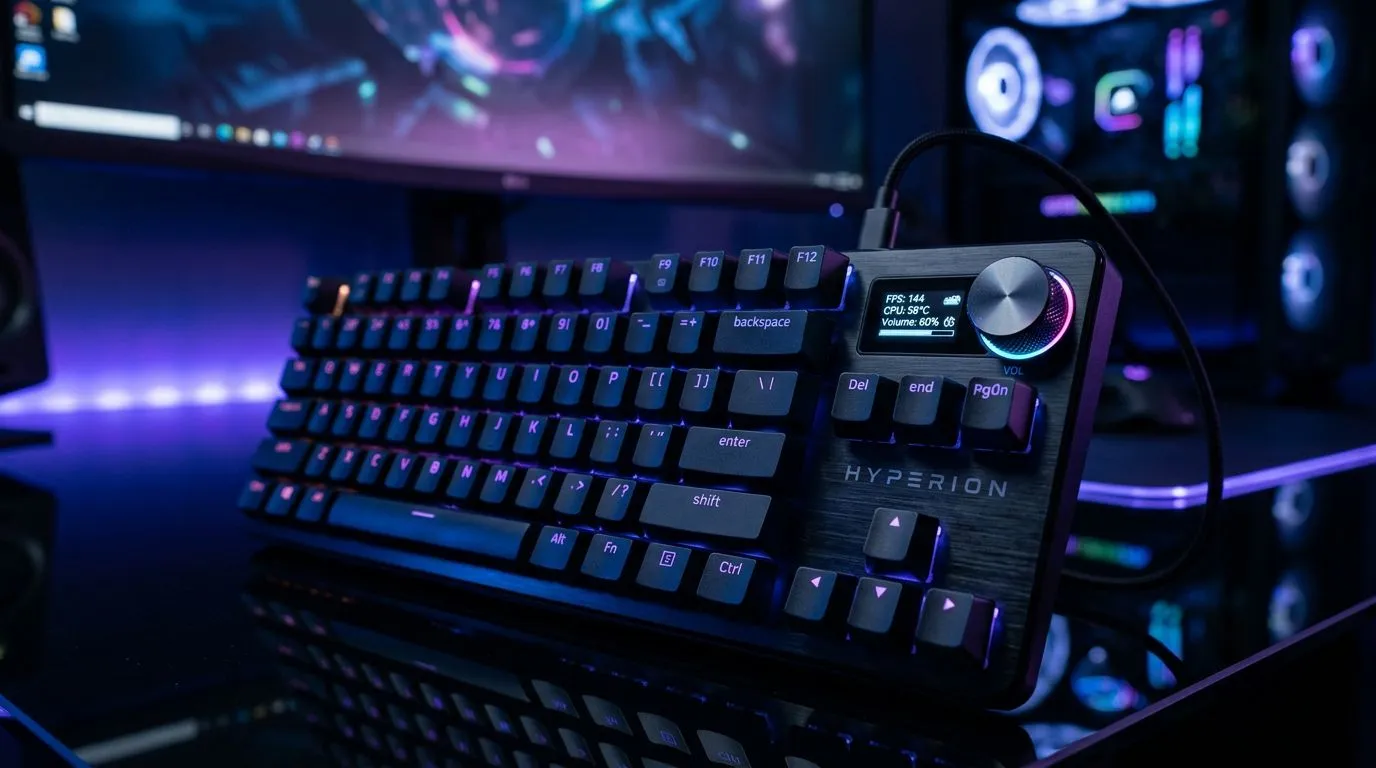
OLED Gaming Keyboard Displays: How They Work (and why players care) ✨
If you’ve ever wished your keyboard could look as sharp as your gameplay, OLED key displays might be the missing link. In South Africa, where we build rigs for FPS, sim racing, and the occasional stream session, those tiny screens can do more than just “look cool”. They can show profiles, timers, macros, and even game alerts… all without alt-tabbing. But how do OLED gaming keyboard displays actually work?
Let’s break it down in plain English, then talk about what to buy. 🔧
OLED Gaming Keyboard Displays: How They Work (the tech explained) ⚡
OLED stands for Organic Light-Emitting Diode. Each OLED pixel produces its own light. That’s the big difference versus LCD displays, which require a backlight.
What’s happening inside the OLED panel?
Most OLED keyboard key displays use an organic layer that emits light when electricity passes through it. Each pixel is controlled by a driver circuit, so the keyboard can draw characters, icons, or animations per key or per display area.
Here’s the practical idea:
- Pixels light up directly (no backlight).
- Black areas are truly dark because pixels can turn off.
- Response is fast, which helps when the keyboard updates animations or status indicators.
Why it matters for gaming
When your keyboard updates in real time, you benefit from:
- Instant visual feedback (cooldowns, round timers, weapon modes)
- Reduced eye travel compared to checking another monitor
- Profile switching clarity during ranked sessions
OLED vs “normal” screen approaches
Without inventing specs, the takeaway is simple: OLED key displays are chosen for clarity, contrast, and update responsiveness. If a keyboard uses a display at all, it’s usually to improve readability under different lighting and to keep you in the flow.
OLED Gaming Keyboard Displays: How They Work (durability, brightness, and reality checks) 🔥
OLED is brilliant, but it’s not magic. The two things buyers should understand are brightness management and risk of uneven wear.
Image retention and pixel wear
Because OLED pixels can degrade over time with usage, static UI elements that stay on screen for hours can wear differently. On a keyboard, that often translates to:
- Logos or the same macro icon staying unchanged for long stretches
- Always-on timers or fixed text in the same position
What you can do:
- Use dynamic layouts when available (swapping icons or changing screen content).
- Avoid leaving the keyboard on with identical “static” display content for extended periods.
- If you’re setting up an editing workflow, switch between display pages rather than locking one layout all day.
Brightness in SA households
We deal with everything from bright afternoons to load-shedding darkness. OLED contrast helps, but brightness still matters. A keyboard that’s too dim can be annoying in daylight. One that’s too bright can glare in a dark room.
If you game at night, look for a keyboard with software brightness controls and multiple display modes.
Setup Pro Tip 🔧
3 display pages: one for FPS (ammo abilities), one for productivity (timer + app shortcuts), and one for sim-racing (lap gear hints). Then map page switching to a dedicated key. You avoid static wear and you’ll actually use the OLED. This also keeps your macros organised when you change games."
OLED Gaming Keyboard Displays: How They Work (what to look for when you shop) 🚀
When you’re choosing an OLED gaming keyboard, focus on what impacts your daily use in South Africa: connectivity, software, and the value of the whole package.
Connectivity: wired is often simpler; wireless can be worth it
- Wired setups are typically plug-and-play, stable, and often preferred for competitive play.
- Wireless can be convenient for desk setups, but reliability depends on the model and battery behaviour.
If you want to compare options quickly, start with deals and bundle pages. Here are a few Evetech routes to explore:
- Check out gaming keyboard deals here: best gaming keyboard deals in South Africa
- If you want the widest filter options (and the “where’s my next deal?” experience), browse: gaming keyboards you can buy cheaply in South Africa
Then narrow by how you want to connect your keyboard:
- For a straightforward competitive setup, consider wired options: cheapest gaming keyboard deals (Wired)
- For desk flexibility, compare wireless options too: cheapest gaming keyboard deals (Wireless)
And if you’re building a complete desk, don’t ignore combos:
- Pair your keyboard with a matching mouse for better cohesion and value: buy a keyboard and mouse combo
OLED Gaming Keyboard Displays: How They Work (the buying mindset that saves you money) ✨
Let’s be honest… most people don’t regret buying an OLED keyboard because of the tech. They regret buying it because they didn’t match it to how they actually play.
Before you purchase, ask:
- Will I use the display for meaningful info, or only for a week of “wow”?
- Do I need per-profile switching between games and workflows?
- Am I buying for competitive FPS feedback, or mostly for content creation convenience?
If your answer is “I want both”… that’s where OLED displays shine.
Pro tip for South African buyers: look at bundles and combo value, not just the keyboard price. A slightly better keyboard with a weaker deal can cost you more when you also need a mouse, extra keys, or a more stable setup.
Ready to Find Your Perfect Match? The Mac vs Windows debate is complex, but for maximum power, choice, and value in South Africa, Windows is hard to beat. Explore our massive range of laptop specials and find the perfect machine to conquer your world.











