


Complete Guide: Setting Up Monitor Light
Setting Up Monitor Light. Tested & verified settings for best FPS and visual quality on SA hardware budgets.
Read moreChoosing OMRON Optical vs Mechanical micro switches? Compare lifespan, debounce, and click latency to pick the right switch for fast, consistent clicks. ⚡🔧
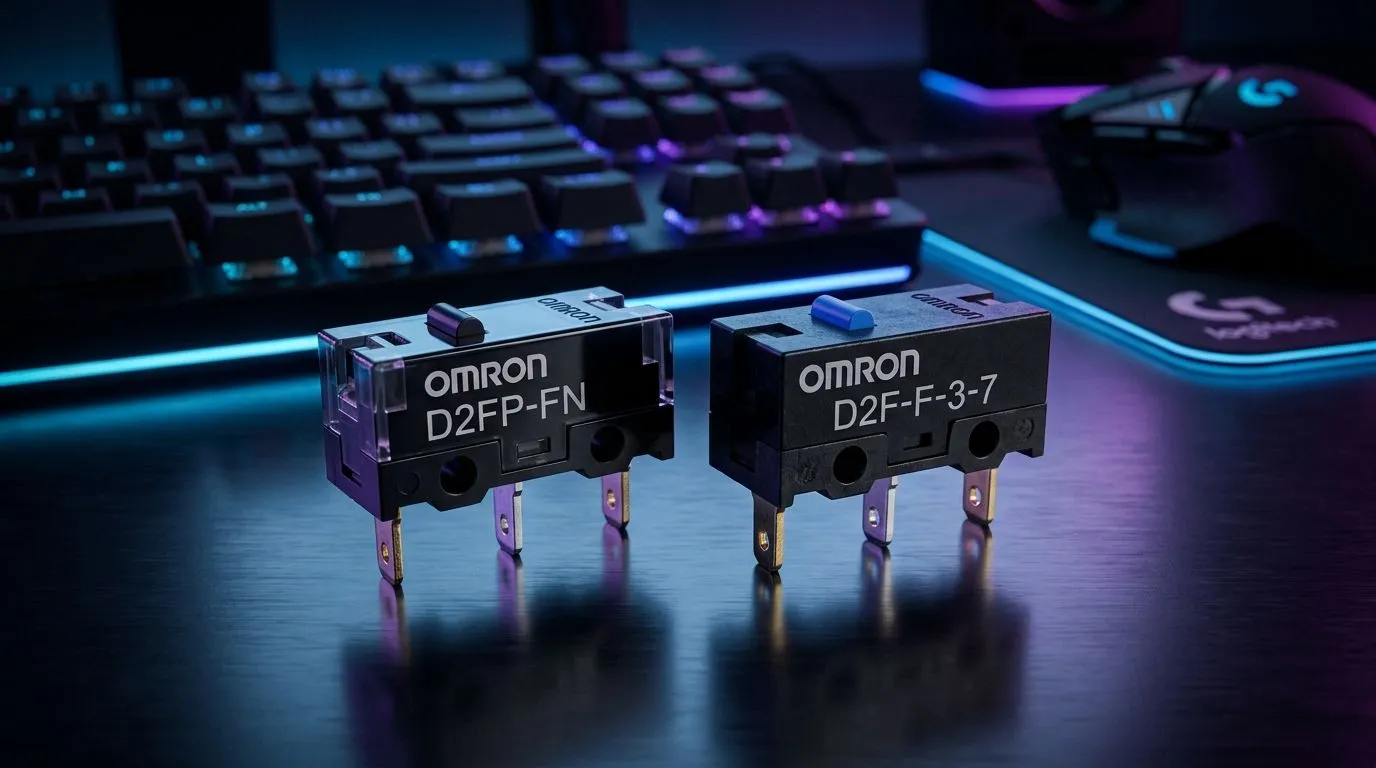
If your mouse feels crisp today but mushy six months later, the switch inside is often why. South African gamers know the pain... one bad click during a clutch moment, and your whole match feels off. The real question is simple: should you chase the fast, low-wear feel of OMRON optical switches, or stick with proven mechanical micro switches? Let’s break down lifespan, debounce, and click latency in plain English 🔧
A mouse switch does one job... it turns a finger press into an input the PC understands. Mechanical micro switches use physical metal contacts. Optical switches use a light beam or sensor to detect the click.
That core difference matters for feel and durability. Mechanical designs usually give you that familiar tactile snap. Optical designs often feel cleaner and more consistent because there’s no metal contact bouncing the same way.
For South African buyers comparing options, it helps to look at the wider mouse ecosystem too. If you’re browsing mouse accessories, or deciding between a wired mouse and a wireless mouse, the switch type is only one part of the experience.
Switch lifespan is usually stated in click cycles, and higher is generally better. In practice, though, that number is only part of the story. Dust, humidity, heavy use, and manufacturing consistency all matter.
Mechanical switches can wear out from contact fatigue over time. Optical switches remove that contact point, so they often have an edge in theoretical longevity. That said, a well-made mechanical switch can still last years under normal gaming and office use.
If you want to compare real-world value, check current best gaming mouse deals. A higher price does not automatically mean better longevity. What matters is build quality, switch implementation, and warranty support.
Debounce is the tiny delay used to stop accidental extra clicks. Mechanical switches often need more debounce because the metal contacts can bounce for a moment when pressed. Optical switches usually need less debounce, since the input is detected electronically rather than by metal contact rebound.
That can help reduce click latency. In fast games, even small delays matter. Not because every player needs pro-level timings, but because a more responsive mouse feels better when tracking, tapping, or spamming abilities.
Still, the best result comes from the whole mouse design. Sensor tuning, firmware, button shape, and shell rigidity all influence the final feel. If you are shopping for a new upgrade, browse Evetech’s gaming mouse range and compare the full spec sheet, not just the switch headline.
When comparing gaming mice, don’t focus on switch type alone. Check the button shape, weight, cable feel, and warranty first... because those are the things you notice every single day.
Here’s the practical truth... no switch type is perfect for everyone.
For many South Africans buying in rand, value matters just as much as raw specs. Sometimes the best option is the mouse that fits your grip and budget, not the one with the flashiest switch marketing.
If you’re shopping on a tighter budget, think in layers. First, decide whether you want wired or wireless. Then look at shape, weight, and button feel. Only after that should you compare OMRON optical vs mechanical micro switches side by side.
A sensible buying checklist:
That approach saves money and avoids the classic “this looked great online, but feels wrong in hand” problem.
If you want the shortest answer... optical switches usually win on consistency and resistance to bounce. Mechanical micro switches still win on familiar feel and broad availability. For most gamers, the right choice depends on use case, budget, and how picky you are about click feel.
In other words, don’t buy the switch. Buy the mouse that suits your hand, your games, and your wallet.
Ready to Find Your Perfect Match? The Mac vs Windows debate is complex, but for maximum power, choice, and value in South Africa, Windows is hard to beat. Explore our massive range of laptop specials and find the perfect machine to conquer your world.
Friendly, authoritative, and human-sounding. Short, crisp sentences. Light contractions and a South African feel. No hype-heavy clichés. Clear explanations without unnecessary jargon.
OMRON optical micro switches often handle long lifespans by reducing physical contact wear, while mechanical OMRON switches depend on actuation cycles and bounce behavior.
Optical switch debounce performance can be more consistent due to non-contact sensing, whereas mechanical micro switches rely on bounce characteristics that firmware debounces.
Click latency comparison usually favors optical for faster, steadier event detection, while mechanical timing can vary with actuation travel and bounce.
Optical micro switches detect interruption of light for click registration, while mechanical micro switches physically close contacts during actuation.
For high CPS gaming, OMRON optical micro switches can deliver consistent response and reduced wear, but mechanical switches may still feel great depending on the mouse tuning.
Yes. Mechanical bounce can influence how quickly firmware can confirm a clean state, so debounce quality and polling rate matter for stable double-click behavior.
Upgrade based on your priority: seek consistent debounce and click latency with optical, or prefer familiar mechanical feel while checking rated lifespan and switch quality.
Setting Up Monitor Light. Tested & verified settings for best FPS and visual quality on SA hardware budgets.
Read more
Assassins Creed Shadows Ultrawide Support: 21:9. Clear setup instructions with SA-specific considerations, troubleshooting tips & recommended components.
Read more
Complete Gaming Setup Guide for the Collector. Clear setup instructions with SA-specific considerations, troubleshooting tips & recommended components.
Read more
Will the Steam Deck 2 Have an OLED Screen? Leaked. Plain-English explanation of what it means, why it matters & how it affects your buying decisions in SA.
Read more
Setting Up Ultrawide 144Hz. Tested & verified settings for best FPS and visual quality on SA hardware budgets.
Read more
Kingdom Come: Deliverance 2 Ultrawide Support. Clear setup instructions with SA-specific considerations, troubleshooting tips & recommended components.
Read more
CS2 Low FPS: Monitor Bottleneck. Real-world benchmark data, FPS numbers & performance analysis. What SA gamers can actually expect.

Is AOC a Good Monitor Brand for Gaming in South Africa Detailed answer with SA data, expert analysis & practical recommendations for local buyers.

What Gaming Monitor Can You Get for R20,000. Full parts list, Rand pricing & expected performance. Build confidently with SA-available components.

What Gamers Actually Bought: November Report. Real purchase data from SA retailers revealing what local buyers are actually choosing and why.

Can the RX 7700 XT Handle 1440p 144Hz Gaming. Performance testing verdict with real data & practical recommendations for SA buyers.

Top Laptop with Core i7 + RX 7700S: Picks picks evaluated on performance, value & SA availability with current Rand pricing from Evetech.

RX 7700 XT Black Myth Wukong 2 FPS: Performance. Real-world benchmark data, FPS numbers & performance analysis. What SA gamers can actually expect.

RTX 6080 Gran Turismo 7 PC Performance: FPS Test. Real-world benchmark data, FPS numbers & performance analysis. What SA gamers can actually expect.
Setting Up Monitor Light. Tested & verified settings for best FPS and visual quality on SA hardware budgets.
Assassins Creed Shadows Ultrawide Support: 21:9. Clear setup instructions with SA-specific considerations, troubleshooting tips & recommended components.
Complete Gaming Setup Guide for the Collector. Clear setup instructions with SA-specific considerations, troubleshooting tips & recommended components.
Will the Steam Deck 2 Have an OLED Screen? Leaked. Plain-English explanation of what it means, why it matters & how it affects your buying decisions in SA.