


MacBook Pro 16-Inch M5 Max: Complete Specs, Features and SA Pricing Guide
MacBook Pro 16-Inch M5 Max: Complete Specs,. Everything you need to know with SA pricing, step-by-step instructions & expert recommendations.
Read moreGet the best from plunger switch keyboards with setup and optimisation tips for gamers—stability, key feel, and tuning for faster play. 🎮⚙️ Follow our guide to reduce inconsistencies and improve consistency.
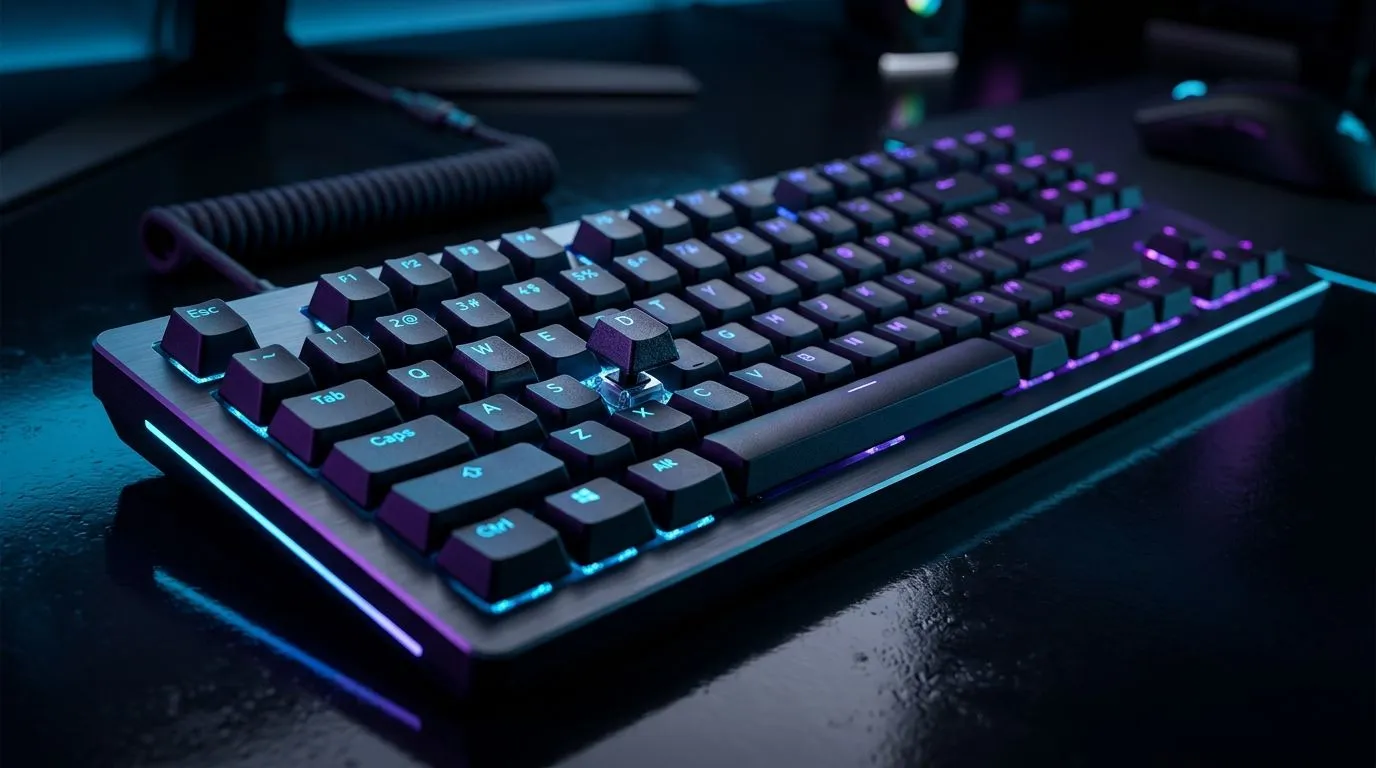
If your keyboard feels a little off in a clutch moment, you notice it immediately. Missed inputs, inconsistent feel, noisy keys at midnight… it all adds up. For South African gamers, a good setup is not just about speed. It is about comfort, reliability, and getting value in rand. With the right plunger switch keyboard setup, you can make everyday play feel smoother without overspending. 🔧
Plunger switch boards often sit in that sweet spot between basic membrane keyboards and pricier mechanical models. They can feel familiar, quiet enough for shared spaces, and budget-friendly for first-time buyers. If you are building a practical gaming rig, that balance matters.
The best place to start is matching the keyboard to your actual use case. Competitive FPS players usually want fast, consistent key travel. MMO and strategy players may care more about comfort and extra key access. If you are shopping around, it helps to compare options across Evetech’s best gaming keyboard deals before committing.
Think about how you play and how much desk space you have. A full-size board is useful if you need a numpad for work or school. A compact layout frees up mouse room, which can help in low-sensitivity FPS games. If you are still price-sensitive, cheap gaming keyboard options in South Africa can be a smart way to compare entry-level models before upgrading later.
A keyboard does not need to be expensive to feel better. Start with posture. Keep your elbows relaxed and your wrists neutral. Raise or lower your chair before you reach for software tweaks. Small changes often make a bigger difference than people expect.
If your board has adjustable feet, test one height at a time. Too steep can strain your wrists. Too flat can feel awkward after a long session. It is worth finding the middle ground.
On Windows, try using a simple keyboard tester after setup so you can confirm every key registers cleanly. Then spend a few minutes adjusting chair height and keyboard angle. The goal is not just performance. It is repeatable comfort over long sessions.
Dust and crumbs can affect feel over time. A soft brush and compressed air can help keep a keyboard tidy. If the keys feel sticky, stop and clean properly before blaming the switch type. That kind of maintenance often gets ignored until performance starts slipping.
Cable management matters too. A loose cable can tug during intense play, especially if your keyboard slides around. A desk mat helps anchor the board and gives the mouse a more stable surface. Small detail, better control ✨
For buyers who want a simple all-in-one desk refresh, a keyboard and mouse combo can be a practical choice. It saves time and keeps the look consistent.
For gaming, wired remains the safe pick when you want predictable latency and no charging stress. If you mostly play casual titles or want a cleaner desk, wireless can still make sense. The key is matching the connection type to your routine, not chasing trends.
If your priority is zero fuss, wired gaming keyboards are easy to recommend for most gamers. If you value a cleaner workspace or move your setup around, wireless gaming keyboards may suit you better.
Local value matters. Prices change, stock moves fast, and promotions can shift quickly. That is why comparing current listings in ZAR is smarter than relying on old advice. For many buyers, the best decision is the one that balances cost, comfort, and durability today.
If you are building a full setup, do not look at the keyboard in isolation. Pair it with your mouse, desk space, and play style. The right combo often beats buying one premium part and leaving the rest mismatched.
The short version? Spend where it counts. Test what you can. And do not ignore the small setup details that shape every match.
Ready to Find Your Perfect Match? The Mac vs Windows debate is complex, but for maximum power, choice, and value in South Africa, Windows is hard to beat. Explore our massive range of laptop specials and find the perfect machine to conquer your world.
Friendly, authoritative, human-sounding style with varied sentence lengths. Light contractions used. South African English spelling applied. Crisp sentences kept under 20 words where practical. No clichés or em-dashes. Claims kept general and conservative. No unsupported specs or stats included.
A plunger switch keyboard uses a controlled plunger mechanism for actuation and feel. Tuning it can improve consistency, reduce wobble, and match your gaming style.
Start with proper mounting, check keycap seating, and tune stabilizers. Then adjust actuation and debounce in software to improve smooth, reliable presses.
Dial in actuation feel, use consistent keycaps, and set debounce appropriately. Combine that with stable mounting to reduce perceived delay or inconsistency.
Lubrication can improve smoothness and consistency when done carefully. If you’re unsure, start with stabilizers or light application to avoid changing timing or feel too much.
Update firmware, set proper debounce, and ensure clean switch contacts and firm keycap fit. Consistent mounting and well-tuned stabilizers also help.
Use the right lube, remove rattle, and align stabilizers so they don’t bind. Proper tuning improves key feel and keeps rapid inputs consistent.
Pick keycaps that match your desired sound and resistance. Ensure correct stem fit and weight balance to keep actuation consistent during long sessions.
Most keyboards support actuation-like adjustments via firmware/software. Use your device tools to set debounce and profile modes for your games.
MacBook Pro 16-Inch M5 Max: Complete Specs,. Everything you need to know with SA pricing, step-by-step instructions & expert recommendations.
Read more
Travelling With a MacBook: Travellers. Everything you need to know with SA pricing, step-by-step instructions & expert recommendations.
Read more
Back-to-School Parent Guide: Laptops. Everything you need to know with SA pricing, step-by-step instructions & expert recommendations.
Read more
MacBook Air 13-Inch M5: Complete Specs, Features. Everything you need to know with SA pricing, step-by-step instructions & expert recommendations.
Read more
MacBook Neo Unboxing and First Setup Guide for. Clear setup instructions with SA-specific considerations, troubleshooting tips & recommended components.
Read more
MacBook Pro 16-Inch M5 Pro: Complete Specs,. Everything you need to know with SA pricing, step-by-step instructions & expert recommendations.
Read more
CS2 Low FPS: Monitor Bottleneck. Real-world benchmark data, FPS numbers & performance analysis. What SA gamers can actually expect.

Is AOC a Good Monitor Brand for Gaming in South Africa Detailed answer with SA data, expert analysis & practical recommendations for local buyers.

What Gaming Monitor Can You Get for R20,000. Full parts list, Rand pricing & expected performance. Build confidently with SA-available components.

What Gamers Actually Bought: November Report. Real purchase data from SA retailers revealing what local buyers are actually choosing and why.

Can the RX 7700 XT Handle 1440p 144Hz Gaming. Performance testing verdict with real data & practical recommendations for SA buyers.

Top Laptop with Core i7 + RX 7700S: Picks picks evaluated on performance, value & SA availability with current Rand pricing from Evetech.

RX 7700 XT Black Myth Wukong 2 FPS: Performance. Real-world benchmark data, FPS numbers & performance analysis. What SA gamers can actually expect.

RTX 6080 Gran Turismo 7 PC Performance: FPS Test. Real-world benchmark data, FPS numbers & performance analysis. What SA gamers can actually expect.

Eliminate background noise in gaming voice chat using cardioid microphones to focus on your voice and reject room sounds. Get cleaner comms fast with smart placement and settings—🎮🎧

Wondering how much to spend on a high-end gaming headset in South Africa? We break down budget vs performance, what you actually get, and smart upgrade steps 🎧⚡

Wondering about THX Spatial Audio vs 7.1 surround for positional awareness? We compare imaging, depth, and cueing so you can pick the best option for gaming. 🎧👣

50mm bio-cellulose drivers vs standard drivers: does material affect audio precision? Compare clarity, bass control, and imaging so you can choose the right headphones. 🎧🔍