

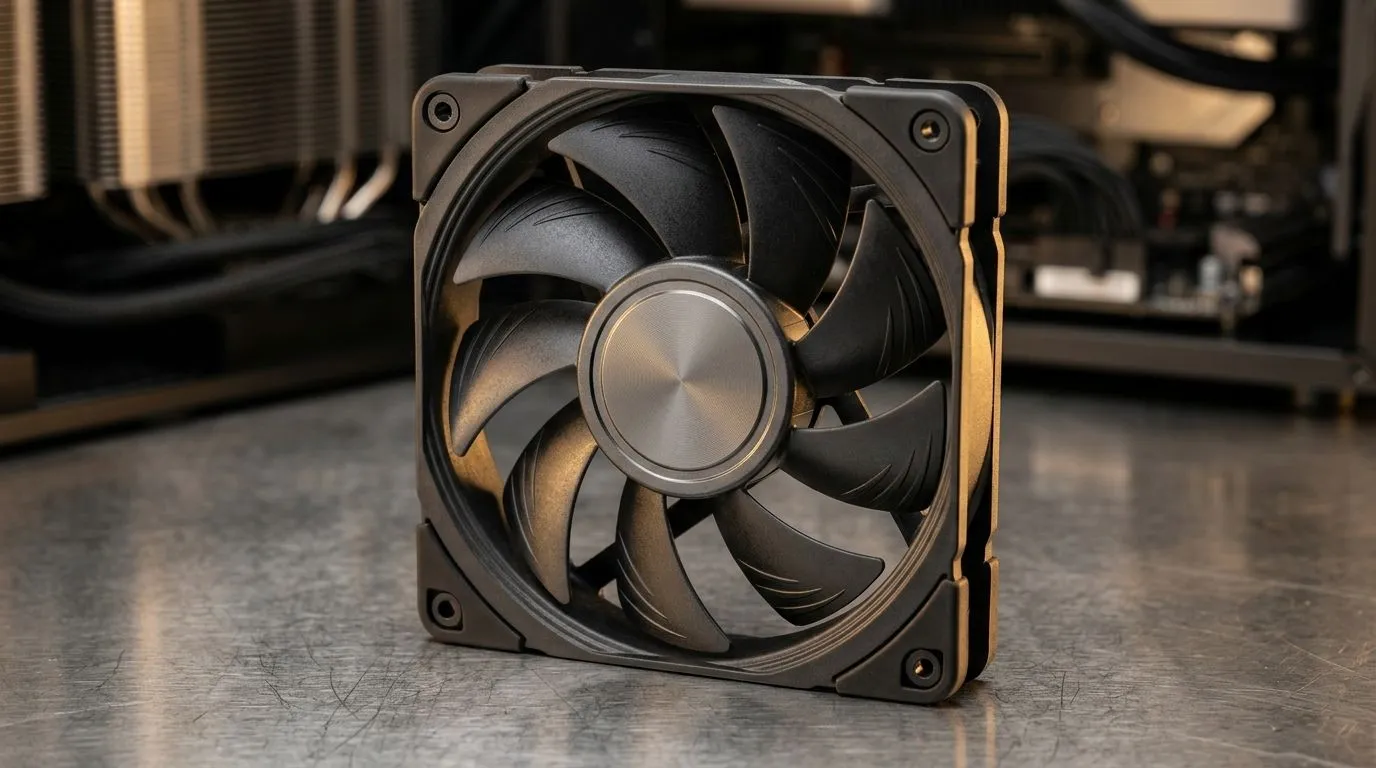
Quiet PC Cooling With Hydraulic Bearing Fans: what SA gamers notice first
Ever had your PC sound like it’s winding up for a boss fight? 🔇 Loud case fans can ruin focus while you’re grinding ranked, streaming Discord, or editing clips after a long weekend. Quiet PC cooling starts with how fans move air… and how they handle wear over time. Hydraulic bearing fans are popular because they reduce friction and often keep noise lower for longer. In this guide, we’ll break down what hydraulic bearings do, how to choose the right fan size, and how to set up airflow properly for stable temps.
Quiet PC Cooling With Hydraulic Bearing Fans: how hydraulic bearings work
A hydraulic bearing uses a lubricant and precision surfaces to reduce metal-on-metal contact. That matters because bearing friction is one of the sources of fan “grit” and higher noise as the system ages. In plain terms: with less wear, the fan can stay smoother for longer, which helps maintain quieter operation. ⚙️
When you’re buying, don’t just chase “silent” in marketing. Look for:
- A fan size that matches your case mounts (120mm often wins on airflow-per-noise)
- A sensible RPM range (higher RPM usually equals more noise)
- Mounting fit and cable management (vibration transfer can make any fan sound louder)
Quiet PC Cooling With Hydraulic Bearing Fans: selecting the right fan size (120mm vs 140mm)
Fan size affects both airflow and noise. Larger fans can move the same air at lower RPM, which typically sounds calmer. For South African builds where dust is common (we see it in coastal and inland gaming setups), bigger, slower fans can be easier to live with… especially during long sessions.
Here are good places to browse compatible options:
- If your case supports it, start with 120mm case fans: https://www.evetech.co.za/PC-Components/case-fans-97.aspx?attributes-size=120mm
- If you want the “calmer by design” option, check 140mm case fans: https://www.evetech.co.za/PC-Components/case-fans-97.aspx?attributes-size=140mm
Quiet Build Pro Tip 🔧
If you hear vibration more than airflow noise, don’t immediately blame the fan. Tighten screws evenly, use rubber fan mounts if your case supports them, and ensure cables aren’t touching the fan blades. This one tweak can make hydraulic-bearing fans feel noticeably quieter.
Quiet PC Cooling With Hydraulic Bearing Fans: RGB and “silent” expectations
Not every quiet fan setup is also stealth. If you enjoy subtle lighting, RGB doesn’t have to mean loud. The key is that lighting should be a feature, not your cooling bottleneck. ✨
Browse:
- RGB fan options: https://www.evetech.co.za/PC-Components/case-fans-97.aspx?attributes-lightingeffects=RGB
- Non-RGB / no lighting options for maximum simplicity: https://www.evetech.co.za/PC-Components/case-fans-97.aspx?attributes-lightingeffects=None
Quiet PC Cooling With Hydraulic Bearing Fans: picking brands that fit your budget
Different manufacturers tune blade shape, controller behaviour, and bearing quality. You’ll also find variety in price points, which matters in South Africa where builds often target specific limits.
Start broad, then narrow:
- General case fans selection: https://www.evetech.co.za/PC-Components/case-fans-97.aspx
- If you prefer CORSAIR: https://www.evetech.co.za/PC-Components/case-fans-97.aspx?brands=CORSAIR
- If you like Deepcool for value-minded cooling: https://www.evetech.co.za/PC-Components/case-fans-97.aspx?brands=Deepcool
Setup that actually stays quiet (not just “theoretical”)
For real results, aim for balanced airflow:
- Intake in front/bottom, exhaust at the back/top.
- Keep cables tidy so the fan blades don’t “whoosh” against obstructions.
- Use your motherboard or fan hub for a fan curve that ramps up only when temps rise.
If you set your fans to 100% the moment you open a game, you’ll hear everything, hydraulic or not. Instead, let temps guide the curve.
Quiet PC Cooling With Hydraulic Bearing Fans: why it’s worth it for gamers in SA
In many gaming PCs, cooling is a daily companion. Quiet PC cooling with hydraulic bearing fans can mean fewer distracting noises, steadier temperatures, and less annoyance during late-night ranked sessions. It’s not magic… it’s mechanical choice, correct airflow, and sensible fan control.
When you’re ready to build, upgrade, or just make your current rig calmer, choose fans that match your case and your priorities: size, bearing quality, and how you want the system to look.
Ready to Find Your Perfect Match? The Mac vs Windows debate is complex, but for maximum power, choice, and value in South Africa, Windows is hard to beat. Explore our massive range of laptop specials and find the perfect machine to conquer your world.











