

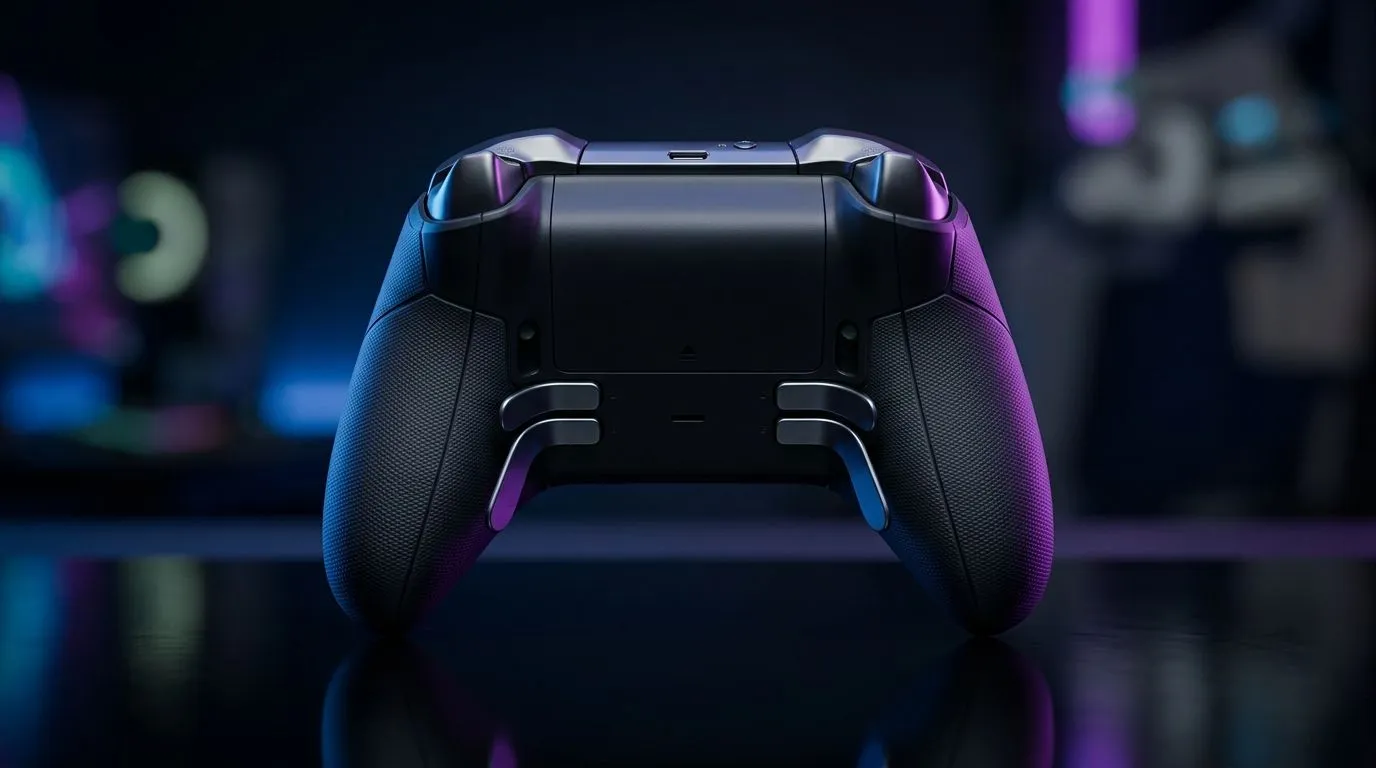
Rear Programmable Macro Keys to Reduce Hand Strain: The Real-Life Fix for SA Gamers
If your wrist feels cooked after ranked, you’re not alone. South African gamers grind long sessions, and constant button mashing adds up… fast. The good news? Rear programmable macro keys can reduce repetitive strain by moving “repeat actions” to your fingertips. 🔧 In this deep dive, I’ll explain what they do, how to set them up safely, and how to choose a controller or keyboard layout that actually fits your grip. ⚡
How Rear Programmable Macro Keys Reduce Strain (Without Killing Accuracy)
Rear programmable macro keys let you map actions to buttons on the back of a mouse or controller. Instead of hitting the same front button over and over, your hand can rest more naturally while the rear keys do the work.
The small ergonomic win that feels big
Most people press front buttons while tension is creeping into their fingers. Rear keys shift the “workload” to a different finger angle and reduce repeated reach. That can mean:
- fewer awkward finger bends
- less grip tightening mid-round
- faster, more consistent inputs
What to avoid when you remap
Don’t macro your entire loadout. You still want muscle memory for core skills like aim, reload, and sprint. Macro keys work best for “repeat” inputs, like:
- comms wheel ping
- utility cast
- weapon switch sequences
- clearing an objective item
Setup Pro Tip ✨
Choose one macro per match for the first week. Start with a simple utility action, then add a second only if you can perform it consistently without looking. Less changes means less strain and fewer misfires.
Mapping That Actually Helps: Practical Macro Ideas for FPS and MOBA
Here’s a micro-plan you can test tonight. Keep it simple, then iterate after a few matches.
FPS example: reduce reload and utility fatigue
Try mapping rear keys to:
- “Reload + Tap Utility” (one press)
- “Ping / Mark target” (one press)
- “Switch to secondary” (one press)
This reduces the time your hand stays locked in a tense “front-button sprint” pattern. Over time, that can feel like your whole setup is calmer. 🚀
MOBA example: protect your hand during teamfights
In intense fights, players often spam two or three abilities. Rear macros can handle:
- quick ability cast order (only if timing is consistent)
- summoner spell pinging
- quick defensive tool activation
If you play competitive, aim for repeatable timing, not “chaos macros”. Repetition is what reduces strain.
Picking Gear for Rear Macro Comfort: What South Africans Should Look For
Not all macro keys feel the same. Comfort depends on placement, actuation, and how your hand rests.
Controller vs mouse: which is better for strain?
If you already use a controller comfortably, explore controller options with rear paddles or programmable back buttons. If you’re mouse-first, look for mice with rear-side programmable buttons and reliable software profiles.
For a solid example in the gaming ecosystem, you can start with the Razer Wolverine V3 Tournament Edition 8K, which is designed around fast competitive input and programmable control layouts:
If you’re still deciding, Evetech has a useful buying guide for controller selection:
- Buy gaming controllers from Evetech
- And if you prefer a specific brand lineup, start here: Buy gaming controllers by Raze
A Quick Safety Checklist (So Macros Help, Not Hurt)
Before you over-program anything, do this:
- Use fewer keys first. One macro, then test for a week.
- Keep match-critical actions manual. Aim, shoot, and movement should stay reliable.
- Check placement. If you need to claw your fingers to reach rear keys, it’s not reducing strain.
- Turn off accidental macros. Use a simple “test mode” approach before competitive play.
Your goal is comfort and consistency, not gimmicks. ✨
Ready to Find Your Perfect Match? If you’re serious about longer sessions without the wrist drama, it’s worth choosing hardware with genuinely useful rear programmability. Explore our massive range of gaming accessories and gear, then dial your setup in the way you play. Shop at Evetech today and find the right controller for your grip and playstyle.











