

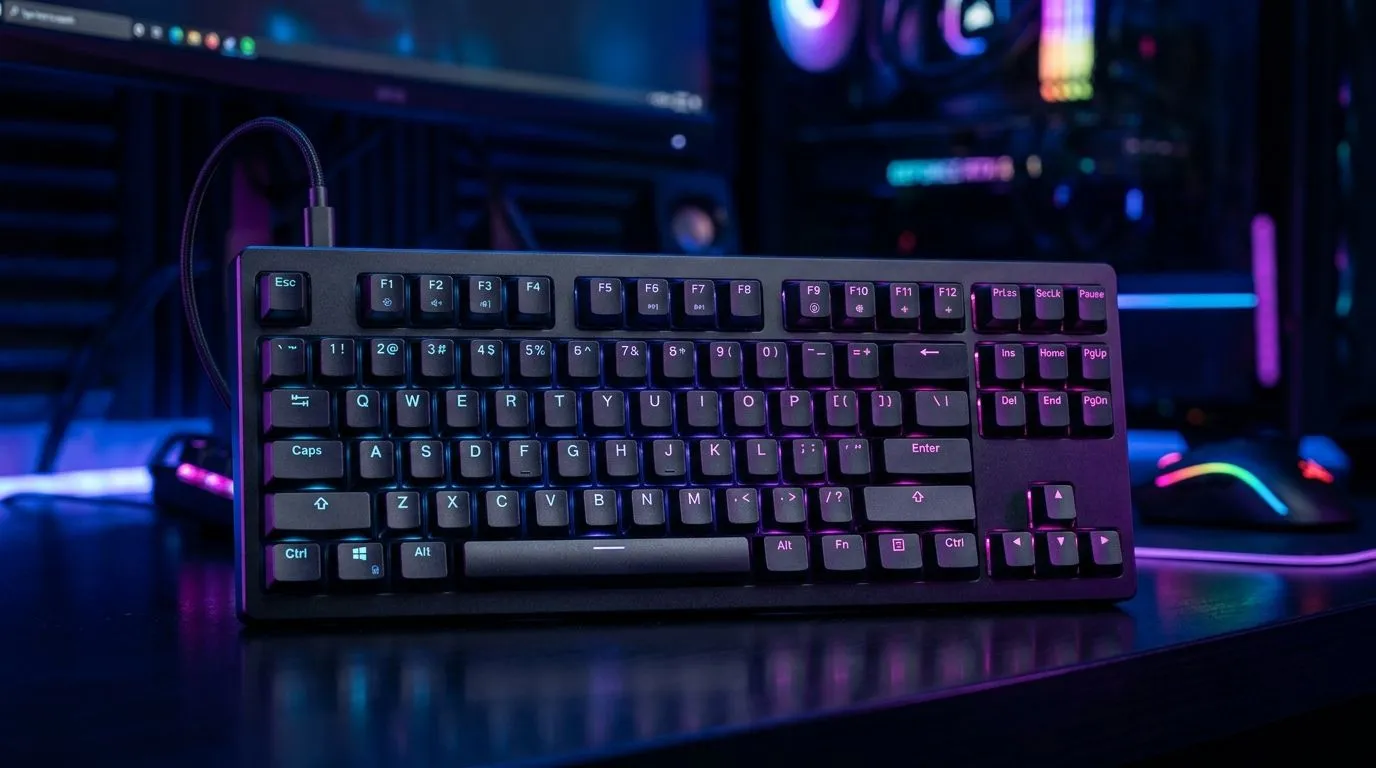
Tenkeyless Gaming Keyboards: More Desk Space, Better Use Cases
If your desk feels cramped, you’re not alone… especially in South Africa where space is often shared between study, work, and gaming. A full-size keyboard can eat your mouse room, and then your aim suffers. Enter tenkeyless gaming keyboards: the sweet spot between compact and capable. You keep the arrow cluster and many shortcuts, but you lose the number pad.
That change alone can make your setup feel calmer, faster, and more “yours”. 🚀
Why a Tenkeyless Layout Helps South African Gamers
Tenkeyless (TKL) means the keyboard drops the separate number pad. On the desk, that typically gives you more “horizontal breathing space” for low DPI movement or wide mouse swipes. In real terms, your mouse stays closer to the centre while you strafe, flick, and track targets.
In competitive FPS, that matters because consistency beats chaos. And in everyday browsing and spreadsheets, TKL still keeps the core keys you use most often, like arrows and navigation. ✨
The Desk-Space Advantage (And Why It Feels Better)
With TKL, you can:
- Move your mouse slightly closer to you
- Reduce arm reach
- Fit better accessories (like a larger mouse mat or controller dock)
If you also run dual-monitors, the extra room helps you position windows more comfortably.
Use Cases Beyond FPS
TKL is not only “for gamers”. It’s also great for:
- Work setups with hotkeys for apps
- Designers who rely on shortcuts
- Students who type for long sessions
The compact footprint makes it easier to keep cables tidy too… fewer tangles, less clutter under the desk. 🔧
Choosing the Right Tenkeyless Gaming Keyboard (Wired vs Wireless)
Before you buy, decide how you want the keyboard to connect. Wired is usually the simplest option for low-latency gaming, while wireless is ideal if you hate cable clutter or you use a shared desk.
If you’re building a setup around reliability, wired can reduce variables. If you’re building around comfort and cleanliness, wireless can feel more seamless. ⚡
Productivity Pro Tip ⚡
On Windows, use the PowerToys FancyZones utility to create custom snap layouts for your windows. It's a lifesaver for managing multiple apps on an ultrawide monitor, letting you organise your timeline, preview window, and asset folders perfectly for video editing.
For deals and ready-to-compare options, check:
- Affordable keyboard picks here: buy the cheapest gaming keyboard in South Africa
- Wireless-focused options here: wireless tenkeyless-friendly keyboard options
- Wired-focused options here: wired keyboard options
Bundles That Make Sense: Keyboard + Mouse
If you’re upgrading your whole rig, bundles can save you time and sometimes money. One clean way to do it is to match your keyboard choice with a compatible mouse for your preferred grip and sensitivity habits.
Take a look at this combo deal path: buy a keyboard and mouse combo.
And if you’re hunting for a deal without overthinking, start with curated savings: best gaming keyboard deals. ✨
Quick Buying Checklist (So You Don’t Regret It)
Before checkout, ask:
- Do you need tenkeyless specifically? If your desk is tight, yes.
- What’s your tolerance for wireless? If you’re competitive and strict, lean wired.
- Will you actually use the arrow cluster? Most TKL users do.
- Are you pairing it with a larger mouse mat? Your tracking will thank you.
Finally… consider your own habits. If you keep reaching for keys outside the keyboard, a layout change won’t fix bad ergonomics. But if your main pain is desk space, tenkeyless often lands perfectly. 🚀
CALLTOACTION: Ready to Find Your Perfect Match?
Ready to Find Your Perfect Match? Tenkeyless gaming keyboards help you reclaim desk space and game with better comfort. Want the best value while you build the full setup? Shop across our keyboard deals and bundle options in one place, and get your next upgrade sorted. Explore our massive range of laptop specials and find the perfect machine to conquer your world.











