

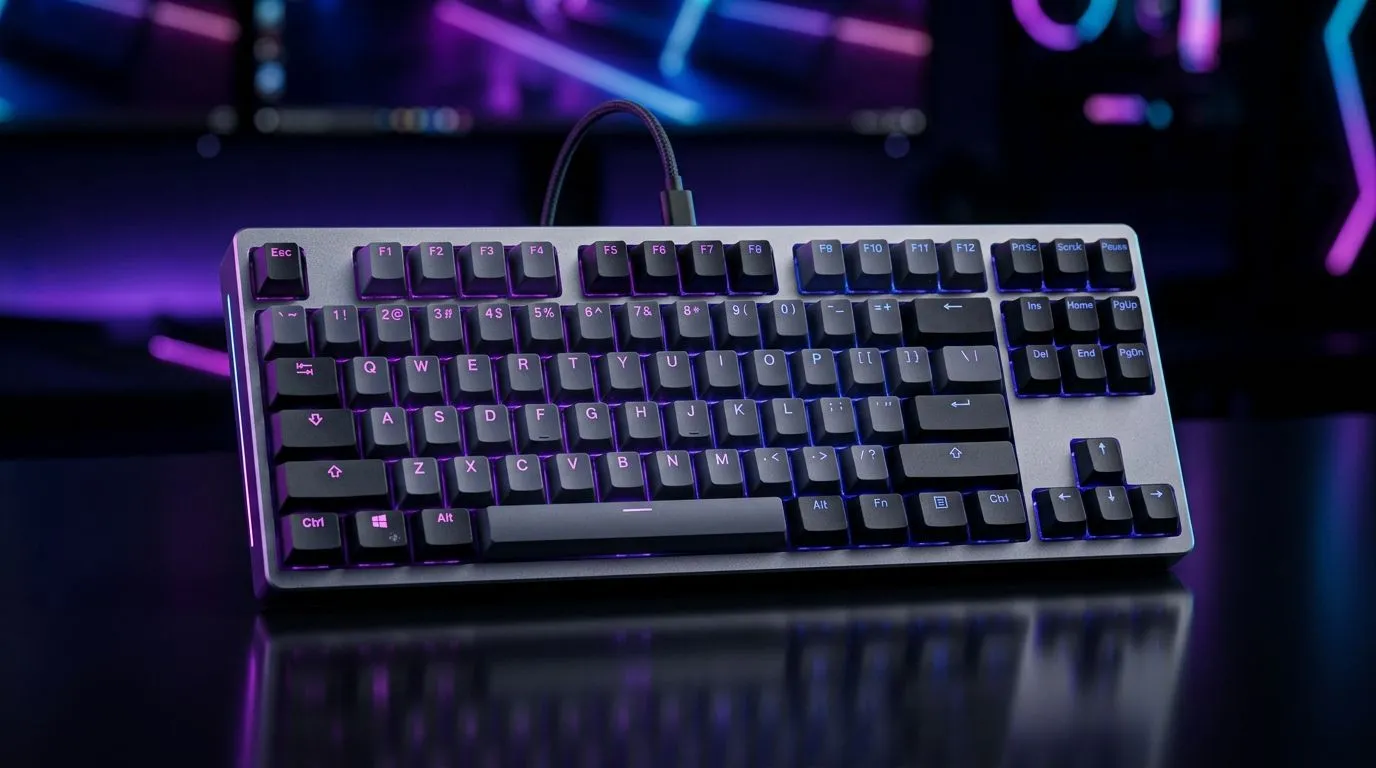
Tenkeyless vs Full-Size Gaming Keyboards: Space-Saving Guide (Quick Take for SA Gamers) 🎮
If you’re building a setup that doesn’t swallow your desk, the debate is real: tenkeyless vs full-size gaming keyboards. In South Africa, where budgets are tight and desks are often… well, compact, layout choices matter. A tenkeyless board can free up mouse space for low-sense aiming, while a full-size keyboard can be the comfort pick for spreadsheets and text-heavy tasks.
So which one should you buy? Let’s break it down properly, with real-world tips you can use before you click “add to cart”. ✨
Tenkeyless vs Full-Size: What Changes in Daily Use? 🔧
Tenkeyless (TKL): More desk room, fewer keys
A tenkeyless gaming keyboard removes the number pad (the “tenkey” area) and keeps the rest. The immediate benefit is more horizontal mouse space. For FPS players, that can mean fewer awkward arm angles when you’re flicking and tracking.
It also usually makes the keyboard easier to fit on smaller desks and better for multi-monitor layouts. And because it’s smaller, it often looks cleaner in an SA setup with RGB and a streaming mic nearby.
Full-size: Maximum convenience for typing and numbers
A full-size keyboard includes the number pad. If you do anything beyond gaming, that can be huge: accounting work, quick calculations, editing tools, or even just typing lots of numbers for school and admin.
Full-size boards can also feel more “complete” if you’re used to traditional layouts. But the trade-off is the extra width, which can crowd your mouse hand on compact desks.
Tenkeyless vs Full-Size Gaming Keyboards: Gaming Performance (What Actually Matters) ⚡
Here’s the honest bit… most gaming performance comes down to switches, response feel, and key design, not whether the number pad exists. If you’re shopping, focus on:
- Switch type (linear vs tactile vs clicky), because it changes your tapping consistency.
- Actuation and travel feel, which impacts rhythm in games.
- N-key rollover (if listed), so simultaneous inputs register correctly.
- Connectivity (wired vs wireless), which affects latency expectations.
If you’re unsure, start with a known-good layout for your desk size, then pick a keyboard with the features you care about.
Productivity Pro Tip ⚡
On Windows, map your most-used commands to the keys that exist on your keyboard layout (TKL or full-size). Then use the keyboard shortcuts consistently for a week. You’ll adapt quickly, and your aim drills will feel smoother because your hands stop hunting for keys.
Tenkeyless vs Full-Size for South Africa: Which One Suits Your Setup? 🚀
In South Africa, many gamers are balancing gaming with study, work, and family life. So the “best” layout is often the one that supports your whole day.
- Choose tenkeyless if your desk is narrow, your mouse sits close, or you prefer a lighter, more minimal setup.
- Choose full-size if you type lots of numbers, run spreadsheets, or you just genuinely want that numpad convenience.
If you’re also buying peripherals as a bundle, look at keyboard-mouse combo deals so you can match your feel and lighting style without overspending.
For budget-friendly options, browse:
And if you want to simplify your decision, consider:
Tenkeyless vs Full-Size Gaming Keyboards: Wired vs Wireless Reality Check
Wireless can be great, but only when you’re buying the right kind of setup for how you play. If you’re a competitive FPS player who hates any uncertainty, wired is the “set and forget” option.
If you’re fine charging or swapping batteries less often, wireless can be worth it for cleaner desk cable management. For both approaches, check:
Ready to Find Your Perfect Match? The Mac vs Windows debate is complex, but for maximum power, choice, and value in South Africa, Windows is hard to beat. Explore our massive range of laptop specials and find the perfect machine to conquer your world.











