

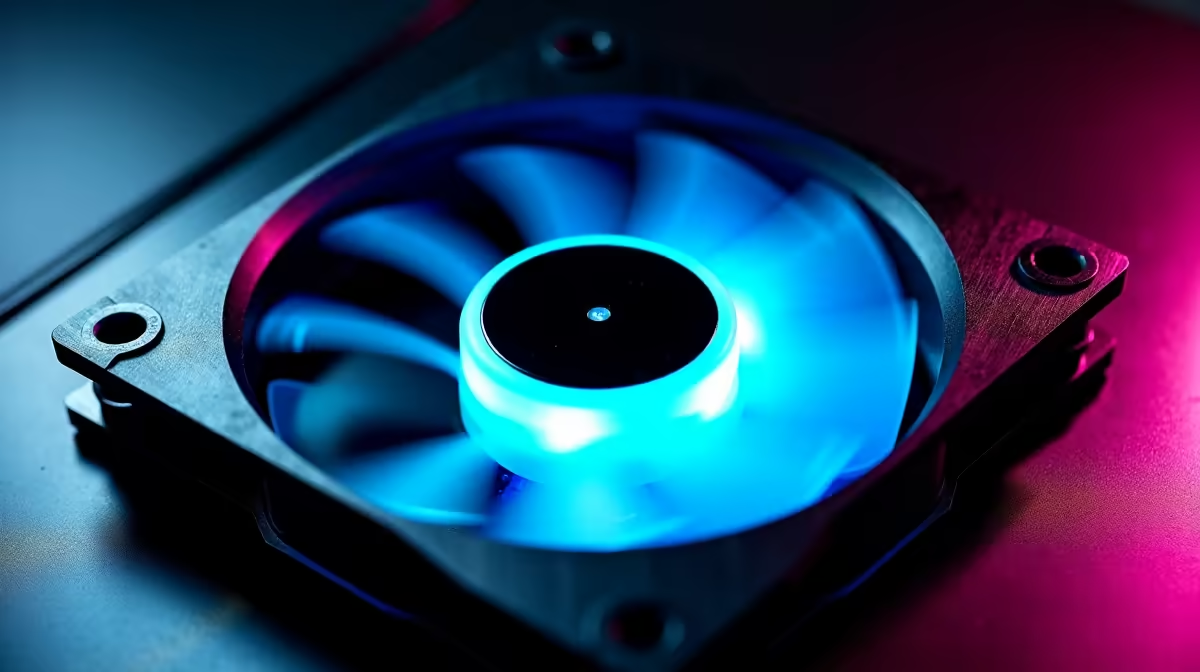
Reverse blade case fans feature inverted blade geometry that optimises airflow direction for specific mounting positions—bottom intake, rear exhaust, or unconventional orientations. Understanding their airflow characteristics, compatibility with different case designs, and mounting positions is critical for effective cooling system planning, especially in vertical or compact chassis.
Reverse Blade Geometry and Airflow Physics
Standard fan blades curve in a specific direction, optimised for one airflow axis. When mounted horizontally (rear exhaust), standard blade orientation naturally pushes air backward. Mounted vertically (bottom intake), the same blade shape pushes air sideways inefficiently—blade forces direct airflow perpendicular to your desired intake direction.
Reverse blade design inverts the blade curve. A reverse blade fan spinning at the same RPM as a standard blade fan in the same orientation produces airflow 90 degrees different. This is not about speed—it's about fundamental mechanical geometry. In bottom-intake position, a reverse blade fan pulls air straight upward instead of sideways, directly into your chassis.
The physics involve fluid mechanics principles: blade angle of attack relative to rotation direction determines deflection angle. A standard blade deflects air one direction; reversing blade curvature deflects it 90 degrees differently. Manufacturers achieve this by either reversing blade rotation direction (less common) or inverting blade shape (more common).
Identifying Reverse Blade Fans: Key Markers
Visual Identification: Examine fan blade curvature from the intake side (the side air enters). Standard blades curve upward/backward from mounting frame; reverse blades curve downward/forward. This subtle difference is visible in product photos but requires careful inspection.
Labelling: Manufacturers don't always explicitly state "reverse blade." Look for terms like:
- "Bottom-intake optimised"
- "Vertical airflow fan"
- "Bottom-mount fan"
- "Reverse-blade for intake"
- "Alternative blade geometry"
Performance Specs: Reverse blade fans mounted in their intended position (usually bottom intake) show higher effective CFM than standard blade equivalents at identical RPM. A 1200 RPM reverse blade bottom fan might deliver 95 CFM effective intake airflow; the same 1200 RPM standard blade delivers only 65–75 CFM in bottom position (due to inefficient deflection).
Retailer Research: Verify with product descriptions or contact Evetech for clarification on specific fan models. Asking "Is this optimised for bottom-intake mounting?" usually gets a clear yes/no.
Testing Without Data Sheets
Mounting Positions and Reverse Blade Applications
Bottom Intake (Primary Use Case) Reverse blade fans excel here. Blade geometry naturally pulls air straight upward along the case floor, cooling PSU air intake first, then spreading upward toward motherboard and lower GPU areas. A reverse blade bottom fan at 1200 RPM delivers more effective cooling than a standard blade fan at 1500 RPM in the same position.
Benefit: 20–30% higher effective intake in bottom-mount position without increased noise or power consumption.
Rear Exhaust (Secondary Use) Some reverse blade fans are optimised for rear exhaust. Here, blade geometry naturally pulls hot air backward out of the case. Less common than bottom-intake optimisation, but useful if your case has a rear exhaust point in an unconventional location.
Vertical Mount (Rare) Compact SFF (small form factor) cases sometimes require side-panel fans oriented vertically. Reverse blade designs exist for this niche application, pulling air perpendicular to standard orientation. These are extremely specialised; most builders won't encounter them.
Top Exhaust (Not Recommended) Don't use reverse blade fans as top exhaust unless manufacturer specifically designates them for this role. Top exhaust typically uses standard blade orientation; reverse blade would deflect hot air inefficiently. Mismatch here wastes cooling capability.
Case Compatibility and Design Considerations
Mid-Tower Cases with Bottom Mount Support Corsair 4000D Airflow, NZXT H510 Flow, and similar modern mid-towers support bottom-mounted intake. These are ideal for reverse blade fans. A single 140mm reverse blade bottom intake outperforms two 120mm standard blade intakes in equivalent space.
Full-Tower Cases Larger full-tower cases often include bottom-mount options. High-end enthusiast builds benefit significantly from reverse blade bottom fans, as PSU and motherboard VRM cooling improve measurably.
Budget / Compact Cases Older or cheaper cases may not support bottom mounting. Check your case manual explicitly. Forcing a reverse blade fan into an unsupported position wastes its directional advantage.
SFF (Small Form Factor) Cases Compact builds (20–40 litre) sometimes require creative mounting. Verify your specific SFF case supports bottom intake before purchasing reverse blade fans. SFF cooling is already constrained; proper fan orientation becomes even more critical.
Reverse Blade vs Standard Blade: Direct Comparison
Scenario: Bottom Intake Position, 120mm Fan, 1200 RPM
Standard Blade Fan
- Effective CFM: 60–75 CFM (deflected sideways, poor direction)
- Perceived airflow quality: adequate with cable management
- Best suited for: rear exhaust, front intake
- Cost: typically R200–R300
Reverse Blade Fan
- Effective CFM: 85–100 CFM (directed straight up, optimal)
- Perceived airflow quality: excellent, direct cool-air supply
- Best suited for: bottom intake, alternative orientations
- Cost: typically R250–R350 (slight premium)
The cost difference is minimal; the cooling difference is substantial if bottom mounting is available.
Multi-Fan Configuration with Reverse Blades
Optimal Build (Mid-Tower with Bottom Support):
- Bottom intake: 1×140mm reverse blade (primary cool-air supply)
- Front intake: 1×120mm standard blade (supplementary intake)
- Rear exhaust: 1×120mm standard blade (hot-air removal)
- Top exhaust: Optional 1×120mm standard blade (upper airflow path)
This configuration prioritises reverse blade in the most critical role (bottom intake) while using standard blades where they excel (front intake, rear exhaust).
Why Not All Reverse Blades? Reverse blade fans are optimised for specific mounting directions. Using them in non-optimised positions wastes their advantage. A reverse blade fan forced into front-intake position performs identically to standard blade fans at the same speed. Mixing fan types based on optimal mounting position yields better overall system performance than defaulting to one type everywhere.
Installation Best Practices
Orientation Verification Before mounting, confirm your reverse blade fan's intended direction. Most include arrows or labels indicating intake direction. Double-check product specifications—mounting a reverse blade fan backward negates its advantage entirely.
Mounting Security Use all four mounting points. Insecure mounting increases vibration (and noise) while reducing effective airflow direction. Vibration isolation pads (rubber bushings) improve reverse blade benefit by reducing resonance noise further.
Connector Compatibility Reverse blade fans use standard PWM (4-pin) or DC (2-pin) connectors. Compatibility is identical to standard blade fans. Lighting (ARGB) functions identically if present.
Maintenance Clean reverse blade fans quarterly like standard fans. Dust buildup on blade surfaces affects airflow direction as much as standard designs. Clogged intake filters reduce effective CFM regardless of blade orientation.
When to Invest in Reverse Blade Fans
Definitely Choose Reverse Blade If:
- Your case supports bottom-intake mounting
- PSU thermals concern you (bottom intake cools PSU intake)
- You're building a high-end gaming system where every cooling °C matters
- Your case design relies heavily on bottom intake (limited front space)
Standard Blade Sufficient If:
- Your case doesn't support bottom mounting
- You're using only front and rear fans (standard blade optimised)
- Budget constraints outweigh thermal gains
- Your build runs cool enough with simpler configuration
For most builders, if your case supports bottom mounting, reverse blade fans are worth the R50–R100 premium. Temperature improvements (5–8°C on PSU/motherboard areas) compound over extended builds, improving component lifespan and system stability.
Check case compatibility and fan options at Evetech to confirm your chassis supports bottom-intake mounting, then explore reverse blade-optimised fans for maximum cooling efficiency. For completely configured solutions, pre-built gaming systems already include optimised airflow patterns.
"Optimise your cooling with strategic reverse blade fan placement. Explore complete PC component upgrades and find cases with bottom-mount fan support at Evetech."











