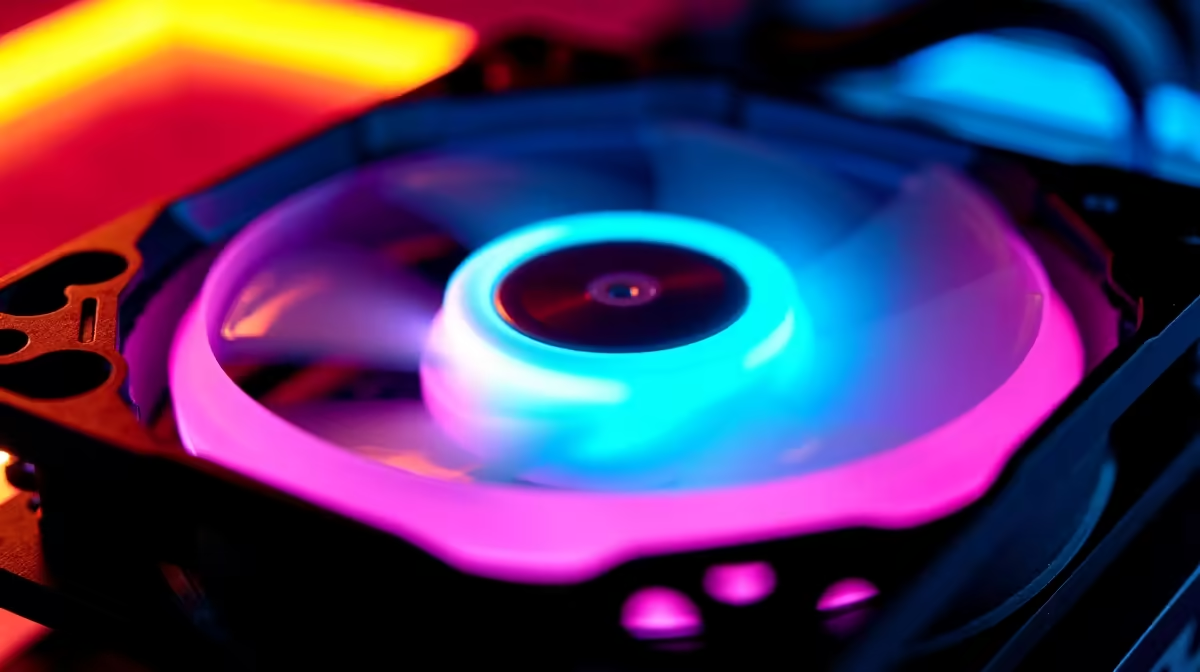
Dual ARGB ring fans have two independent RGB LED circles—one around the outer edge and one at the inner hub—allowing you to create two-tone colour effects, synchronise with your entire PC ecosystem, and achieve lighting designs impossible with single-ring fans.
How Dual ARGB Rings Are Wired
Inside a dual ARGB fan, each ring has its own LED strip controlled by a separate signal line. The fan's connector carries three wires: 5V power, ground, and a data signal that tells the LEDs what colour to display. For dual rings, there are typically two data signals—one for the outer ring and one for the inner ring—or a single signal that's daisy-chained through both rings.
This architecture matters because it determines how much control you have. True dual-control fans (separate data lines) let your motherboard's RGB software control each ring independently. Daisy-chained dual rings (one data line feeding both) mean both rings will always display the same colour unless your lighting controller supports advanced sequencing.
Most consumer dual ARGB fans use daisy-chaining for simplicity, but high-end models (especially ROG or high-end gaming-focused lines) feature true dual control. Check the product specifications when you browse case fans on Evetech—the manual will clarify whether rings are independent or linked.
Visual Effects and What They Mean
Outer Ring Solo: The outer ring is more visible from the front and sides of your case, making it the "primary" lighting element. A brightly-lit outer ring with a dark (or off) inner ring creates a "halo" effect—striking for glass-sided cases.
Inner Ring Solo: Less obvious to casual observers, but beautiful in person. The inner hub lighting adds depth, making the fan appear to float or creating a cockpit-like effect. This is where enthusiasts show off—inner rings are harder to see, but they're intentional design.
Synchronised Dual Rings: Both rings the same colour, typically the most common mode. Creates a unified, clean look that's less distracting than contrast. Many pre-configured RGB profiles default to this.
Contrast Combinations: Outer ring bright (say, blue), inner ring darker or contrasting (say, red). Creates visual separation and depth. Popular for themed builds—blue outer for water-cooling vibes, red inner for gaming aggression.
Pulsing and Breathing: Some controllers support pulse modes where one ring brightens while the other dims, creating a breathing effect. Harder to achieve in daisy-chained setups but possible with high-end software.
Synchronisation Standards: ARGB vs. Other Formats
ARGB (Addressable RGB) is the standard for consumer PC fans. It uses 5V logic signals that allow per-pixel LED control, meaning each LED can theoretically be a different colour. In practice, most consumer software treats a fan as one unit (all LEDs the same colour), but the capability is there.
Why ARGB Matters: ARGB fans work with nearly any modern motherboard's RGB header. Brands like ASUS, MSI, Gigabyte, and ASRock all support ARGB through their own software suites. A fan you buy today will work with your next motherboard (assuming it has an ARGB header, which almost all do).
When you check motherboards on Evetech, look for "ARGB Header" in the specs—this is the 3-pin connector that powers your RGB fans.
Other Standards: Some manufacturers use proprietary RGB protocols (non-standard ARGB implementations). These fans work fine but lock you into that brand's ecosystem. For instance, a Corsair-exclusive fan works beautifully with Corsair coolers and other Corsair RGB products, but requires their iCUE software and won't integrate with your motherboard's native RGB control.
For South African builders, stick with standard ARGB. It's platform-agnostic, future-proof, and works with any system.
Sync Standards and Ecosystem Integration
ASUS Aura Sync: ASUS's ecosystem includes RGB support across motherboards, graphics cards, and compatible peripheral fans. If you're building with an ASUS motherboard and dual ARGB fans, Aura Sync lets you synchronise everything—fans breathing the same colour, GPU lighting matching, the whole experience unified.
MSI Mystic Light: MSI's equivalent, slightly different software but the same principle. RGB fans, GPU lighting, motherboard LEDs all controlled from one interface.
Gigabyte RGB Fusion: Gigabyte's offering, less robust than Aura Sync or Mystic Light, but still functional for core tasks.
These sync standards are only useful if you're actually buying complementary RGB products from the same brand. If you're mixing—ASUS motherboard with aftermarket Corsair fans—you'll lose full synchronisation. You'll control fans through Corsair's iCUE and motherboard LEDs through Aura Sync separately.
Visual Output Differences
Dual-ring fans appear noticeably different than single-ring fans, even at the same brightness and colour:
- Single ring: Bright, focused, can appear harsh or one-dimensional
- Dual ring same colour: Softer, more diffuse, less "neon gamer" and more sophisticated
- Dual ring contrast: Dynamic, eye-catching, adds visual interest
In a tempered glass case, these differences are dramatic. The outer ring light bounces off the glass, while the inner ring adds depth. In a non-windowed case, the visual difference is subtle but still present if you open the side panel.
Choosing Between Single and Dual Rings
Go Single ARGB if:
- Budget is tight (single-ring fans are typically R150–250 cheaper per unit)
- You have a non-windowed or opaque-sided case (visual difference is minimal)
- Your interior space is cramped and you want maximum performance-to-noise ratio
Go Dual ARGB if:
- You have a tempered glass side panel and want to show off
- You're building a themed system and want lighting to match your vision
- You appreciate the subtle sophistication of dual-ring effects
- Future-proofing: dual rings offer more lighting potential as RGB software evolves
When you shop for quality case fans on Evetech, dual-ring options typically come in premium and mid-range brackets. Expect to spend 20–30% more than single-ring equivalents for the same brand and RPM spec.
Installation and Compatibility
Dual ARGB fans plug into your motherboard's RGB header just like single-ring fans. The only difference is that the LED strip inside includes two separate ring sections. No additional connectors, no special headers—just install the fan and plug the cable in.
Where dual rings might complicate matters is daisy-chaining multiple fans. If you're running four dual ARGB fans and your motherboard has only one RGB header, you might need a splitter or hub. Budget for this if you're planning a large lighting setup. Quality hubs (like those from iCUE or EK) handle up to four ARGB fans without signal degradation.
Real-World Lighting Profiles
Here are common setups South African builders choose:
Minimal/Office Build: Single-ring or dual-ring fans set to white, slightly dimmed. Clean, professional, zero gaming aesthetic.
Gaming Build: Dual-ring fans in bright blue (outer) or synchronised single colour (blue throughout). Typically synced to GPU lighting for unity.
Themed Build (like a specific game or brand): Outer ring in brand colour, inner ring in secondary colour. Requires some software tweaking but achieves distinctive identity.
Showpiece/Content Creator Build: Multiple-colour gradients, custom-sequenced patterns, maximum complexity. Requires access to advanced RGB software (usually high-end ASUS or MSI boards).
RGB and South African Summer
Troubleshooting Dual-Ring Issues
One ring not lighting: Usually a loose connector or daisy-chain signal degradation. Reseat the fan connector and check that your RGB software recognises both rings.
Rings fighting colours: Daisy-chained fans can experience signal ghosting if the data line is too long or poorly shielded. Keep RGB cables away from power cables and consider a powered hub.
Software not detecting fans: Update your motherboard RGB software. Many BIOS updates and driver releases improve RGB hardware recognition.
The Future of Dual-Ring RGB
As RGB software matures, manufacturers are experimenting with addressable-per-LED control, meaning future software might let you assign different colours to individual LEDs within a ring. Dual rings are the foundation for this—they prove that dual-zone RGB is viable and desired.
Elevate your PC build with dual ARGB ring lighting from Evetech's premium component selection. Whether you're building a sleek professional machine or a showpiece gaming rig, dual rings add visual sophistication while maintaining perfect airflow performance.