

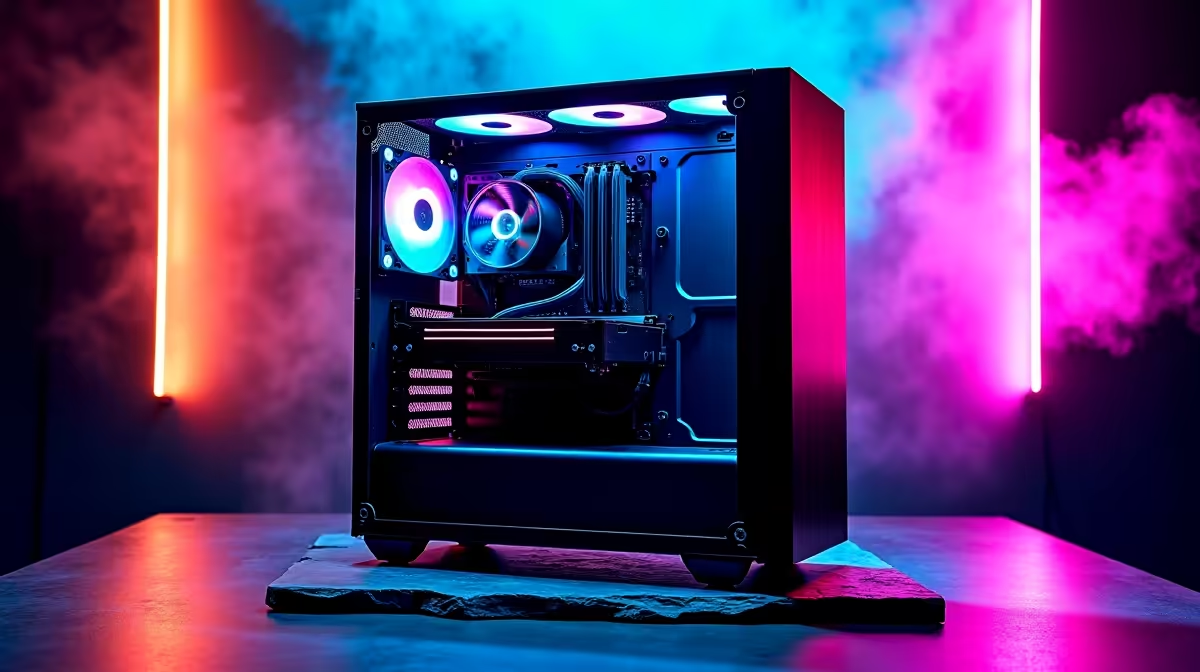
Let us be honest... building a rig in South Africa means battling intense summer heat and fine dust. You want maximum cooling alongside a beautifully clean aesthetic. By moving ugly wires out of sight, you get an ultra-clean look and superior thermals. This is your practical guide to airflow and cable management in hidden-connector PC builds. Let us optimise your chassis for peak performance.
Why Hidden-Connector PC Builds Are Taking Over
Motherboards with rear-facing connections are completely transforming how we assemble computers. No more thick power cables blocking your colourful RGB fans or choking your graphics card. Everything simply plugs into the back of the motherboard tray.
If you are hunting for the best gaming PC deals, look for these modern chassis designs. They make achieving that pristine... showcase-ready look incredibly easy for both beginners and veterans. ✨
Perfecting Airflow With Zero Front Clutter
Airflow and cable management in hidden-connector PC builds go hand in hand. Traditional cases force fresh intake air to navigate a dense jungle of wires. In a hidden-connector setup, cool air travels directly from your front fans straight to your GPU.
This unobstructed path means significantly lower temperatures when pushing high frame rates. Keeping your system cool naturally extends the lifespan of your expensive hardware. With tech prices constantly fluctuating in ZAR, protecting your investment is absolutely crucial. You can find premium cooling gear and chassis upgrades by browsing our daily specials online.
Airflow Pro Tip 🔧
Even without front cables, fan orientation matters heavily. Aim for positive pressure by having more intake fans than exhaust fans. This stops dust from sneaking in through the cracks... an absolute lifesaver during dry South African winters!
Hardware Compatibility Matters
Not every component works with a hidden-connector setup. You need a specific motherboard and a highly compatible case. Standard motherboards have their power connectors on the front. Modern hidden-connector boards move everything to the reverse side.
Your chassis must have precise cutouts to match these exact rear connections. Trying to force standard hardware into a hidden-connector case will only lead to frustration. Always double-check your spec sheets before buying.
Mastering Cable Management in the Dark
The front of your hidden-connector PC might look absolutely flawless. However, the back panel can quickly become a chaotic nightmare. You are essentially shifting all the bulk to a very tight space behind the motherboard tray.
Start by routing your thickest power supply cables first. Always use Velcro straps instead of rigid plastic zip ties. This lets you easily make hardware changes later. Take your time to group similar cables together. Bundle your SATA cables and fan splitters into one neat run.
Route smaller fan wires and front-panel headers along the natural metal channels of your case. A tidy rear chamber ensures the side panel closes smoothly. It prevents bulging and stops dangerous pressure on sensitive pins.
If managing rear cables sounds like far too much effort... you might prefer a portable powerhouse instead. Check out our premium laptops for sale in South Africa for a completely wire-free gaming experience. 🚀
A well-planned case layout is the secret to a machine that runs quietly. It performs brilliantly under heavy loads and looks incredible on your desk.
Ready to Build Your Dream Rig? Upgrading to a hidden-connector setup gives you unparalleled aesthetics and cooling performance. Explore our massive range of PC components and find everything you need to construct a masterpiece today.











