

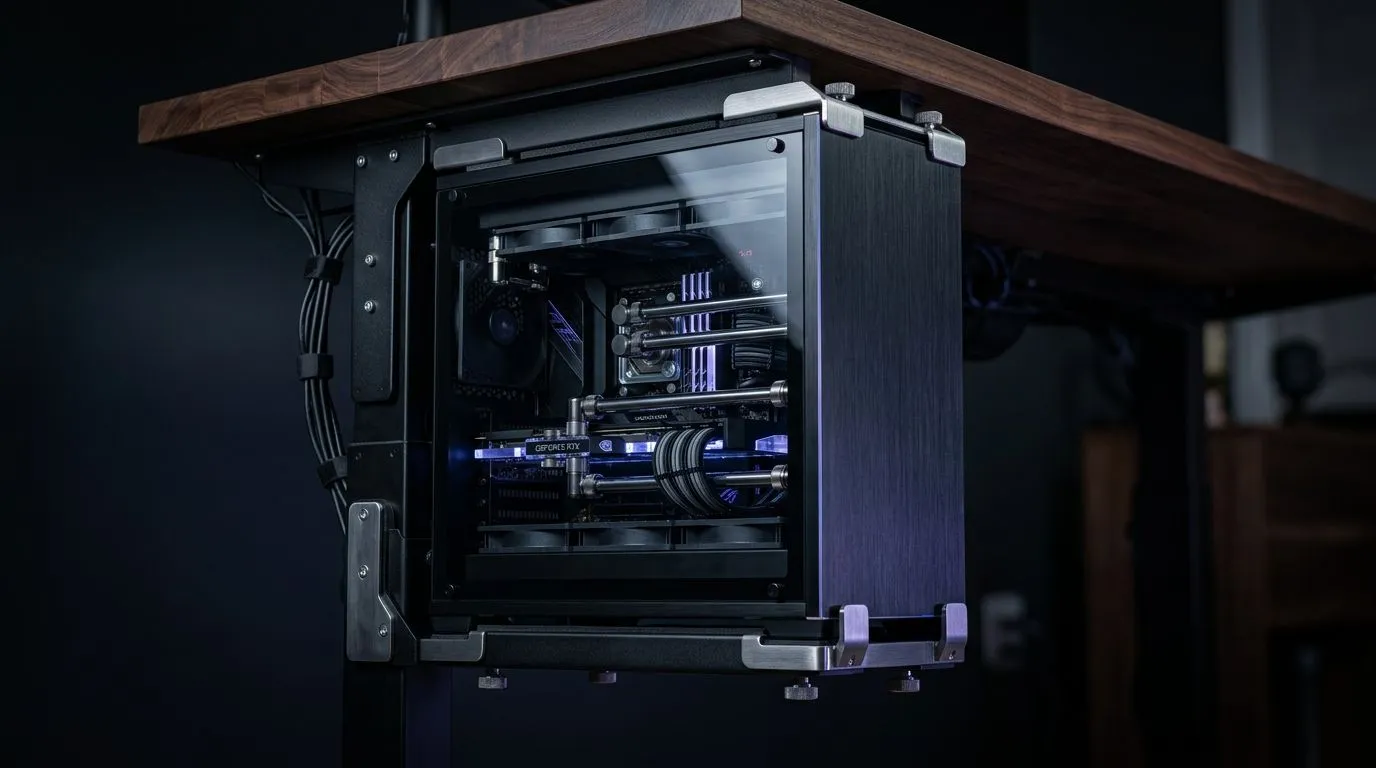
Maximising Your Workspace with Under-Desk PC Mounts
You’ve spent thousands of Rands building the ultimate custom rig, but now it’s eating up all your desk space. It’s the classic South African gaming dilemma: do you keep your premium hardware on display, or do you reclaim your desktop real estate? An under-desk PC mount is a popular solution for a cleaner, more minimalist look, but is it actually safe for high-end components? 🚀
The Structural Reality of Under-Desk Mounting
The primary concern for any PC enthusiast is weight. High-end custom desktops, especially those packed with liquid cooling loops and heavy glass panels, can easily tip the scales at over 15kg. Before you commit to a mount, check your chassis material. Steel mounts are generally robust, but you must ensure your desk surface is solid wood or high-density laminate. Avoid mounting heavy rigs to hollow-core office desks, as the screws will eventually pull through, leading to a catastrophic drop.
If you are looking to upgrade your foundation, you should explore our range of sturdy gaming desks designed to handle the weight of heavy-duty mounting hardware.
Airflow and Thermal Management
One major risk of tucking your PC under a desk is restricted airflow. Modern GPUs like the RTX 40-series rely on unobstructed intake to keep temperatures in check. If your mount pushes the case too close to the underside of your desk, you are effectively suffocating your hardware. You need at least 10cm of clearance above the exhaust fans.
Thermal Pro Tip ⚡
If you decide to mount your PC, ensure your case fans are configured for positive pressure. This helps push hot air out of every available gap, preventing heat soak when the PC is enclosed in a tighter space beneath your workstation.
To keep your setup looking sharp while you manage those thermals, you can add some NZXT case lighting to monitor your internal components easily through the side panel.
Ergonomics and Aesthetics
Beyond just the PC, your overall setup determines your comfort during those long weekend grind sessions. A clean desk isn't just about looks; it’s about having the space to move your mouse freely without hitting your tower. If you’re worried about the visual clutter of cables, consider an Arozzi gaming setup which often includes integrated cable management solutions.
And, of course, your posture matters just as much as your PC placement. Ensure you are supported by ergonomic gaming chairs to keep your back healthy while you dominate the leaderboard. ✨
Is It Worth the Risk?
If you have a solid desk and ensure adequate breathing room for your components, an under-desk mount is perfectly safe. It’s a fantastic way to protect your rig from accidental desk spills and accidental bumps. Just take your time with the installation, use heavy-duty wall anchors if necessary, and always double-check the weight capacity of your mount against your specific build. 🔧
Ready to Find Your Perfect Match? Whether you are looking to mount your rig or build a brand-new beast from scratch, we have the components you need to succeed. Explore our massive range of gaming components and find the perfect hardware to conquer your world.











