

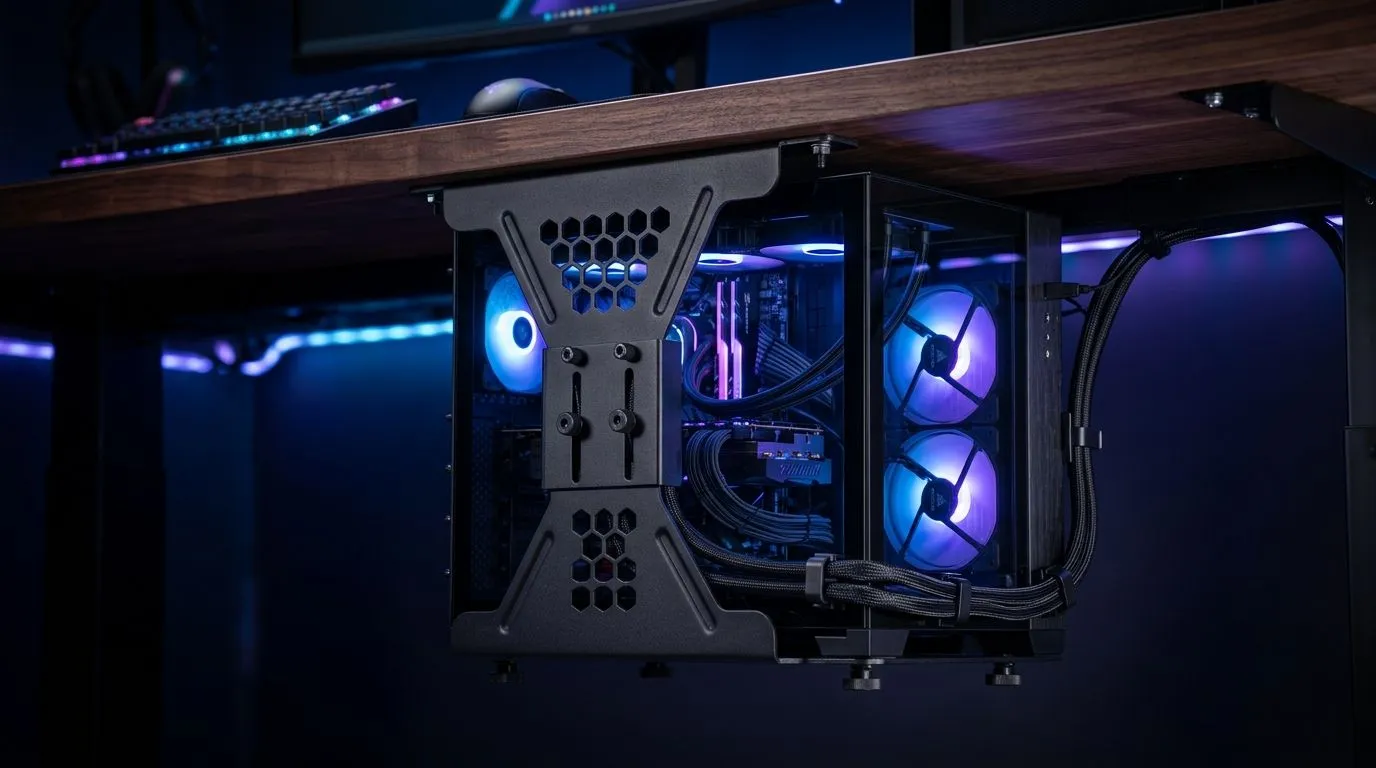
If your gaming desk feels crowded before the match even starts, you are not imagining it. A monitor stand, a tower on the floor, tangled cables, and a mouse pad that never quite stays put can eat real space fast. An under-desk PC mount setup can free up room, improve airflow around your rig, and give your battlestation a cleaner, more intentional look 🔧
For South African gamers, that matters more than it sounds. Smaller rooms, shared spaces, and compact setups are common. Every centimetre counts. A tidy desk also makes it easier to keep dust down and move cables out of the way when you are cleaning. That means less clutter, less stress, and more room for the gear that actually helps you play better.
Under-Desk PC Mount Setup for More Gaming Desk Space
An under-desk mount is best thought of as a space-saving bracket or tray that holds your tower beneath the desktop. Instead of taking up legroom or sitting on the floor, the PC lives neatly underneath where it is still accessible. That opens up space for a larger mouse pad, better monitor positioning, or even a proper mic arm.
If you are shopping for a bigger surface first, start with a solid gaming desk. A sturdier desk gives the mount a better base and helps reduce wobble. That matters if your PC is heavier or if you often adjust cables and peripherals.
Why this setup works
The biggest win is simple... your desk becomes usable again. You can slide your keyboard further back, centre your mouse area properly, and stop bumping into a tower every time you lean in. It also makes RGB lighting and cable routing look much cleaner, which is a nice bonus if you enjoy showing off your build ✨
Just remember to check a few basics before you buy:
- Measure your PC case width and height
- Check the desk underside clearance
- Confirm the mount supports your case weight
- Leave room for ventilation and cable bends
Under-Desk PC Mount Setup and airflow, cables, and comfort
Good placement is not only about looks. A PC mounted too close to a wall or blocked by storage can trap warm air. Leave enough gap for the rear exhaust and side intake to breathe. If your case has strong lighting or a clean side-panel view, a setup like NZXT case lighting options can help your build stand out without adding desktop clutter.
Cable management is where the whole setup starts to feel premium. Route power and display cables along the desk frame, then use velcro straps or clips to keep them neat. Try not to pull cables tight. A little slack makes future upgrades much easier.
Quick Tip
Measure twice before mounting. Many gamers forget to check legroom and cable clearance under the desk. A quick test fit with the case on a box can save you from drilling holes in the wrong place.
Comfort matters too
If your chair position changes because your tower moves, your posture may change too. That is why it helps to consider the whole setup, not just the PC. A supportive seat from the gaming chairs range in South Africa can make long sessions easier on your back and shoulders. Pair that with a clean layout and your desk starts working with you, not against you.
If you are building from scratch or refreshing an older setup, the Arrozi gaming setups collection is worth a look for inspiration. Sometimes one good layout idea is enough to transform the whole room.
Under-Desk PC Mount Setup checklist before you buy
Before you commit, run through this quick list:
Measure the essentials
- Desk thickness
- PC case size
- Mount weight rating
- Clearance for ports and cables
Think about access
- Can you reach the power button easily?
- Will USB ports still be usable?
- Can you remove dust filters without hassle?
Plan for the future
- Will your next GPU or case upgrade still fit?
- Is there room for a larger cable bundle later?
- Will the mount work if you change desks?
A smart setup should make upgrades easier, not harder. That is the real value of planning ahead. You are not just buying a bracket. You are creating more usable space and making your battlestation simpler to live with every day.
Ready to Find Your Perfect Match? The Mac vs Windows debate is complex, but for maximum power, choice, and value in South Africa, Windows is hard to beat. Explore our massive range of laptop specials and find the perfect machine to conquer your world.











