

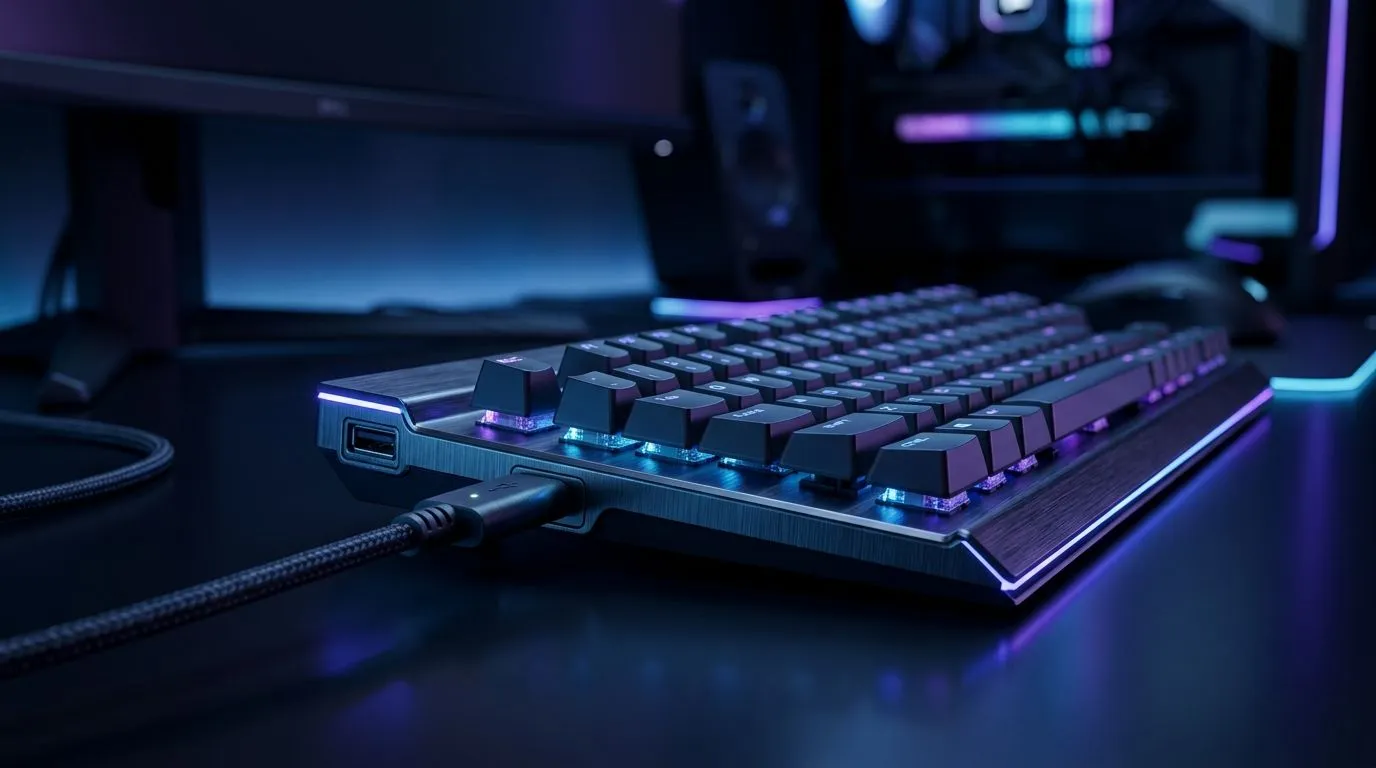
USB 2.0 Pass-Through Port on a Gaming Keyboard: How It Works (and Why SA Gamers Should Care)
You’re in a ranked match, your headset cable is stretched, and your USB stick is… somewhere behind the desk. Then you notice it: that front-facing USB port on your keyboard. ✨ A USB 2.0 pass-through port can make setup feel effortless. It’s also one of those features that sounds simple, but has a few “gotchas” that affect real-world performance and convenience. Let’s break down how it works, what it can (and can’t) power, and how to choose your next keyboard wisely.
USB 2.0 Pass-Through Port on a Gaming Keyboard: How It Works (inside the keyboard)
Most gaming keyboards with a pass-through port route that extra USB connection through the keyboard’s built-in controller. In plain terms:
- The keyboard plugs into your PC via a main USB connection.
- Inside the keyboard, the controller provides power and data lines for the pass-through port.
- When you plug in a device (like a mouse, phone charger, or headset dongle), it “shares” the keyboard’s USB connection.
Because this port is typically USB 2.0, the bandwidth is lower than modern USB standards. That matters if you’re moving large files to an external drive, streaming high-speed data, or using an audio interface that expects more throughput.
For gaming, the common use is comfort:
- connect a wireless dongle neatly
- plug in a controller receiver
- charge small accessories (with limits)
Evetech carries a wide selection of keyboards across connectivity types, so it’s worth matching the keyboard to your setup and your desk habits. 🔧
What it does well, and where it can disappoint
A USB 2.0 pass-through port generally works great for low-bandwidth devices. Real-world examples:
- Wireless dongles: stable and convenient, since they usually use low data rates.
- Headsets with USB audio: often fine, but some high-end USB DACs may not be ideal if they need more stable power.
Where people get disappointed:
- Charging power: pass-through ports usually follow keyboard design limits. They’re not a replacement for proper wall charging.
- Speed-sensitive tasks: if you plug in a USB drive for file transfers, you’ll see the constraints of USB 2.0.
If you’re shopping, use Evetech’s keyboard listings to compare wired options first, then decide whether you want the extra convenience of different connectivity styles. 🚀
Browse the best gaming keyboard deals on Evetech
USB 2.0 pass-through on a keyboard: Wired vs Wireless setups
If your keyboard is wired, the pass-through port typically has a straightforward power-and-data path because the keyboard already has a stable USB link to your PC.
If your keyboard is wireless, the pass-through port can still exist, but the power and device support can vary by model. Sometimes the keyboard is “wireless” only for key input, while the USB cable still powers the device. Other designs depend on the included battery and controller behaviour.
That’s why it helps to choose based on how you’ll actually use the port. For example, if your goal is to tidy up dongles and keep your phone charging nearby, wired keyboards often feel simpler.
Find the cheapest gaming keyboard options (wired)
Find the cheapest gaming keyboard options (wireless)
Practical tips for using the pass-through port (without drama)
The pass-through port is best treated like a desk convenience tool, not a high-speed hub. Here are a few habits that prevent frustration:
- Use it for dongles and small devices (headset dongles, controller receivers).
- Avoid external SSDs if you care about transfer speed.
- Don’t overload powered USB devices. If something runs hot or reboots your device, switch it to a direct PC USB port.
- Route cables intentionally. The port helps with cable management, but you still want airflow and slack.
Productivity Pro Tip ⚡
On Windows, if your keyboard pass-through is used for a headset dongle, try plugging the dongle directly into a rear or motherboard USB port for first-time setup. Then keep the pass-through for daily use once audio is stable. This helps avoid driver re-detections during ranked sessions.
If you’re building a full setup, pairing your keyboard with a matching mouse can also reduce USB clutter. ✨
Shop a keyboard and mouse combo on Evetech
And if you’re still deciding where to land on connectivity, it helps to compare multiple options side-by-side. You’ll see which keyboards actually include the pass-through feature you want.
Compare more affordable keyboard options here
USB 2.0 pass-through port on a gaming keyboard: Quick buying checklist
Before you add to cart, check:
- Is the port actually USB pass-through? (not just a decorative USB socket)
- USB 2.0 vs higher standards if high-speed transfers matter to you
- What devices you’ll plug in (dongles, charging, audio)
- Keyboard type (wired can be simpler for stable device behaviour)
- Cable management: can you reach it comfortably at your desk?
If your goal is cleaner gaming, fewer cable tangles, and easy dongle access, the USB 2.0 pass-through is often worth it. But if you’re expecting it to behave like a premium USB hub… you’ll likely be disappointed.
Ready to Find Your Perfect Match? The Mac vs Windows debate is complex, but for maximum power, choice, and value in South Africa, Windows is hard to beat. Explore our massive range of laptop specials and find the perfect machine to conquer your world.











