

Top Surge-Protected Chargers That Justify Every Rand
Discover surge-protected chargers that users swear by for safety and value 💡 🔌. Backed by real reviews and performance insights 🔋
Read more- USB-C hub vs docking station: compare ports, power and use cases - When a compact hub saves space and when a full dock pays off - Quick buying tips for monitors, PD and travel USB-C hub vs docking station: fast, practical guidance to pick the right gear 🔌💻
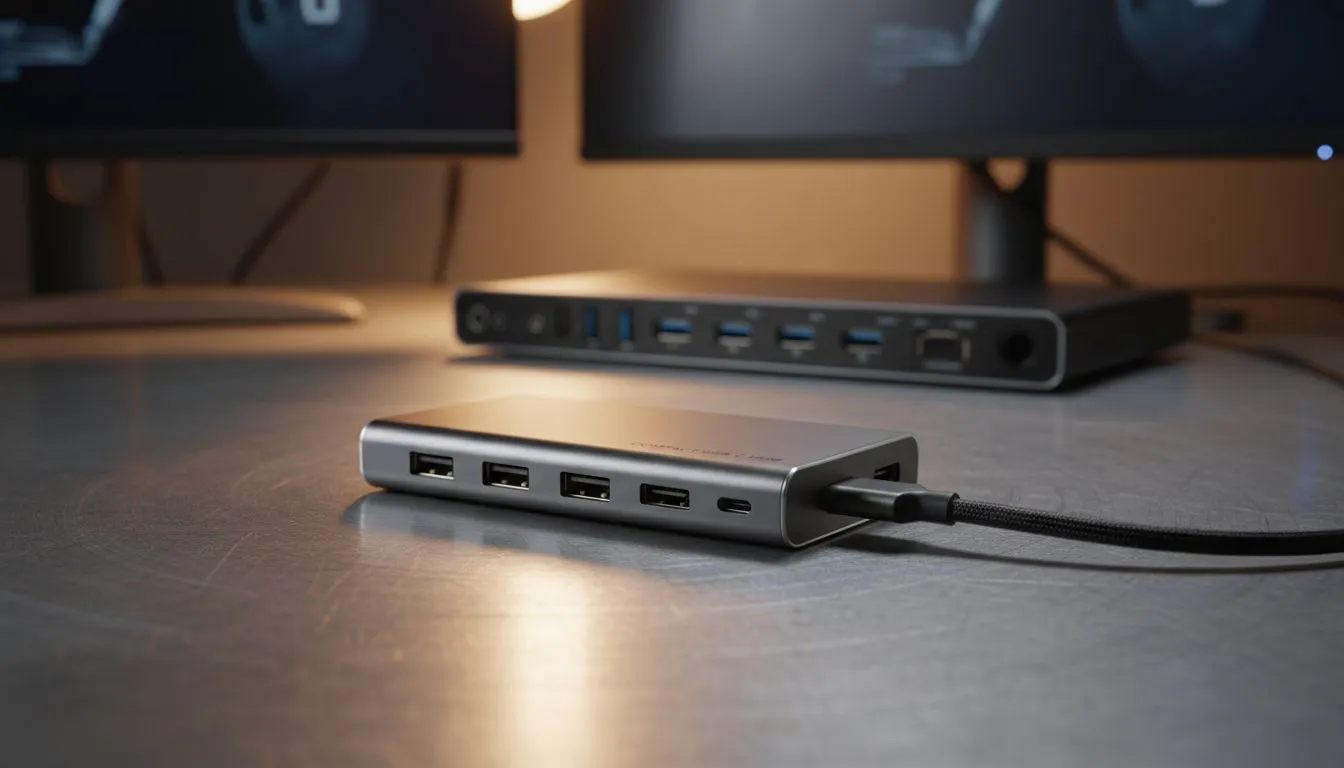
Your sleek new laptop is a beast... but with only two USB-C ports, it feels like a sports car with bicycle wheels. You need to connect your gaming mouse, mechanical keyboard, and that glorious 144Hz monitor. So, what’s the play? Do you grab a simple USB-C hub or invest in a full-blown docking station? In South Africa, making the right choice saves you cash and a whole lot of frustration. Let's plug in and figure it out.
Think of a USB-C hub as a compact multi-adapter. It’s a small, bus-powered device that plugs into a single USB-C port on your laptop and typically gives you a handful of extra connections—like a few USB-A ports, an HDMI output, and maybe an SD card reader. 🔧
Its main advantage is portability. You can toss it in your laptop bag and be ready for a presentation or a LAN party anywhere. Because it draws power directly from your laptop, it’s a plug-and-play solution for expanding connectivity on the go. This makes it a great choice for students and professionals who are constantly moving. The debate over a USB-C hub vs a docking station often starts right here: do you prioritise mobility over power? For many, a simple hub is all they need from our range of essential PC components.
A docking station is the hub’s bigger, more powerful sibling. The key difference is that a docking station has its own dedicated power supply. It plugs into the wall, powering itself and charging your laptop through that single USB-C cable. This frees up your laptop's power brick to live permanently in your travel bag.
This external power allows a dock to support a much wider and more demanding array of peripherals. We're talking multiple 4K monitors, a wired Gigabit Ethernet connection, and numerous high-speed USB ports for all your gear. A docking station is designed to be the permanent heart of your desk setup, turning your portable laptop into a full-fledged desktop powerhouse with one simple connection. It's the clear winner when performance is the deciding factor in the USB-C hub vs docking station choice.
Not all USB-C ports are created equal. Before buying, check if your laptop's USB-C port supports 'DisplayPort Alternate Mode' for video output and 'Power Delivery' for charging. If you need to run multiple high-resolution displays, a Thunderbolt 3 or 4 dock is your best bet, but your laptop must also have a Thunderbolt port to take advantage of its massive bandwidth.
Let's break down the core differences to help you decide which one you really need for your setup in South Africa.
A USB-C hub is small, lightweight, and significantly more affordable. You can find excellent options for a few hundred Rand. A docking station is a bulkier, stationary piece of kit that represents a bigger investment, often costing well over R1,000. If your budget is tight, you can always check out the latest gaming accessory deals to find a great price.
This is where the docking station shines. With its own power source, it can reliably run multiple high-power devices (like external hard drives and webcams) and charge your laptop simultaneously. A hub, on the other hand, shares your laptop's limited power, which can sometimes lead to connectivity issues if you overload it.
While a simple hub can usually run a single external monitor (often at 4K 30Hz), a docking station is built for multi-monitor glory. ✨ Many docks can drive two or even three high-resolution displays at a smooth 60Hz or more, making them essential for serious multitaskers, content creators, and gamers who want an immersive setup. The right choice in the hub vs docking station dilemma depends entirely on how many screens you plan to run.
The answer is simpler than you think. It all comes down to your primary use case.
Ultimately, both devices solve the same problem but are designed for very different scenarios. By understanding your own needs, you can easily decide whether a hub or a docking station is the right tool for the job.
Ready to Expand Your Setup? Whether you need a portable hub for your travels or a powerful docking station for your ultimate battle station, the right connection is key. Explore our massive range of PC accessories and find the perfect solution to conquer your connectivity chaos.
Hubs expand a few ports and are compact; docking stations add power delivery, multiple displays and steady desktop connections for full workstation use.
Pick a compact USB-C hub for travel, occasional peripheral use, or when you need extra USB and a single HDMI output.
Yes—full docking stations often include dedicated GPU passthrough or MST support for dual or triple monitor setups.
Some hubs support limited power delivery, but full docking stations usually offer higher wattage PD for charging laptops reliably.
It depends on the hub or dock spec. Look for USB 3.1/3.2 or Thunderbolt support for faster data transfer speeds.
Yes. A full docking station gives stable power, more ports and multi-monitor support ideal for a permanent desktop setup.
MacBook users who need multiple displays and higher charging should opt for a docking station; light users can use a portable hub.
Discover surge-protected chargers that users swear by for safety and value 💡 🔌. Backed by real reviews and performance insights 🔋
Read more
- Audit frame gen impact; - Test parry windows; - Recommend fixes. Frame Gen Code Vein 2: Learn how frame generation affects parry timing, tests and practical fixes to keep parries consistent. 🕹️⚡
Read more
Is a Ultra Short Throw Projector Good for Gaming?. Diagnosis steps, proven fixes & when to seek professional help. SA-specific support info included.

Is a Short Throw Projector Good for Gaming? Input. Diagnosis steps, proven fixes & when to seek professional help. SA-specific support info included.

Top Mouse Settings for Competitive FPS: Sensitivity picks evaluated on performance, value & SA availability with current Rand pricing from Evetech.

Top Speakers for MacBook Desk Setup picks evaluated on performance, value & SA availability with current Rand pricing from Evetech.

Is a Ergonomic Chair Better Than a Standard Office Chair for Gaming Detailed answer with SA data, expert analysis & practical recommendations for local buyers.

Use Spotlight Search Like a Pro on macOS. Step-by-step instructions with SA-specific tips, common pitfalls to avoid & expert recommendations.

wireless keyboard Fan Noise Too Loud: Quiet. Everything you need to know with SA pricing, step-by-step instructions & expert recommendations.

Connection Timeout: Troubleshooting Guide #2. Diagnosis steps, proven fixes & when to seek professional help. SA-specific support info included.

Gaming PC Question: Is my power supply dying Detailed answer with SA data, expert analysis & practical recommendations for local buyers.

Projector Throw Ratio Calculator: Perfect. SA-focused analysis with local pricing data, real-world insights & actionable buying advice.

Monitor Stock Levels in Nelspruit: July Report. Current stock data & price tracking for SA buyers. See what is available and where prices are heading.

CS2 Low FPS: Power Supply Bottleneck. Real-world benchmark data, FPS numbers & performance analysis. What SA gamers can actually expect.