


MacBook Pro 16-Inch M5 Max: Complete Specs, Features and SA Pricing Guide
MacBook Pro 16-Inch M5 Max: Complete Specs,. Everything you need to know with SA pricing, step-by-step instructions & expert recommendations.
Read more• USB-C Power Delivery Laptop setup overview • Compare chargers, UPS and power banks • Practical steps to stay online during loadshedding USB-C Power Delivery Laptop setup shows how to choose chargers, UPS options and power banks to keep your laptop running ⚡🔋
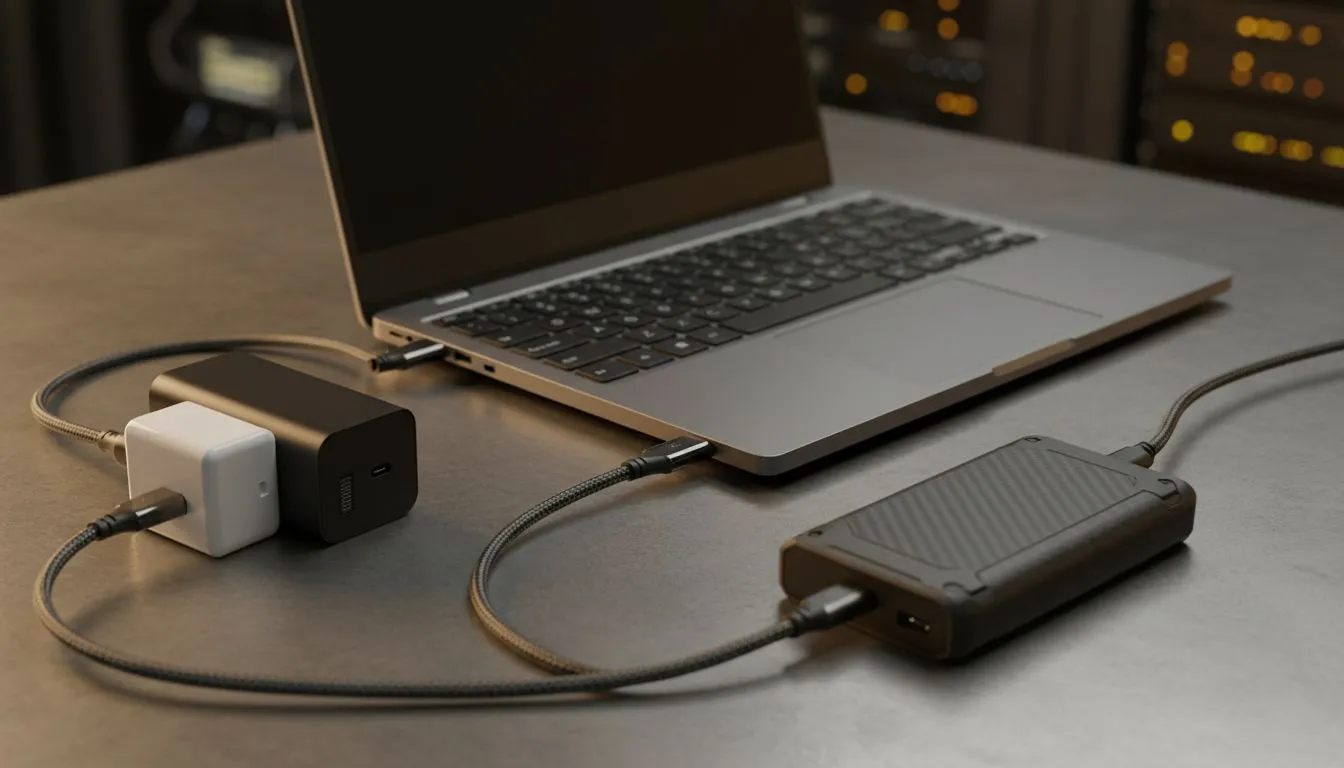
Loadshedding in South Africa isn't just an inconvenience; it's a productivity killer and a gaming nightmare. Imagine being mid-raid or deep into a project, only for the power to vanish. Frustrating, right? But what if you could keep your laptop running smoothly, even when the grid goes dark? That's where a smart USB-C Power Delivery laptop setup for loadshedding becomes your ultimate superpower.
This isn't just about plugging in a power bank; it's about building a resilient, efficient ecosystem that keeps you powered up and productive through every stage of loadshedding. Let's dive into how you can optimise your tech life.
At its core, USB-C Power Delivery (PD) is a specification that allows for increased power transfer over a USB-C cable. We're talking up to 100W, and sometimes even more, which is enough to charge most modern laptops. Unlike older USB charging, PD intelligently negotiates the power flow, ensuring your devices get exactly what they need, safely and efficiently. This makes it an absolute game-changer for maintaining a functional USB-C Power Delivery laptop setup during unexpected outages.
For South Africans, loadshedding means unpredictable power. A laptop that can charge via USB-C PD opens up a world of portable power solutions. Think high-capacity power banks, car chargers, and even certain solar setups. It transforms your laptop from a mains-dependent machine into a truly mobile workstation or gaming rig, ready for any power cut.
Creating a robust setup involves a few key components. Here’s what you’ll need to consider:
Naturally, your laptop needs a USB-C port that supports Power Delivery input. Most modern ultrabooks, many gaming laptops, and business-grade notebooks now offer this. Check your laptop's specifications or look for a lightning bolt icon next to the USB-C port, indicating PD support. Ensure your laptop's power requirements (e.g., 45W, 65W, 100W) match or are below the output of your chosen power source.
This is your primary backup battery. Look for power banks with capacities of 20,000mAh or more, and importantly, a USB-C PD output of at least 45W (preferably 60W or higher) to efficiently charge your laptop. A 20,000mAh power bank can often give a modern laptop an extra 3-5 hours of runtime, depending on usage.
During loadshedding, every watt counts. Lower your screen brightness, close unnecessary background applications, disable Wi-Fi Bluetooth if not needed, and switch to your laptop's "Power Saver" mode. These small changes can significantly extend your battery life and your power bank's effectiveness.
A docking station is more than just a port expander; it's the central hub of your USB-C Power Delivery laptop setup. It allows you to connect external monitors, keyboards, mice, and other peripherals via a single USB-C cable to your laptop, while also delivering power. This means fewer cables, less clutter, and a seamless transition between desktop and mobile.
For those looking for premium connectivity and power options, you can explore high-end docking stations up to R2000. These often feature multiple display outputs, Ethernet, and numerous USB ports, perfect for a full desktop experience. If your budget is a bit tighter, there are still excellent, more budget-friendly docking station options under R1000 that offer essential connectivity without breaking the bank.
Not all USB-C cables are created equal. For Power Delivery, you need cables rated for at least 60W, and ideally 100W, especially if your laptop draws more power. Look for cables explicitly stating "Power Delivery" or "PD" support. Cheap, unrated cables can bottleneck power or even damage devices.
With the core components in place, let's look at how to maximise your setup's potential.
Consider compact, low-power peripherals. A wireless keyboard and mouse combo that sips battery, or even a portable monitor that can draw power directly from your laptop's USB-C port, can be invaluable. This creates a truly mobile workstation that you can set up anywhere, from your patio to a coffee shop.
Beyond power, a docking station streamlines your workflow. Imagine plugging in one cable and instantly having access to your large monitor, external drive, and stable internet (if you have a mobile router). This efficiency is critical during loadshedding when every minute of uptime counts. You can explore our full range of docking stations to find the perfect match for your needs. Specifically, check out Promate docking stations, known for their reliability and wide range of features, often at competitive prices.
Loadshedding might be a reality, but being unprepared doesn't have to be. By investing in a well-planned USB-C Power Delivery laptop setup for loadshedding, you're not just buying gadgets; you're buying peace of mind and uninterrupted productivity. It's about taking control of your power situation and ensuring your work, studies, or gaming sessions continue, no matter what Eskom decides.
Power Up Your Productivity! Don't let loadshedding disrupt your flow. A robust USB-C Power Delivery laptop setup is your secret weapon for uninterrupted gaming, work, and creativity. Explore Evetech's range of laptops and accessories to build your ultimate loadshedding-proof workstation today.
A setup using USB-C Power Delivery chargers, UPS units or PD-capable power banks to keep a laptop running during outages by matching wattage and PD compatibility.
Match the laptop's required wattage and PD profile, prefer 65W–100W chargers for modern laptops and check USB-C PD compatibility before buying.
Yes—if it's a USB-C PD power bank rated for your laptop's wattage. Look for sustained output and enough Wh to meet desired runtime.
Use UPS for desktop-like continuity and regulated output; choose a USB-C PD power bank for portability. Many setups combine both for redundancy.
Runtime depends on battery Wh and laptop draw; divide power bank Wh by laptop watt usage, minus conversion losses. Typical packs give 1–4 hours.
Use certified chargers and cables, avoid cheap adapters, ensure PD negotiation completes, and keep firmware updated on smart UPS units.
USB-C PD charger, PD power bank, small UPS with USB-C output, quality cables and a power meter to verify wattage and runtime.
MacBook Pro 16-Inch M5 Max: Complete Specs,. Everything you need to know with SA pricing, step-by-step instructions & expert recommendations.
Read more
Travelling With a MacBook: Travellers. Everything you need to know with SA pricing, step-by-step instructions & expert recommendations.
Read more
Back-to-School Parent Guide: Laptops. Everything you need to know with SA pricing, step-by-step instructions & expert recommendations.
Read more
MacBook Air 13-Inch M5: Complete Specs, Features. Everything you need to know with SA pricing, step-by-step instructions & expert recommendations.
Read more
MacBook Neo Unboxing and First Setup Guide for. Clear setup instructions with SA-specific considerations, troubleshooting tips & recommended components.
Read more
MacBook Pro 16-Inch M5 Pro: Complete Specs,. Everything you need to know with SA pricing, step-by-step instructions & expert recommendations.
Read more
CS2 Low FPS: Monitor Bottleneck. Real-world benchmark data, FPS numbers & performance analysis. What SA gamers can actually expect.

Is AOC a Good Monitor Brand for Gaming in South Africa Detailed answer with SA data, expert analysis & practical recommendations for local buyers.

What Gaming Monitor Can You Get for R20,000. Full parts list, Rand pricing & expected performance. Build confidently with SA-available components.

What Gamers Actually Bought: November Report. Real purchase data from SA retailers revealing what local buyers are actually choosing and why.

Can the RX 7700 XT Handle 1440p 144Hz Gaming. Performance testing verdict with real data & practical recommendations for SA buyers.

Top Laptop with Core i7 + RX 7700S: Picks picks evaluated on performance, value & SA availability with current Rand pricing from Evetech.

RX 7700 XT Black Myth Wukong 2 FPS: Performance. Real-world benchmark data, FPS numbers & performance analysis. What SA gamers can actually expect.

RTX 6080 Gran Turismo 7 PC Performance: FPS Test. Real-world benchmark data, FPS numbers & performance analysis. What SA gamers can actually expect.
MacBook Pro 16-Inch M5 Max: Complete Specs,. Everything you need to know with SA pricing, step-by-step instructions & expert recommendations.
Travelling With a MacBook: Travellers. Everything you need to know with SA pricing, step-by-step instructions & expert recommendations.
Back-to-School Parent Guide: Laptops. Everything you need to know with SA pricing, step-by-step instructions & expert recommendations.
MacBook Air 13-Inch M5: Complete Specs, Features. Everything you need to know with SA pricing, step-by-step instructions & expert recommendations.