

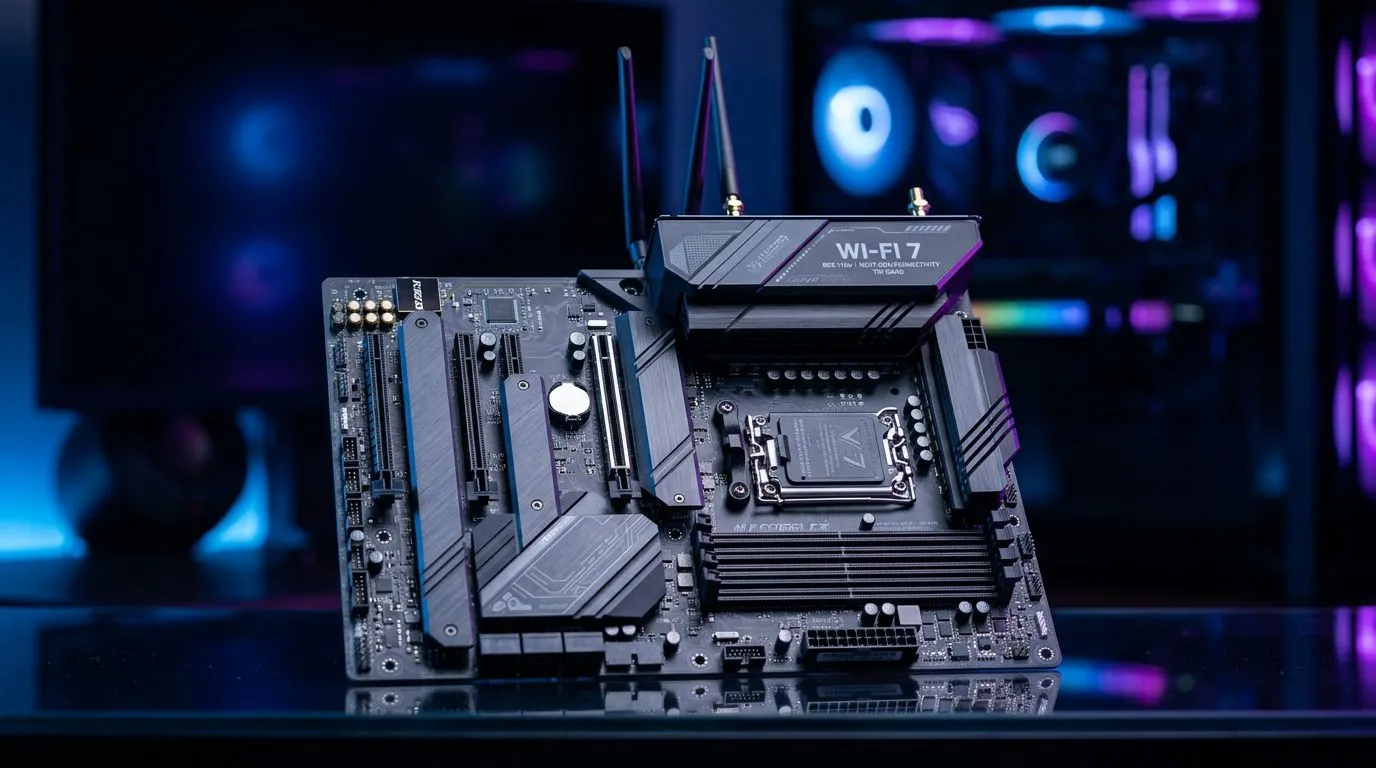
Wi-Fi 7 Motherboards: Why They Are Future-Proof for SA PC Builds
If you’ve ever lost a match to “just one more firmware update” or felt your ping spike during downloads at home… you’ll get why Wi-Fi 7 is exciting. South African households often rely on Wi‑Fi, even with Ethernet available… because fibre installs don’t always land where your gaming PC sits. Wi‑Fi 7 Motherboards help close that gap with faster speeds and smarter network efficiency. In this guide, we’ll break down what matters for SA PC builds, and how to buy the right board without overspending. 🎮⚡
Wi-Fi 7 Motherboards: What actually changes for gamers in South Africa?
Wi‑Fi 7 (802.11be) is designed to improve throughput, reduce latency, and handle crowded networks better. For SA gamers, the practical win is not only raw speed, but consistency when multiple devices compete for airtime, like phones streaming Netflix while someone else downloads a Steam update.
Here’s how to think about it in real life:
Lower latency… especially when the network is busy
Many homes in South Africa have shared Wi‑Fi environments: neighbouring networks, thick walls, and lots of devices. Wi‑Fi 7’s improvements in scheduling and efficiency can help maintain more stable performance during peak use. That translates to smoother gameplay and fewer “why is it stuttering?” moments.
Better range and fewer dead spots (when paired correctly)
Wi‑Fi performance is a system, not a single part. A Wi‑Fi 7 motherboard still needs a Wi‑Fi 7 router (or strong Wi‑Fi 6/6E fallback) and good placement. If your router is in the lounge and your PC is in a bedroom, your motherboard alone can’t beat physics… but it can reduce the gap.
Wi-Fi 7 Motherboards: The spec checklist that prevents buyer’s remorse 🔧
Instead of chasing marketing terms, check these items when choosing a motherboard for Wi‑Fi 7.
1) Wi‑Fi generation support (and whether it’s truly Wi‑Fi 7)
Look for motherboards that explicitly list Wi‑Fi 7 support in the product details. If the listing only says “Wi‑Fi ready” or “Wi‑Fi onboard (upgradeable)”, you may end up buying an extra card.
2) Antenna design and number of connectors
More antennas and better layout help, especially in South African homes with interference and distance. If the board includes multiple antenna connectors or ships with antennas, that’s a good sign.
3) PCIe lanes and M.2 capacity for future upgrades
Wi‑Fi 7 is only one piece. If you’re building for the next 3 to 5 years, you’ll likely add faster storage and a better GPU. Make sure the board has enough M.2 slots and doesn’t force compromises.
4) Thermal and power stability for sustained loads
Gaming sessions and background downloads heat components. Stable power delivery and solid cooling features help your system maintain performance.
Build Smart Tip ✨
If you’re choosing between “cheaper with good Wi‑Fi” and “slightly pricier but stronger upgrade path”, prioritise upgrade path. Add storage later, replace Wi‑Fi hardware later… but bad power delivery can limit CPU upgrades. Scan the board’s M.2 and fan headers before you commit.
Wi-Fi 7 Motherboards: Compatibility with SA routers and ISP realities ⚡
In South Africa, the router you use matters as much as the motherboard. If your home still runs on an older router, you won’t unlock Wi‑Fi 7 speeds. But you still benefit from better features when your network is upgraded later.
A smart strategy:
- Buy a Wi‑Fi 7 motherboard now if your budget allows.
- Plan to upgrade your router to Wi‑Fi 7 when you can.
- If you can’t upgrade soon, prioritise stable connection quality. You’ll still see improvements over some older onboard solutions.
For buyers who want to keep costs grounded in ZAR, consider starting with a board that has solid onboard wireless and a clear upgrade path, then upgrade the network gear later.
Wi-Fi 7 Motherboards: Where to buy the right Intel or AMD board in SA
If you’re building with a Ryzen platform, you’ll want to browse AMD options carefully. Use this Evetech category to compare current motherboard models and their wireless features:
- Explore AMD motherboard choices here: AMD motherboards
If you’re leaning Intel, do the same on the Intel side:
- Check Intel motherboard options here: Intel motherboards
And if you’re shopping with a “value now, upgrade later” mindset, this page can help you find boards that balance cost and capability:
- Browse budget-friendly options here: cheap Intel & AMD based motherboards
Wi-Fi 7 Motherboards: Quick buying guide for a no-regrets SA gaming build
Before you click “Add to cart”, answer these questions:
- Do you game on Wi‑Fi or Ethernet? If you can run Ethernet, it’s still the most consistent. But if Wi‑Fi is your reality, Wi‑Fi 7 onboard support becomes more valuable.
- How crowded is your network? If your building is full, or you have lots of devices, Wi‑Fi 7’s efficiency helps.
- Are you planning a router upgrade soon? If yes, Wi‑Fi 7 motherboard support becomes future-proof in a practical way.
- Is your build ready for storage upgrades? Your biggest “feel” upgrades are often SSD and GPU. Choose a board with enough expansion room so you don’t bottleneck later.
Productivity Pro Tip ⚡
For gaming performance consistency, reduce background Wi‑Fi contention. On Windows, set your update schedule for off-peak hours, and if you use an ultrawide monitor for streaming or editing, keep your app layout organised with PowerToys FancyZones. It won’t lower ping directly, but it helps you avoid multitasking chaos that can mask connection issues.
Wi-Fi 7 Motherboards: Final thoughts before you upgrade 🚀
Wi‑Fi 7 motherboards are worth considering when your home setup depends on Wi‑Fi. They’re not a magic fix for poor router placement, but they’re a smart foundation for consistent performance and easier future upgrades. If you’re building in South Africa, where Wi‑Fi reliability often decides how smooth your gaming sessions feel, choosing a Wi‑Fi 7 capable board is a sensible move.
And once you’ve picked the board, the next step is matching it with the right CPU and GPU… so your build actually delivers when it matters.
Ready to Find Your Perfect Match? The Mac vs Windows debate is complex, but for maximum power, choice, and value in South Africa, Windows is hard to beat. Explore our massive range of laptop specials and find the perfect machine to conquer your world.











