

That dreaded buffering wheel… spinning endlessly while you’re trying to clutch a win in Apex or stream the Bokke game in the braai room. Weak Wi-Fi is a uniquely South African frustration, especially when the signal drops the moment you move two rooms away from your router. But you don’t have to put up with it. Getting rid of Wi-Fi dead zones for good is easier than you think, and it doesn’t always require a complicated fix. ⚡
Understanding Why Your Wi-Fi Sucks in Certain Rooms
Before you can fix the problem, you need to know the cause. Most of the time, Wi-Fi dead zones are created by simple physics. Your router's signal is just a radio wave, and like any radio wave, it gets weaker over distance and can be blocked by obstacles.
Common culprits in Mzansi homes include:
- Thick Walls: Those classic double-brick or concrete walls are notorious signal killers.
- Distance: The further you are from the router, the weaker the signal. Simple as that.
- Interference: Your microwave, cordless phone, and even your neighbour's Wi-Fi network can compete for the same airwaves, causing slowdowns.
Figuring out which of these is your main issue is the first step to finally eliminating those pesky Wi-Fi dead zones.
Quick Router Check
Before you spend a cent, try moving your router. Placing it in a central, elevated location—not tucked away in a cabinet—can dramatically improve your signal strength across the house.
Your Arsenal: Choosing Between Mesh, Extenders, and Boosters
When it comes to fixing weak Wi-Fi, you've got a few excellent tools at your disposal. The key is picking the right one for your specific needs and home layout. Let's break down the main contenders.
Wi-Fi Extenders: The Simple Signal Boost
A Wi-Fi extender (often called a repeater or booster) is the most straightforward solution. It captures the existing signal from your router and rebroadcasts it, extending its reach into a nearby dead zone.
- Best for: Smaller homes, student digs, or just fixing a single problem room that’s next to an area with a decent signal.
- The Catch: Extenders typically create a new network name (like "MyWifi_EXT") and can sometimes cut your potential speed in half. They're a patch, not a complete overhaul. For a look at some solid entry-level options, check out the range of Cudy networking gear.
Mesh Wi-Fi Systems: The Whole-Home Solution 🚀
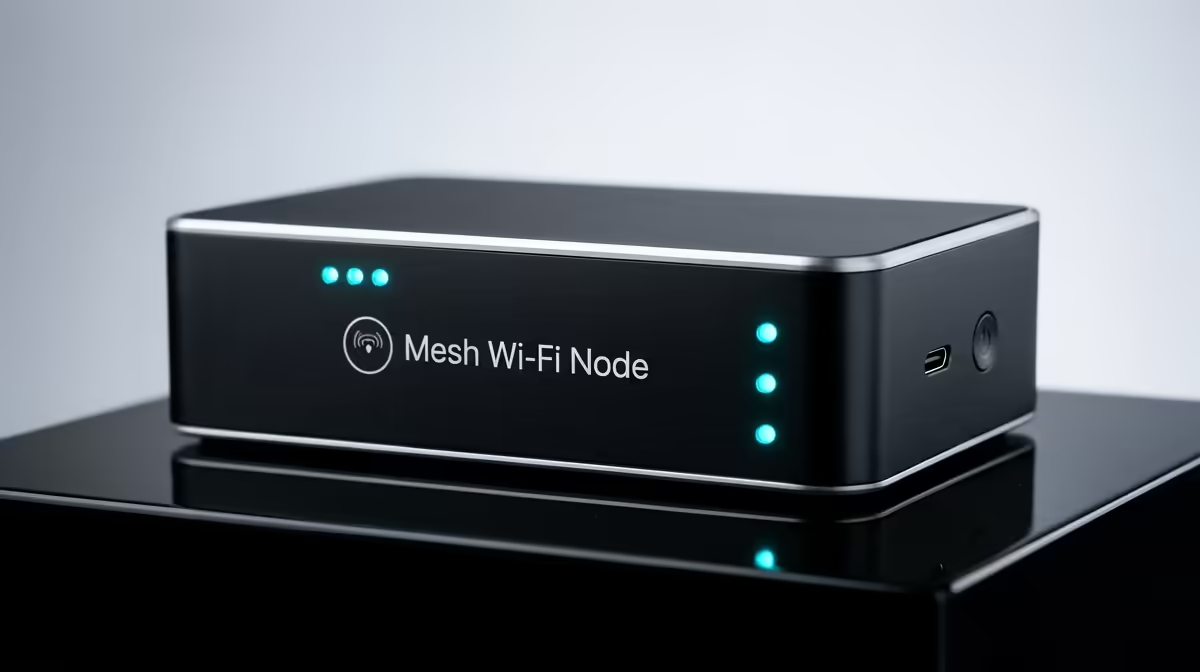
This is the modern, powerful way to ensure Wi-Fi dead zones are gone for good. A mesh system uses multiple "nodes" or satellites placed around your house. They all work together as a single, intelligent network. Your phone, laptop, or console will automatically connect to the strongest node as you move around, with no drop-offs or network switching.
- Best for: Medium-to-large houses, double-storey homes, and anyone who wants seamless, powerful Wi-Fi everywhere without any fuss.
- The Result: Consistent speeds and a stable connection from the home office to the patio. Brands like TP-Link offer fantastic mesh systems that are easy to set up and manage via a simple app.
The Ultimate Play: When to Go Wired
For the ultimate in speed and reliability, nothing beats a physical connection. While we're focused on wireless, it's crucial to remember this for specific use cases. If you have a gaming PC, a console, or a streaming box that never moves, plugging it in with an Ethernet cable will always give you the fastest, most stable connection possible, completely bypassing any wireless issues. 🎮
Consider a hybrid approach: use a great wireless solution for your mobile devices and run a cable for your critical, stationary hardware. Explore Evetech's wired networking options for that rock-solid link.
Ready to Banish Buffering for Good? Stop letting dead zones dictate where you can work and play. Explore our full range of powerful networking solutions and find the perfect fit for your home. Shop all wireless networking gear at Evetech for performance that leaves lag in the dust.











