

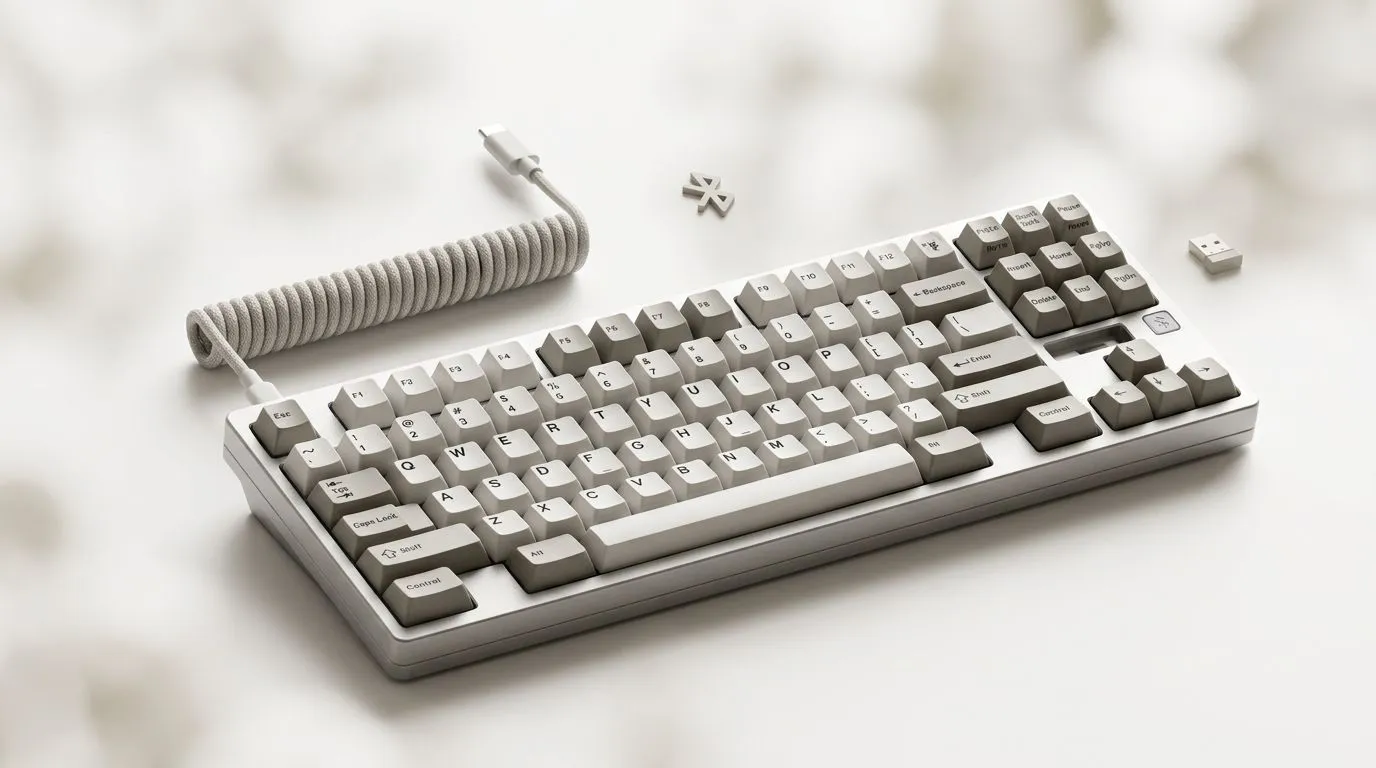
Wired vs Bluetooth vs 2.4GHz Wireless Keyboard Modes: which one wins for South African gamers?
You’re in a match, you spin your aim, then your keyboard decides to “help” by lagging… yeah, that’s brutal. South Africans also deal with load-shedding routers, crowded 2.4GHz Wi‑Fi, and varying desk setups. So before you buy another keyboard, you need to understand how Wired vs Bluetooth vs 2.4GHz Wireless Keyboard Modes actually behave in real life. ⚡
In this Deep Dive, we’ll break down latency, reliability, battery life, and best use cases… then help you pick the right mode for gaming, work, or both.
Wired mode explained (and why it still matters)
Wired keyboards connect directly to your PC via USB. That means:
- Low, consistent latency (no pairing, no wireless interference)
- No battery worries
- Stable performance during long sessions
If you want the simplest, most predictable experience, wired is still the default recommendation for competitive play.
For budget shoppers in SA, Evetech’s keyboard deals make it easy to choose wired models that don’t sacrifice core features.
When wired is the smart choice 🔧
- You play fast games (FPS, rhythm, fighting games)
- You stream or record and can’t afford stutters
- You hate tuning settings and just want it to work
For a solid starting point, browse: wireless keyboards (including wired connectivity options) here
Bluetooth mode explained (quality, convenience, and limits)
Bluetooth is convenient. Pair once, then jump between devices like PC and tablet… without extra dongles. But there are trade-offs.
Bluetooth performance can vary depending on:
- signal strength and interference
- the device’s Bluetooth version and drivers
- how the keyboard buffers input
In everyday typing, Bluetooth is often fine. In competitive gaming, it’s usually the least consistent of the three modes.
Best for work, not sweat
- office tasks
- school or general PC use
- casual gaming where timing is less critical
If your goal is “multi-device convenience”, Bluetooth can still make sense. But for competitive sessions, most players prefer 2.4GHz or wired. ✨
2.4GHz wireless mode explained (the “gaming wireless” sweet spot)
2.4GHz wireless uses a small USB receiver (dongle). Unlike Bluetooth, it’s typically designed for lower-latency input and more stable performance.
Why gamers like it:
- Faster response than Bluetooth in most real setups
- No pairing delays after the initial setup
- Better consistency in gaming use
However, since it runs on 2.4GHz like Wi‑Fi, interference can happen in crowded environments. The good news: many gaming keyboards use protocols and hardware tuned for input reliability.
Practical advice for SA desks ⚡
Before you commit to 2.4GHz, check:
- Does the keyboard require a dongle that stays connected?
- Will your USB ports be blocked by your monitor mount or hub?
- Are you near an access point or smart-home devices?
If you want to explore wired connectivity options specifically on Evetech: see keyboard deals filtered for Wired connectivity
And if you want the wireless, gaming-style route: see keyboard deals filtered for Wireless connectivity (2.4GHz class options)
Which mode should you choose? A simple decision guide
If you’re still unsure, use this quick cheat sheet:
- Competitive gaming: 2.4GHz or wired
- Hybrid gaming + work (PC + laptop): 2.4GHz, with Bluetooth as secondary if needed
- Travel and device switching: Bluetooth is the “carry-friendly” option
- Zero-fuss reliability: Wired
Evetech also makes it easy to compare keyboards by category, so you can narrow down by what matters: connectivity type, pricing, and overall features.
Start here if you want value-focused picks: shop a wide range of gaming keyboards in South Africa
Setup tips that improve performance (no magic, just better habits) 🚀
Even the best wireless mode can feel off if your setup is fighting you.
Keep the receiver close for 2.4GHz
Don’t bury the dongle behind your monitor stand. A few centimetres can help. If your keyboard supports it, place the receiver on a USB extension so you’re not blocking signal paths.
Avoid “USB chaos”
If you’re using a hub, test directly into the motherboard first. Wireless dongles can be picky when hubs get underpowered during high load.
Battery and power planning
Wireless keyboards need power. Many have low-battery indicators, but the “real” symptom can be inconsistent key presses. If you notice random behaviour, try charging or replacing batteries first.
Productivity Pro Tip ⚡
On Windows, open the Power & battery settings and make sure your PC isn’t allowed to save power by disabling USB devices. Then plug the 2.4GHz receiver into a consistent port (avoid switching between front and back ports) to keep input timing stable during long gaming sessions.
Don’t forget the full kit: keyboard + mouse synergy
Picking the right keyboard mode is only half the story. If you’re building a gaming desk, pairing it with a compatible, reliable mouse helps your muscle memory and consistency. Consider a combo so you’re not guessing between two different ecosystems and their software layers.
For bundle-friendly options: keyboard + mouse combo deals
Wired vs Bluetooth vs 2.4GHz Wireless Keyboard Modes: final recommendation
If you want the cleanest input experience, go wired. If you want the closest feel to wired without the cable, go 2.4GHz. If your priority is switching devices, Bluetooth is the convenience pick.
But the best choice depends on your actual use. Competitive games and long sessions favour consistency. Casual play and multitasking favour convenience. Either way… you’ll get more enjoyment when the keyboard’s connectivity matches your lifestyle.
Ready to Find Your Perfect Match? The Mac vs Windows debate is complex, but for maximum power, choice, and value in South Africa, Windows is hard to beat. Explore our massive range of laptop specials and find the perfect machine to conquer your world.











