

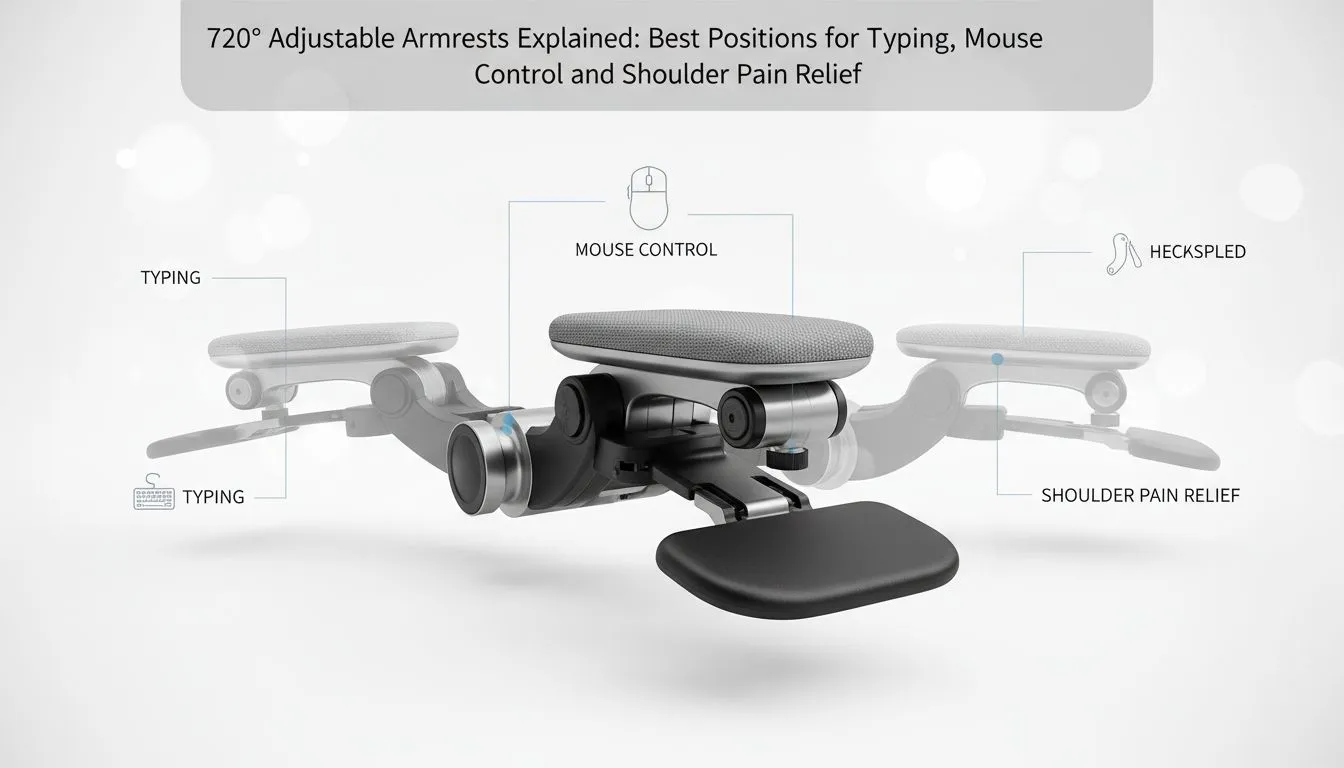
Ever finished a five-hour session in Elden Ring only to find your neck feels like it’s been in a scrum? We’ve all been there. Achieving the perfect ergonomic setup isn't just about a soft seat. It’s about precision. Using 720 adjustable armrests allows you to fine-tune your posture for typing, mouse movements, and shoulder relief... ensuring you stay in the game longer without the ache.
The Ideal Typing Position: Neutral and Level
When you are deep in a coding session or chatting in Discord, your wrists often take the brunt of the strain. Your 720 adjustable armrests should be set so that your forearms are parallel to the floor. This creates a neutral wrist position... preventing the upward bend that leads to fatigue.
Your armrests should sit level with your desk surface. This creates a flat plane for your forearms to rest on while you type. It prevents your wrists from hanging or bending at awkward angles. By maintaining this alignment, you reduce the pressure on your carpal tunnel... keeping your hands fresh for those late-night raids. 🔧
Precision Mouse Control and Shoulder Health
Gaming requires a different approach than typing. For mouse-heavy titles, try pivoting your 720 adjustable armrests slightly inward. This supports your forearm while allowing your elbow to stay close to your body. It stabilises your aim and reduces the "floating arm" syndrome that causes shoulder tension.
You should avoid shrugging your shoulders while you work or play. This causes tension in your neck and upper back. If you feel your shoulders creeping toward your ears, lower your armrests slightly. The flexibility of 720 adjustable armrests solves this issue by letting you find the exact millimetre of support you need. ⚡
Total Setup Optimisation: Performance and Comfort
A great desk setup is a complete ecosystem. Just as you optimise your physical posture, you must optimise your digital performance. A high-quality Solid State Drive is the heart of a responsive system. For South African gamers, reliability is key, which is why brands like Western Digital are so highly regarded in local builds.
When choosing hardware, the M.2 2280 form factor is the industry standard for a clean, cable-free look. If you want the absolute cutting edge, a Gen 5 SSD offers speeds that make loading screens a thing of the past. 🚀
For those looking to expand their game library without breaking the bank, the ADATA M.2 2280 range provides excellent value. These modern drives all utilise the PCI Express (NVME) interface, ensuring your PC matches the speed of your new ergonomic setup. ✨
Ergonomic Pro Tip 🔧
To find your ideal armrest height, sit with your shoulders relaxed and elbows at a 90-degree angle. Adjust your armrests until they just touch your elbows without pushing your shoulders up. This small tweak prevents chronic neck strain during those long weekend raids.
Ready to Find Your Perfect Match? The right desk setup is essential for comfort and performance in South Africa. Explore our massive range of gaming chairs and desks and find the perfect gear to conquer your world.











