

Quick Answer
The best gaming desk for a dual monitor setup in South Africa in 2026 is a wide, sturdy surface of at least 150cm in width with robust cable management and monitor arm compatibility - prioritising stability over flashy aesthetics.
What Makes a Desk Work for Dual Monitors
Running two monitors changes your desk requirements significantly. A single 27-inch monitor is manageable on virtually any desk, but two 27-inch displays or a combination of a primary gaming monitor and a secondary productivity screen demands a minimum surface width of around 150cm to sit comfortably at the correct viewing distance without strain. Wider is better - 160cm to 180cm gives you elbow room for a keyboard, mouse, headset stand, and the other accessories that accumulate at a gaming station.
Desk stability is the second critical factor. A wobbly desk surface transmits vibrations from nearby footsteps or desk-mounted speakers to your monitors, creating distracting movement. Look for desks with a thickness of at least 25mm on the tabletop surface and metal cross-bracing or a centre beam on the frame. Desks that wobble noticeably when you press down on the surface with light pressure should be avoided, regardless of their aesthetic appeal.
For South African gamers dealing with load shedding, a desk with integrated cable management channels and a grommet hole near the back simplifies routing power cables to a UPS unit placed under or beside the desk. Clean cable management also makes it easier to unplug and temporarily rearrange your setup.
Monitor Arms vs Traditional Stands for Dual Setups
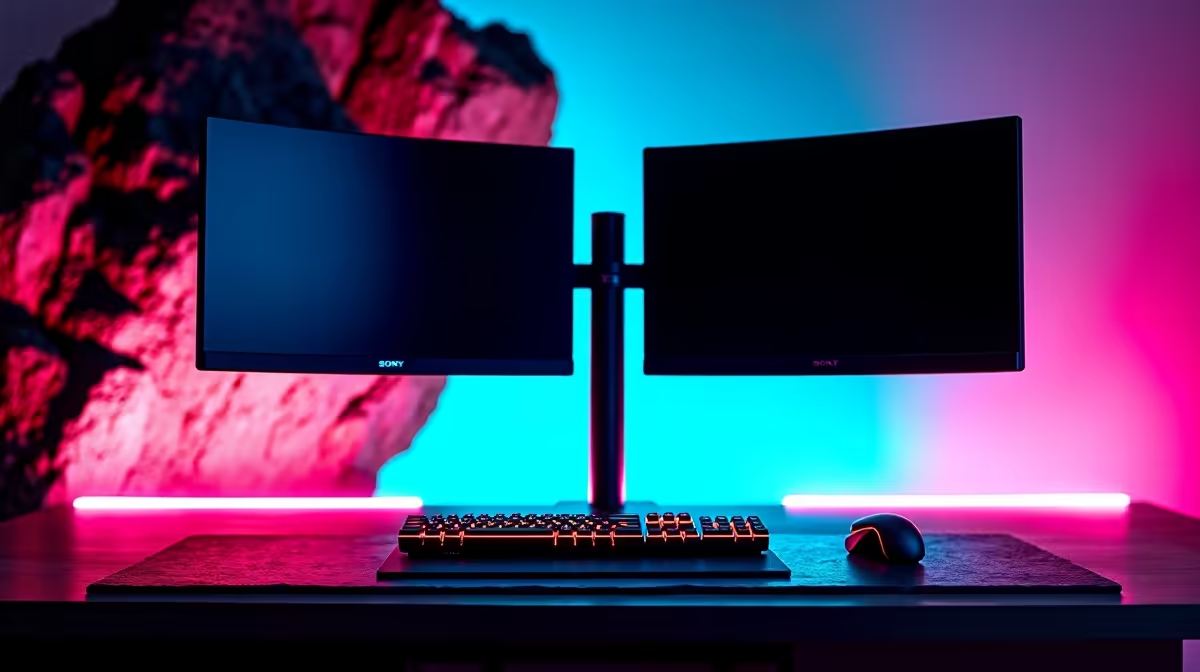
This is one of the most impactful decisions for a dual monitor desk build. Traditional monitor stands that ship with displays consume significant desk space - each standard stand uses 15 to 20cm of depth, and two stands on a 60cm-deep desk leave you with very little usable surface. Monitor arms clamp to the desk edge and lift both monitors off the surface entirely, reclaiming that depth for your keyboard, notepad, and other workspace essentials.
Dual monitor arms - single-pole units that support two screens - are widely available and pair perfectly with desks featuring a clamp-compatible edge profile (avoid desks with wrapped or rounded edges that prevent clamp installation). When selecting a desk specifically for monitor arm use, confirm the edge thickness is within the clamp's supported range, typically 10mm to 80mm for most arms. VESA compatibility (75x75mm or 100x100mm mounting pattern) on your monitors is required for arm attachment.
From a health standpoint, monitor arms also allow precise ergonomic positioning - raising both screens to eye level reduces neck strain during long gaming or work sessions, a benefit that becomes meaningful during extended South African load shedding-era work-from-home periods when screen time increases.
Desk Materials and Build Quality for the SA Market
South African buyers have access to a mix of locally manufactured desks and imported options. MDF board tops with a laminate finish are the most common at mid-range price points and perform adequately with proper reinforcement at stress points. Solid wood or bamboo tops cost more but offer superior rigidity and a premium feel. Steel frames are preferable to particle board or hollow tube legs for structural stability.
Humidity variation across South Africa's climate zones - from coastal Durban to the dry Highveld - can affect MDF desk tops over time, causing swelling or warping at the edges if moisture seeps into unsealed areas. Higher-quality laminate finishes with properly sealed edges resist this better. If you are in a humid coastal region, this is worth checking in product reviews before purchasing.
Height adjustability is worth considering if multiple people use the desk or if you sit for very long sessions. Fixed-height desks sit at the standard 75cm, which works for users between roughly 165cm and 185cm in height. Sit-stand electric desks are available in South Africa but add considerable cost - the budget is often better directed toward better monitors or components for most gaming desk buyers.
Setting Up Your Dual Monitor Desk for Gaming
Once your desk is in place, positioning matters for both comfort and performance. The primary gaming monitor should sit directly in front of you at arm's length, with the top of the screen at or just below eye level. The secondary monitor sits to the side at a slight angle - typically 30 to 45 degrees - so you can glance at it without a full head turn. This secondary screen works well for Discord, a browser, monitoring tools, or a streaming dashboard while your primary screen hosts the game.
Cable management from day one prevents the behind-desk chaos that most setups accumulate over time. Use velcro cable ties rather than zip ties so you can reconfigure your setup without cutting anything. A cable raceway along the back of the desk or underneath the surface keeps power, display, and USB cables grouped and off the floor - particularly important in South African homes where loadshedding often means extension leads and UPS units adding extra cables to the mix.
Frequently Asked Questions
Q: What minimum desk width is recommended for two 27-inch monitors?
A: A minimum of 150cm is recommended for two 27-inch monitors with stands. If you plan to use a dual monitor arm, 140cm can work but 150cm remains the more comfortable choice, leaving room for your keyboard, mouse, and peripherals.
Q: Are gaming desks with built-in RGB worth buying?
A: RGB lighting in a desk is purely aesthetic and adds cost without improving functionality. Prioritise surface size, build quality, and cable management features. If RGB is a priority, it is far more cost-effective to add LED strips to an existing quality desk.
Q: Can I mount a dual monitor arm on any desk?
A: Not all desks support clamp-style monitor arms. The desk edge must be accessible and within the clamp's thickness range (usually 10-80mm). Some desks have wraparound edges or hollow sections near the back that make clamping impossible. Check your specific desk model's compatibility before purchasing an arm.
Q: How does load shedding affect my desk setup decisions?
A: A UPS for your monitors and PC is essential for gaming continuity during South African load shedding. Plan your desk cable layout to accommodate a UPS unit - typically placed on the floor beside the desk or on a small shelf underneath. Desks with grommets and cable trays make UPS integration far cleaner.
Also at Evetech: All Monitors | UPS & Power Backup
Ready to Find Your Perfect Match? Shop at Evetech











