

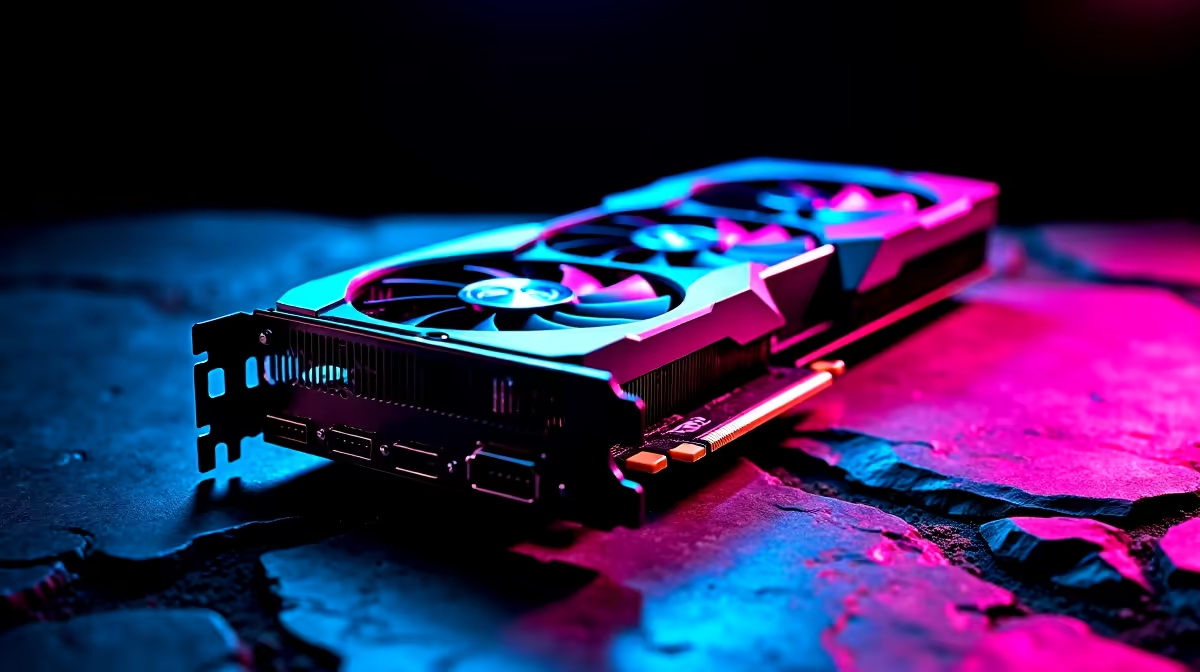
GTA 6 is one of the most graphically ambitious PC releases in years, and finding the right balance between visual fidelity and smooth frame rates requires understanding which settings carry the biggest performance cost versus visual payoff. Whether you are targeting 60 fps at 1080p or pushing for 100+ fps at 1440p, these settings recommendations help you get the most from your hardware in 2026.
Quick Answer
What are the best graphics settings for GTA 6 on PC? For most systems, disabling or reducing ray tracing, setting shadows to High (not Ultra), and using DLSS or FSR upscaling delivers the best balance of visual quality and performance. Texture quality should match your VRAM capacity, and draw distance can stay at High without significant performance impact.
🔧 High-Impact Settings to Adjust First
Not all graphics settings are created equal - some settings cost enormous GPU resources for minimal visible gain, while others can be reduced from Ultra to High with no perceptible difference in everyday gameplay. Start here:
Ray Tracing (RTTX): Ray-traced global illumination and reflections in GTA 6 are the single biggest performance drain. On an RTX 4070, enabling full ray tracing at 1440p can cut frame rates by 40–60%. Recommendation: Disable ray tracing entirely for competitive or fluid gameplay. Enable only if you have an RTX 4080 or above and prioritize visual showcase over frame rate.
Shadow Quality: Ultra shadows in GTA 6 are GPU-intensive with limited visibility payoff in fast-moving gameplay. Set to High for a 10–20% performance gain with minimal visual difference during driving and combat.
Ambient Occlusion: Keep at High rather than Ultra. The difference in contact shadows between High and Ultra is subtle, and the performance cost is meaningful.
Anisotropic Filtering: Set to 16x - it has minimal performance impact on modern GPUs and significantly improves texture clarity at oblique angles on roads, surfaces, and terrain.
Anti-Aliasing: If using DLSS (NVIDIA), FSR (AMD), or XeSS (Intel), disable or set native TAA to minimum as the AI upscalers handle aliasing more effectively. Let your upscaler do this work.
📊 Resolution and Upscaling: The Biggest Lever
AI upscaling technology - DLSS 3.5 for NVIDIA, FSR 4 for AMD, XeSS for Intel - is your most powerful tool for balancing quality and performance in GTA 6.
DLSS Quality mode on an RTX GPU renders at roughly 67% of the output resolution and upscales to full. At 1440p output, it renders at approximately 960p, then upscales - the result looks very close to native 1440p with significantly higher frame rates. This is the recommended setting for most RTX GPU owners.
DLSS Balanced mode targets 58% of output resolution - useful if Quality mode still does not hit your target frame rate. Performance mode at 50% becomes visible in texture clarity and is generally not recommended except for minimum-spec systems chasing playability.
For SA gamers on AMD GPUs, FSR 4 (native on RDNA 4) and FSR 3.1 (compatible with older GPUs and even NVIDIA cards) offer similar quality-to-performance improvements. FSR 4 specifically delivers a quality jump over FSR 3 that makes it competitive with DLSS Quality on recent hardware.
Target frame rate considerations for SA gamers:
- 60 Hz monitor: Target locked 60 fps with V-Sync, prioritize consistency over peak frame rate
- 144 Hz monitor: Target 100+ fps for noticeable smoothness gains; accept setting reductions to hit this threshold
- 240 Hz monitor: GTA 6 at 240 fps requires very high-end hardware (RTX 4090 tier) - prioritize 1080p and low settings for competitive play
💡 Optimized Presets by GPU Tier
Entry-level (RTX 3060 / RX 6600 class): 1080p, DLSS/FSR Quality, Shadows: Medium, Ray Tracing: Off, Textures: High, targets 55–70 fps
Mid-range (RTX 4070 Super / RX 7800 XT class): 1440p, DLSS Quality, Shadows: High, Ray Tracing: Off, Textures: Ultra, targets 80–100 fps
High-end (RTX 4070 Ti Super / RX 7900 XTX class): 1440p, DLSS Quality or native, Shadows: High/Ultra, Ray Tracing: Reflections Only, targets 90–120 fps
Flagship (RTX 4080 Super / RTX 4090 class): 1440p or 4K, DLSS Quality, full ray tracing enabled, targets 60–90 fps at 4K or 100+ fps at 1440p
For texture quality specifically: match the preset to your VRAM. Ultra textures in GTA 6 require 10–12 GB VRAM; High textures run well on 8 GB cards. Running out of VRAM causes heavy stuttering that no other setting adjustment can fix.
❓ Frequently Asked Questions
Does GTA 6 on PC require an SSD? Yes - GTA 6's open world streaming architecture requires an SSD for acceptable load times and seamless world loading during high-speed travel. An NVMe SSD provides the best experience; a SATA SSD is functional but may cause occasional micro-stutters during rapid area transitions.
How much VRAM does GTA 6 need at 1440p Ultra settings? Expect 10–12 GB VRAM for 1440p Ultra textures with ray tracing. For High texture settings at 1440p, 8 GB is sufficient. At 4K Ultra, 16 GB VRAM is the recommended baseline.
Does disabling ray tracing in GTA 6 look significantly worse? In fast-paced gameplay - driving, missions, combat - the difference is minimal. GTA 6's non-RT lighting and reflection system is high quality. Ray tracing adds realism in static scenes and specific lighting conditions (rain on roads, interior lighting) but the performance cost makes it impractical for most GPU tiers in 2026.
Evetech stocks All Graphics Cards and GTA V Gaming PCs — shop online with fast delivery across South Africa.
Ready to Find Your Perfect Match? Shop at Evetech











