

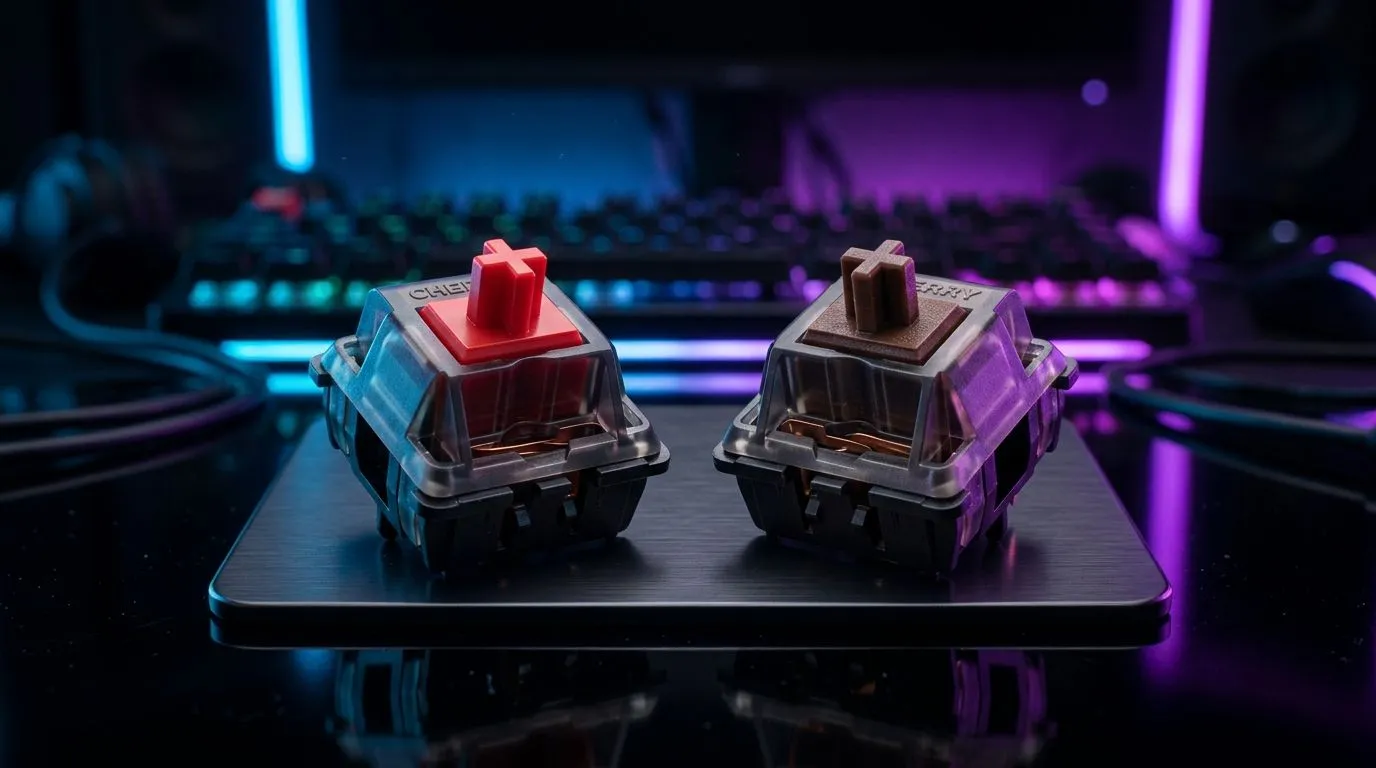
Linear Red vs Tactile Brown Mechanical Switches for Gaming: Which Feels Better at 2am?
Tournaments, co-op raids, and late-night ranked climbs… your keyboard should feel right before it sounds right. In South Africa, we’re picky about comfort, responsiveness, and value for money. That’s why the debate between Linear Red vs Tactile Brown Mechanical Switches for Gaming keeps popping up in Discords and at LAN cafés.
If you’re choosing between smooth travel (linear) and gentle feedback (tactile), your typing style and game genre matter more than hype. Let’s make the choice practical. 🎮✨
Linear Red vs Tactile Brown Mechanical Switches for Gaming: What’s the actual difference?
Both switch types are mechanical, so they use a physical stem and spring. The key difference is the “bump” you feel.
Linear Red: smooth all the way 🔧
- Linear switches move down evenly.
- No tactile bump, so your finger glides through the travel.
- Many gamers prefer this for fast, repetitive keystrokes.
Tactile Brown: a gentle bump on the way ⚡
- Tactile switches add a small resistance change near the actuation point.
- That bump helps some people “confirm” a keypress while typing.
- In games, it can help reduce accidental presses, especially if you bottom out too easily.
Reputable switch manufacturers and general mechanical keyboard guidance agree that tactile bumps provide feedback for actuation. Exact feel varies by brand and board tuning, so always test if possible.
Linear Red vs Tactile Brown Mechanical Switches for Gaming: How to choose for your playstyle
Think about what you do most on a normal day.
If you main FPS or rhythm games…
You might lean Linear Red vs Tactile Brown Mechanical Switches for Gaming depending on how you press:
- If you like low “resistance surprises”, linear can feel cleaner.
- If you often “miss” because your press is too soft, tactile feedback may help you confirm timing.
If you do lots of school/work typing between matches…
Tactile browns often win for mixed use:
- The bump can make long typing sessions feel less guessy.
- You can still game comfortably, especially in slower-paced titles.
If you’re sensitive to noise…
Neither option is automatically “quiet”. Noise depends on:
- case design,
- keycap material,
- stabilisers (for large keys),
- and whether the board is foam-damped.
For accurate shopping, check the specific board you’re buying, not just the switch label.
Productivity Pro Tip ⚡
On Windows, use the PowerToys FancyZones utility to create custom snap layouts for your windows. It's a lifesaver for managing multiple apps on an ultrawide monitor, letting you organise your timeline, preview window, and asset folders perfectly for video editing. You’ll also make it faster to swap between Discord, browser guides, and your game launcher while tweaking settings."
Linear Red vs Tactile Brown Mechanical Switches for Gaming: What to buy in SA (without overthinking)
Instead of guessing, pick a keyboard that matches your environment. Are you on a desk with limited cable space? Do you move between work and play? Do you want a bundle?
Here are smart starting points from Evetech’s listings:
- If you want to start with a deal-first approach, browse best gaming keyboard deals in South Africa and filter by switch type where available.
- If you want the broadest “compare and save” path, check cheapest gaming keyboard options for boards that fit your budget in ZAR.
- If you prefer switching your setup around, the right combo can reduce desk clutter. Consider a keyboard and mouse combo and keep your inputs consistent.
Wired vs Wireless can matter too
Latency isn’t just “switch type”. Connectivity affects stability and convenience. If you’re choosing between wired and wireless boards, take advantage of these focused pages:
Linear Red vs Tactile Brown Mechanical Switches for Gaming: Quick decision checklist ✅
Use this in 30 seconds:
- Choose linear reds if you prioritise smooth speed and consistent movement.
- Choose tactile browns if you want feedback and you type as much as you game.
- If you bottom out hard, consider a board with dampening or a switch choice that matches your pressure.
- If you’re buying online, compare the specific keyboard build details, not only the switch name.
Your best switch is the one that makes you press accurately and comfortably… match after match.
Ready to Find Your Perfect Match? The Mac vs Windows debate is complex, but for maximum power, choice, and value in South Africa, Windows is hard to beat. Explore our massive range of laptop specials and find the perfect machine to conquer your world.











