

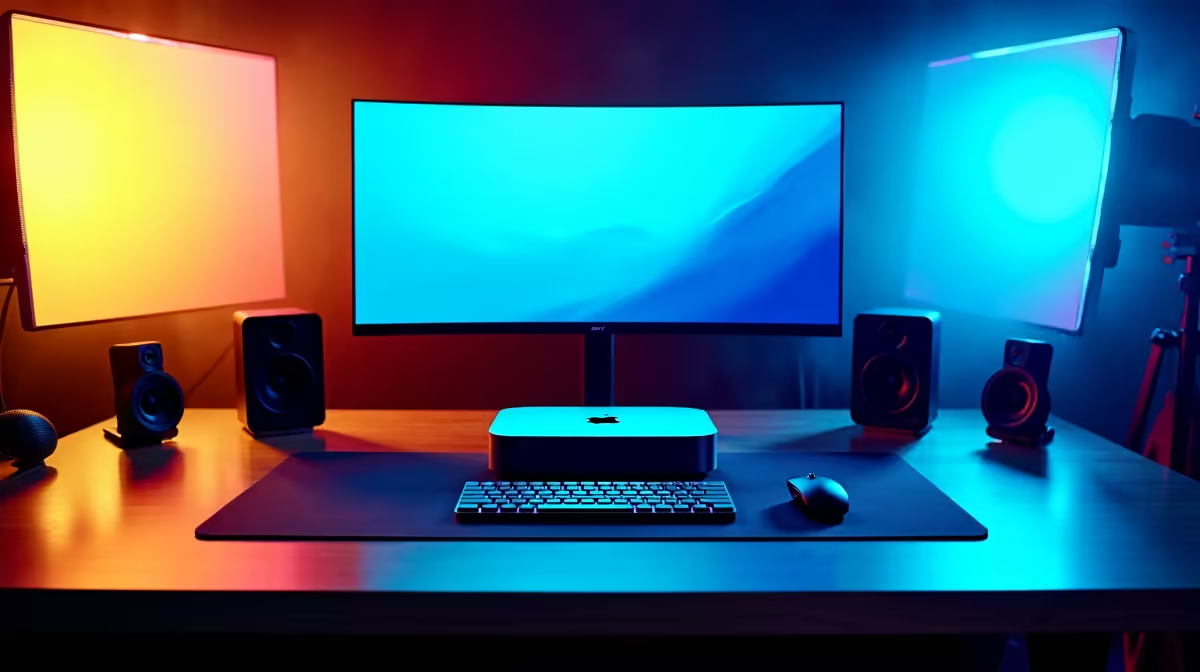
Building a Mac Studio desk setup in South Africa is one of the most rewarding investments a creative professional can make, combining Apple's silicon performance with a workspace tailored for sustained, high-output work. Whether you're a video editor, motion designer, or audio producer, getting the physical environment right amplifies everything the machine delivers.
Quick Answer
The ultimate Mac Studio desk setup pairs the Mac Studio with a high-resolution wide-format monitor, ergonomic peripherals, and organised cable management. Prioritise a monitor with accurate colour reproduction, a quality keyboard and mouse, and sufficient desk real estate for your workflow.
Choosing the Right Monitor 🖥️
The Mac Studio drives displays up to 8K, so monitor selection is critical. For colour-critical creative work, aim for a display with at least 95% DCI-P3 colour gamut coverage and factory calibration. A 27-inch 4K IPS or OLED panel gives you the pixel density to work comfortably without scaling artefacts. If screen real estate matters more than absolute resolution, a 34-inch ultrawide at 3440×1440 keeps your timeline, canvas, and reference panels visible simultaneously without switching windows.
For South African buyers, monitor pricing in Rands reflects import duties and currency fluctuations, so buy once and buy right. Browse the monitor range at Evetech to compare panels across size, resolution, and colour accuracy specs before committing.
Peripherals That Match Apple's Build Quality 💡
The Mac Studio deserves peripherals that don't create workflow friction. A low-profile mechanical keyboard or Apple's own Magic Keyboard works well, but if you type for hours, consider a tenkeyless mechanical with linear switches - quieter under load and more ergonomic over long sessions. Pair it with a precision mouse or trackpad depending on your discipline: illustrators and editors often prefer a trackpad for gesture-based navigation, while 3D artists benefit from a high-DPI optical mouse with programmable buttons.
A quality gaming or precision mouse often doubles as an excellent creative peripheral - the sensor accuracy and button programmability transfer directly to Premiere Pro, DaVinci Resolve, and After Effects workflows. Similarly, a well-built mechanical keyboard gives tactile feedback that reduces fatigue during long document-heavy sessions.
Desk Organisation and Cable Management ⚡
The Mac Studio's compact footprint is its superpower - it frees your desk surface for the tools you actually use. A monitor arm eliminates the base from your workspace and lets you position the screen precisely at eye level, reducing neck strain during long renders. Cable management channels or a grommet-equipped desk keep USB-C, Thunderbolt, and audio cables from creating visual clutter.
Audio is often overlooked in creative setups. A USB audio interface plus studio monitors or a quality headset transforms the Mac Studio from a silent productivity box into a proper production environment. Position speakers at ear height and angle them toward your listening position for accurate stereo imaging.
For the chair, long creative sessions demand lumbar support and adjustable armrests. The gaming and ergonomic chair selection includes options that work just as well in a creative studio as in a gaming setup.
Frequently Asked Questions ❓
Q: What monitor resolution works best with Mac Studio for video editing? A: 4K (3840×2160) is the sweet spot - it matches the resolution of most modern footage, gives you crisp UI scaling on macOS, and remains affordable in the South African market compared to 5K or 6K options.
Q: Do I need a USB hub with the Mac Studio? A: The Mac Studio has more ports than most Macs, including Thunderbolt 4 and USB-A on the front panel. For most creative workflows you won't need a hub, but a Thunderbolt dock helps if you hot-swap external drives frequently.
Q: Is a vertical monitor useful for creative work? A: Yes - a secondary monitor in portrait orientation is excellent for reading long documents, browsing reference images in vertical compositions, or keeping a chat and email window visible without eating into your main workspace.
Compare Workstation PCs and Graphics Card Deals at Evetech for the latest specs and SA deals.
Ready to Find Your Perfect Match? Explore relevant Evetech options, compare current South African pricing, and choose hardware that fits your setup. Shop now











