

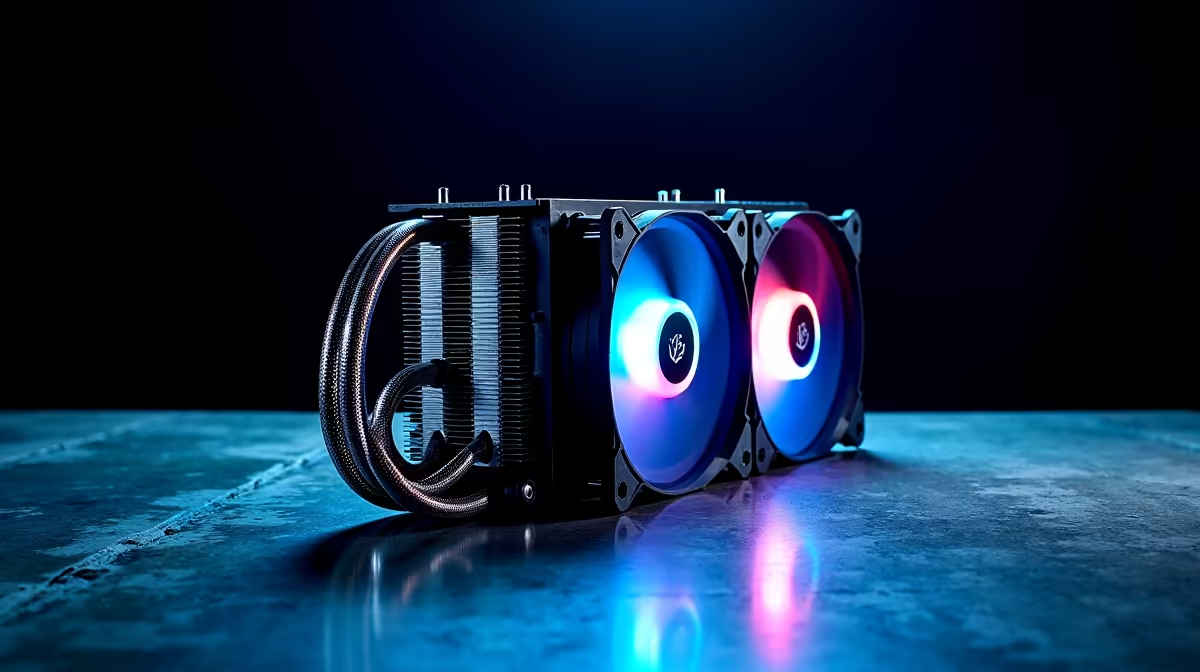
The Core i9-14900K is one of the most thermally demanding consumer CPUs ever released, with a 253W peak power draw that will overwhelm inadequate cooling solutions and throttle performance. Choosing the right air cooler means the difference between a CPU hitting 6GHz boost clocks sustained and one that thermally limits itself within seconds of heavy load.
Quick Answer
What is the best air cooler for the Core i9-14900K?: The Noctua NH-D15 G2 and the be quiet! Dark Rock Pro 5 are the two leading air coolers capable of handling the i9-14900K at stock and moderate overclocking, keeping temperatures below 90°C under full AVX load. For the quietest operation, the Dark Rock Pro 5 wins on noise; for absolute cooling performance, the NH-D15 G2 holds a slight edge.
🔧 Why the i9-14900K Demands Premium Cooling
The Core i9-14900K's thermal profile is unlike most consumer CPUs. At its 253W PL2 (Power Limit 2) setting, it generates more heat per unit area than virtually any previous consumer desktop processor. Many mid-range air coolers - including units that handle Ryzen 9 CPUs without issue - will hit their thermal limits with the 14900K and trigger throttling.
Key specifications to match:
- TDP: 125W (PL1) / 253W (PL2 sustained)
- Die package: LGA1700 - wide IHS benefits from dual-tower coolers with broad contact patches
- Boost behaviour: The CPU sustains high clocks briefly then throttles if cooling can't keep pace
- Socket compatibility: Ensure any cooler supports LGA1700 - most modern high-end air coolers do, though some older units require adapter brackets
For the i9-14900K, a minimum of 260W TDP cooler rating is recommended. Any cooler below this will see temperatures exceed 95°C under sustained Cinebench or blender workloads, triggering Intel's thermal throttle at 100°C.
📊 Top Air Coolers Compared: Temperature & Noise
Noctua NH-D15 G2
- Cooling capacity: ~280–290W (the highest among air coolers)
- i9-14900K Cinebench R23 load temp: 88–92°C
- Noise at full speed: ~35 dBA
- Fan noise at 50% PWM: ~25 dBA (very quiet for the performance)
- Pros: Best thermal performance of any air cooler, LGA1700 optimised contact patch
- Cons: Extremely large - check case clearance and RAM height carefully
be quiet! Dark Rock Pro 5
- Cooling capacity: ~270W
- i9-14900K Cinebench R23 load temp: 90–95°C
- Noise at full speed: ~26 dBA (quieter than Noctua at max RPM)
- Fan noise at 50% PWM: ~20 dBA
- Pros: Quietest high-performance air cooler, excellent build quality
- Cons: Slightly warmer than NH-D15 G2, hidden fan screws make installation slightly fiddly
Thermalright Phantom Spirit 120 SE
- Cooling capacity: ~260W
- i9-14900K Cinebench R23 load temp: 93–98°C (borderline under sustained AVX)
- Noise at full speed: ~30 dBA
- Pros: Best value performance ratio, excellent price-to-performance in Rand
- Cons: Runs hotter than the top two under sustained full load
DeepCool Assassin IV
- Cooling capacity: ~280W
- i9-14900K Cinebench R23 load temp: 89–93°C
- Noise at full speed: ~30 dBA
- Pros: Strong competition to the NH-D15 G2 at comparable price
- Cons: Slightly more noise than the Dark Rock Pro 5 at identical loads
Scythe Fuma 3
- Cooling capacity: ~250W
- i9-14900K Cinebench R23 load temp: 95–100°C (throttles under extended AVX)
- Noise at full speed: ~27 dBA
- Pros: Compact dual-tower, good RAM clearance
- Cons: Not sufficient for sustained i9-14900K workloads - only recommended for gaming use (not content creation)
💡 Installation Tips and Case Compatibility
The i9-14900K's LGA1700 socket has a known IHS bowing issue that causes uneven mounting pressure with standard brackets. For the NH-D15 G2 and Dark Rock Pro 5, this is partially mitigated by their LGA1700-optimised contact frames. Additionally, applying Conductonaut Extreme or Thermal Grizzly Kryonaut (if deliding is not planned) significantly reduces temperatures - quality thermal paste makes a measurable difference at this heat output.
Case compatibility is critical with dual-tower coolers. The NH-D15 G2 is 168mm tall - verify your case supports this height. Most full-tower cases and mid-towers with 160mm+ CPU clearance will fit, but compact mid-towers may not. Mid-board RAM clearance can also be an issue; the Noctua NH-D15 G2 may require low-profile RAM in some configurations depending on fan positioning.
For South African builders, thermal paste application quality matters at high TDP levels. A pea-sized centre dot or cross pattern on the IHS provides even coverage across the large LGA1700 die. Do not spread manually - mounting pressure distributes it correctly.
If you're using the i9-14900K primarily for gaming rather than heavy content creation, you can configure Intel's power limits to reduce PL2 from 253W to 180–200W with minimal gaming performance loss. This dramatically reduces temperatures and allows mid-range dual-tower coolers to handle the chip more comfortably.
❓ Frequently Asked Questions
Can a single-tower air cooler handle the i9-14900K? Generally no - not under sustained loads. High-end single-tower coolers like the Noctua NH-U12A reach their limits quickly with the 14900K under multi-threaded workloads. For gaming-only use with power limits set to 180W, a quality single-tower cooler is feasible, but for productivity workloads a dual-tower solution is required.
Is the Noctua NH-D15 G2 worth the premium over cheaper alternatives? For the i9-14900K specifically, yes. The 5–10°C temperature advantage over budget dual-towers translates to sustained boost clocks that cheaper coolers cannot maintain. Over a long rendering session or gaming marathon, that temperature headroom protects the CPU from throttling and extends component longevity.
Should I use an air cooler or AIO liquid cooler for the i9-14900K? A 360mm AIO is the primary alternative to top-tier air coolers for the i9-14900K. A quality 360mm AIO (240mm is insufficient) keeps temperatures 5–10°C lower than the NH-D15 G2 under sustained load but adds pump noise and long-term reliability considerations. For most users, the NH-D15 G2 or Dark Rock Pro 5 are simpler and equally effective solutions.
Does the i9-14900K need delidding to manage temperatures? Delidding (replacing the stock thermal interface material between die and IHS) can reduce temperatures by 10–20°C on the i9-14900K. It is a void-warranty procedure but is popular in the enthusiast community. Without delidding, a top-tier air cooler is essential - with delidding, even mid-range coolers can manage the chip better.
Evetech carries Graphics Card Deals and Evetech Best Sellers — check live stock and pricing before you buy.
Ready to Find Your Perfect Match? Shop at Evetech











