

Best Monitor for 2nd Year UWC Students in SA
Top Monitor for 2nd Year UWC Students picks evaluated on performance, value & SA availability with current Rand pricing from Evetech.
Read moreBest cheap bezelless monitors help you build seamless triple screen setups without breaking the bank. Discover budget models, setup tips, and price-performance picks. 🖥️💡
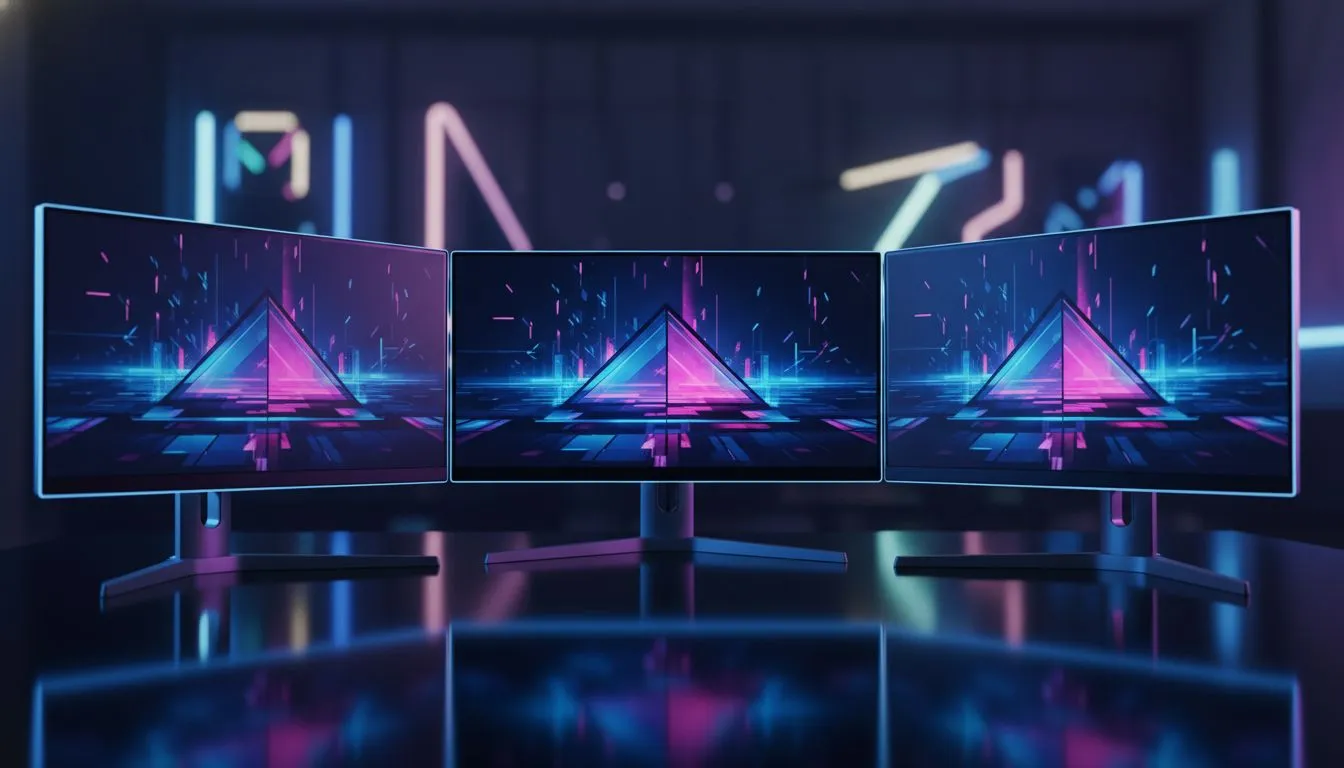
Building a panoramic gaming rig in South Africa shouldn't require a second mortgage. We all want that seamless, "infinite" display feel without the chunky plastic borders breaking our immersion. Finding the best cheap bezelless monitors for triple screen setups is about balancing price with aesthetics. If you choose correctly, those thin frames virtually disappear once you align your displays... creating a massive canvas for work or play. ✨
The primary goal of a multi-monitor array is to expand your field of view. When you use traditional screens with thick frames, you end up with two vertical bars cutting through your vision. By hunting for the best PC monitor deals to stay within budget, you can afford three matching units. This consistency is vital because different brands often have varying panel heights and colour profiles... which can be distracting.
You do not need to spend R20,000 per screen to get a high-quality experience. Today, you can find a wide range of PC monitors that offer "three-sided frameless" designs for under R3,000 each. These models use clever engineering to hide the electronics under the bottom chin, leaving the top and sides nearly flush with the glass. 🚀
When setting up three screens, overlap the bezels slightly. Place the centre monitor in front and tuck the side monitors just behind its edges. This hides one layer of plastic frame entirely, creating a much smoother transition for your eyes during fast-paced gaming sessions.
While aesthetics matter, do not ignore the technical specs. The high refresh rates found in modern gaming monitors are essential for smooth motion across all three panels. If one screen lags behind the others, the "tearing" effect will ruin the illusion of a single large display. Aim for at least 144Hz if your GPU can handle the resolution across three screens.
For a triple setup, viewing angles are everything. Since the side monitors sit at an angle to your face, TN panels will often look washed out. IPS or VA panels are much better choices. Interestingly, some users prefer curved monitors for the side wings to wrap around their field of vision... reducing the physical footprint of the setup on your desk.
If you are a streamer, you might even consider adding portable monitors as a fourth "chat" screen below your main array. This keeps your primary triple-screen view dedicated entirely to the game. For those doing professional creative work, looking for extreme clarity via 5K and 4K monitors for the primary centre display can give you the best of both worlds: high-res detail for editing and wide-angle views for your timeline.
The stands that come with budget screens are often bulky and take up too much desk space. To truly master the best cheap bezelless monitors for triple screen setups, we recommend investing in sturdy monitor accessories like triple-arm desk mounts. A dedicated mount allows you to tilt, swivel, and align the edges with millimetre precision... something that is almost impossible with three separate stock stands. ⚡
Ready to Build Your Triple Threat? A seamless setup transforms how you play and work. For the best value and expert advice in South Africa, Evetech has the hardware to make your dream desk a reality. Explore our massive range of monitor specials and find the perfect displays to complete your command centre.
Yes. Bezelless monitors minimize visible bezel gap and create a more seamless triple monitor setup, especially with matching panels and identical bezel widths.
24–27 inch monitors hit the sweet spot for most triple setups—compact, affordable, and easy to align for a seamless multi-monitor display.
Budget bezelless monitors can work for triple-screen gaming if they have decent refresh rates and matching panels; prioritize response time and sync support.
Use a triple-monitor mount or VESA arms, set identical tilt and rotation, and use bezelless monitors with slim frames for a near-seamless alignment.
Look for multiple HDMI/DisplayPort inputs or MST-capable DisplayPort on budget monitors to simplify multi-monitor daisy chaining and reduce adapter needs.
Yes—you can find ultra-thin bezel monitors under $200, but prioritize panel quality and ports to avoid costly compromises in color or refresh rate.
Match panel type, resolution, refresh rate and bezel thickness; consistent specs prevent visible mismatches in a seamless triple monitor setup.
Top Monitor for 2nd Year UWC Students picks evaluated on performance, value & SA availability with current Rand pricing from Evetech.
Read more
Top Monitor for 2nd Year DUT Students picks evaluated on performance, value & SA availability with current Rand pricing from Evetech.
Read more
Top Desk for a Triple Monitor Setup picks evaluated on performance, value & SA availability with current Rand pricing from Evetech.
Read more
Top UPS for Dual Monitor Setup During Load Shedding picks evaluated on performance, value & SA availability with current Rand pricing from Evetech.
Read more
Top Monitor for Starcraft 2 picks evaluated on performance, value & SA availability with current Rand pricing from Evetech.
Read more
Top Monitor for Photo Editing picks evaluated on performance, value & SA availability with current Rand pricing from Evetech.
Read more
When Will the RTX 6090 Launch in South Africa Detailed answer with SA data, expert analysis & practical recommendations for local buyers.

Top Valorant Settings for RTX 5070: FPS Optimisation picks evaluated on performance, value & SA availability with current Rand pricing from Evetech.

RDNA 3.5 Graphics in Ryzen AI 400? Can You Game. Plain-English explanation of what it means, why it matters & how it affects your buying decisions in SA.

GPU Price Index : December Report. Current stock data & price tracking for SA buyers. See what is available and where prices are heading.

Can the RX 7700 XT Handle 1440p 144Hz Gaming. Performance testing verdict with real data & practical recommendations for SA buyers.

Top Laptop with Core i7 + RX 7700S: Picks picks evaluated on performance, value & SA availability with current Rand pricing from Evetech.

RX 7700 XT Black Myth Wukong 2 FPS: Performance. Real-world benchmark data, FPS numbers & performance analysis. What SA gamers can actually expect.

RTX 6080 Gran Turismo 7 PC Performance: FPS Test. Real-world benchmark data, FPS numbers & performance analysis. What SA gamers can actually expect.

Setting Up Monitor Light. Tested & verified settings for best FPS and visual quality on SA hardware budgets.

Assassins Creed Shadows Ultrawide Support: 21:9. Clear setup instructions with SA-specific considerations, troubleshooting tips & recommended components.

Complete Gaming Setup Guide for the Collector. Clear setup instructions with SA-specific considerations, troubleshooting tips & recommended components.

Will the Steam Deck 2 Have an OLED Screen? Leaked. Plain-English explanation of what it means, why it matters & how it affects your buying decisions in SA.