

Best Monitor for 2nd Year UWC Students in SA
Top Monitor for 2nd Year UWC Students picks evaluated on performance, value & SA availability with current Rand pricing from Evetech.
Read moreFind the best CPU cooling options in South Africa under R1500 for quiet, stable temps. Compare air coolers and budget AIOs, plus fit tips and noise guidance 🧊🔇.
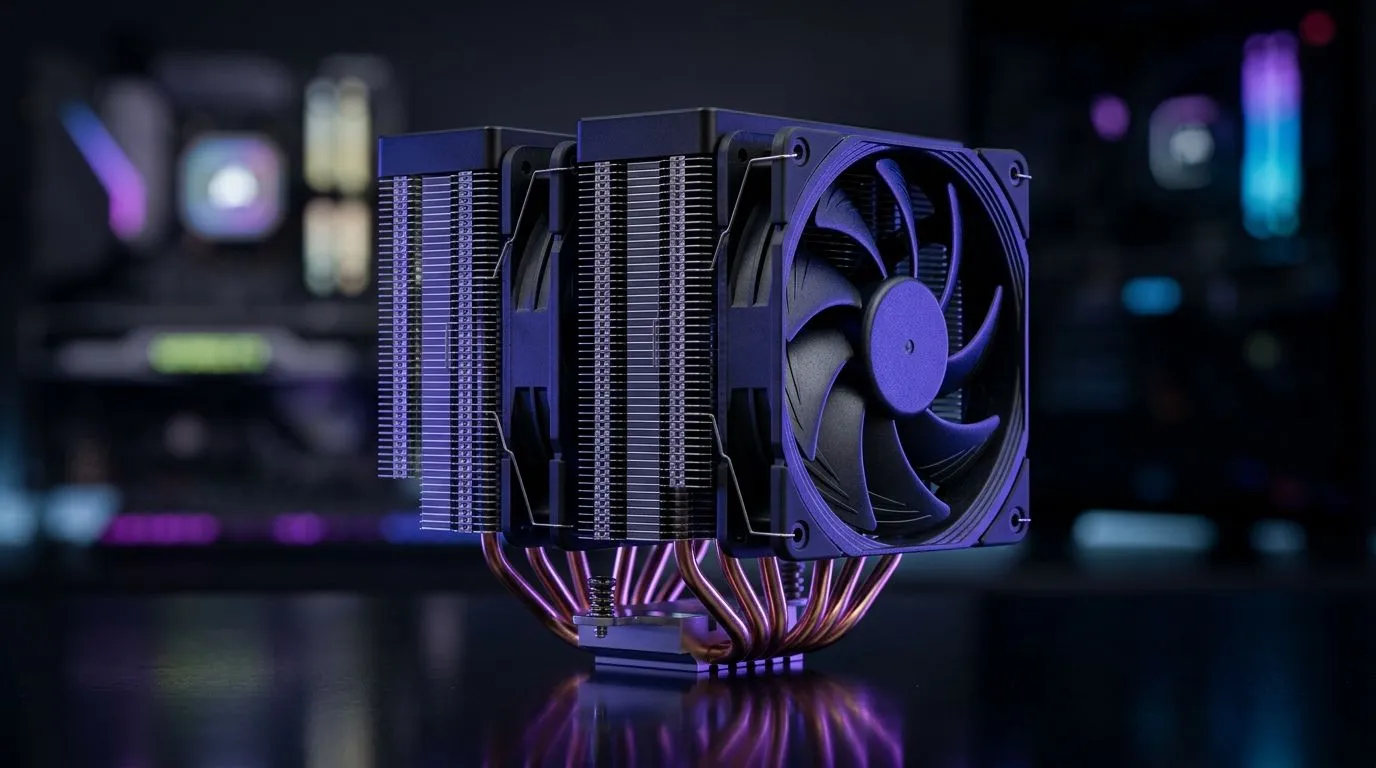
Ever had your PC sound like a mini jet as soon as you launch a match? In South Africa, where power cuts and warm rooms are real, your CPU cooler has to do more than “keep things cool”. The right setup can mean lower fan ramping, steadier boosts, and a quieter gaming session… especially during Warzone, Fortnite, or Elden Ring marathons.
In this guide, we’ll walk through the best CPU cooling options in South Africa for quiet performance, with practical buying filters and what to look for before you click “add to cart” 🔧.
For most gamers, air cooling is the quiet sweet spot. Quality tower coolers use bigger fans, smoother airflow, and a design that keeps noise down even when temps climb.
If you’re building in a compact mid-tower, pay attention to clearance. A “bigger cooler” is not always the better cooler if it blocks RAM slots or hits your case panel.
Start by browsing Evetech’s CPU cooler selection here: all CPU coolers.
Prefer air cooling? Filter your options with: air coolers.
Want extra steadiness with less fan stress? Check out air coolers with 120mm fans.
A good quiet cooler usually has:
If you want to narrow by brand, Evetech also lists Deepcool air cooler options and EINAREX air cooler options.
Aios (all-in-one liquid coolers) can be quiet, but they shine when your case airflow and radiator placement are done properly. If your top intake isn’t great, a radiator can become a heat soak, and then your fans work harder.
Aios can also help with larger CPU coolers that don’t fit. Still, for many budget-to-midrange builds, the most cost-effective “quiet” route is often a well-chosen tower air cooler.
quiet gaming, set a custom fan curve in your motherboard BIOS or software instead of relying on “Auto”. Aim for a gentle ramp: keep fans low until temps rise above your usual gaming range, then gradually increase. This reduces sudden fan spikes during menu loads or shader compilation.
Before you order, confirm:
If you’re upgrading an older rig, don’t forget your thermal paste condition. Even a perfect cooler can underperform if paste is dried out.
Ready to Find Your Perfect Match? The Mac vs Windows debate is complex, but for maximum power, choice, and value in South Africa, Windows is hard to beat. Explore our massive range of laptop specials and find the perfect machine to conquer your world.
Look for a tower air cooler with larger heat sinks and a low RPM fan. This usually delivers quieter temps than basic stock coolers.
Sometimes, but budget AIOs can struggle with sustained loads and may cost more in pumps over time. Air coolers often stay quieter.
Check the cooler’s socket support (AM4 or LGA1700) and measure your case clearance for height and radiator space.
Use a fan curve in BIOS, ensure proper mounting pressure, and route cables cleanly. A good fan curve can cut noise noticeably.
For most gaming PCs, aim for mid-60s to low-70s under load when possible. Lower temperatures usually let fans run slower.
Dual towers can reduce temps and fan speed, but single towers may be easier to fit and can be quieter in the right fan curve.
Most coolers include paste, but you should verify. If you already applied old paste, clean the surface and reapply before mounting.
Check local retailers for stock of the exact socket version you need, then compare cooler height, fan size, and listed noise or RPM.
Top Monitor for 2nd Year UWC Students picks evaluated on performance, value & SA availability with current Rand pricing from Evetech.
Read more
Top Monitor for 2nd Year DUT Students picks evaluated on performance, value & SA availability with current Rand pricing from Evetech.
Read more
Top Desk for a Triple Monitor Setup picks evaluated on performance, value & SA availability with current Rand pricing from Evetech.
Read more
Top UPS for Dual Monitor Setup During Load Shedding picks evaluated on performance, value & SA availability with current Rand pricing from Evetech.
Read more
Top Monitor for Starcraft 2 picks evaluated on performance, value & SA availability with current Rand pricing from Evetech.
Read more
Top Monitor for Photo Editing picks evaluated on performance, value & SA availability with current Rand pricing from Evetech.
Read more
When Will the RTX 6090 Launch in South Africa Detailed answer with SA data, expert analysis & practical recommendations for local buyers.

Top Valorant Settings for RTX 5070: FPS Optimisation picks evaluated on performance, value & SA availability with current Rand pricing from Evetech.

RDNA 3.5 Graphics in Ryzen AI 400? Can You Game. Plain-English explanation of what it means, why it matters & how it affects your buying decisions in SA.

GPU Price Index : December Report. Current stock data & price tracking for SA buyers. See what is available and where prices are heading.

Can the RX 7700 XT Handle 1440p 144Hz Gaming. Performance testing verdict with real data & practical recommendations for SA buyers.

Top Laptop with Core i7 + RX 7700S: Picks picks evaluated on performance, value & SA availability with current Rand pricing from Evetech.

RX 7700 XT Black Myth Wukong 2 FPS: Performance. Real-world benchmark data, FPS numbers & performance analysis. What SA gamers can actually expect.

RTX 6080 Gran Turismo 7 PC Performance: FPS Test. Real-world benchmark data, FPS numbers & performance analysis. What SA gamers can actually expect.

Setting Up Monitor Light. Tested & verified settings for best FPS and visual quality on SA hardware budgets.

Assassins Creed Shadows Ultrawide Support: 21:9. Clear setup instructions with SA-specific considerations, troubleshooting tips & recommended components.

Complete Gaming Setup Guide for the Collector. Clear setup instructions with SA-specific considerations, troubleshooting tips & recommended components.

Will the Steam Deck 2 Have an OLED Screen? Leaked. Plain-English explanation of what it means, why it matters & how it affects your buying decisions in SA.