

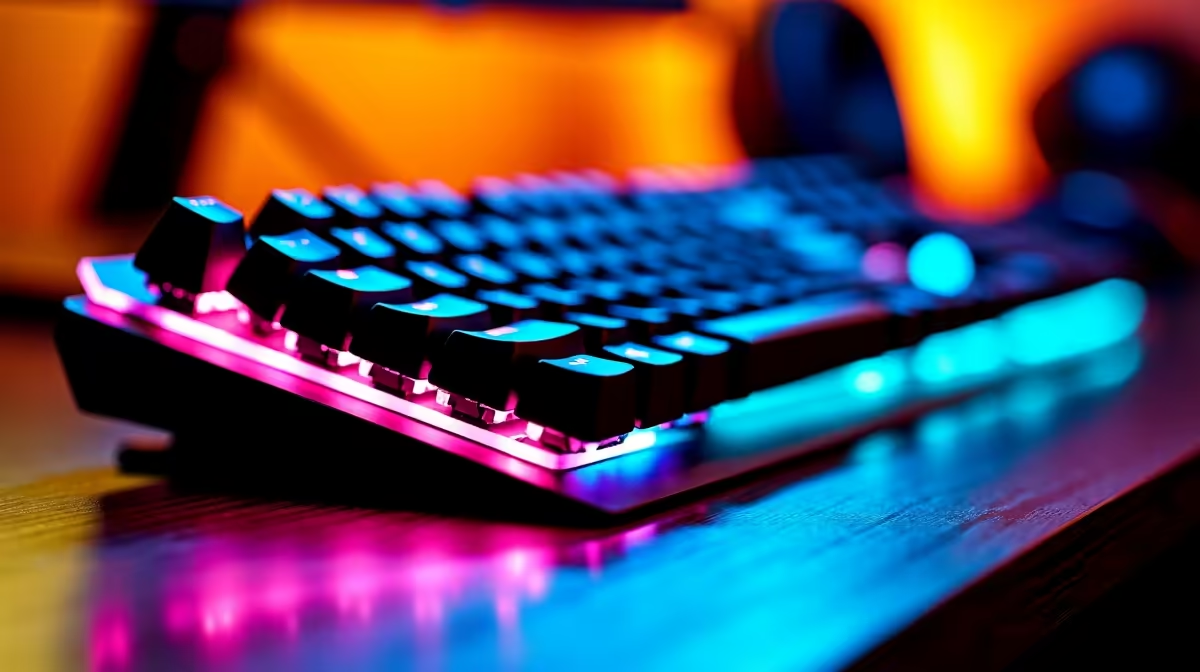
Fourth-year students at the University of Johannesburg face a demanding academic environment - long study sessions, dissertation writing, coding assignments, and presentations that require reliability above all else. The right keyboard at this stage is not just a peripheral; it is a daily tool that affects typing endurance, accuracy, and focus over multi-hour sessions.
Quick Answer
What is the best keyboard for 4th year UJ students in SA? A tenkeyless or compact mechanical keyboard with a tactile or linear switch is the top recommendation for UJ final-year students. It balances portability between res and campus, typing comfort for long writing sessions, and durability for four-plus years of academic use.
🔧 What 4th Year UJ Students Actually Need
Final-year students have specific keyboard requirements that differ from first-year buyers:
- Typing endurance: Dissertation chapters, research papers, and capstone project write-ups mean hours at the keyboard daily. Switch choice and keycap quality directly affect fatigue.
- Portability: UJ has multiple campuses (APK, DFC, Doornfontein, Soweto). Students moving between campus and res or digs need a compact layout that fits in a backpack without hassle.
- Noise: Open-plan libraries, shared residences, and digs environments make clicky switches a social problem. Tactile or linear switches with sound-dampening are strongly preferred.
- Durability: At the final year stage, a keyboard investment should last through graduation and into the working world. Quality build materials matter.
- Budget reality: Most 4th year students have tighter budgets than when they first arrived. R800–R2,500 is the realistic SA range for this category.
📊 Keyboard Types: Which Suits UJ 4th Year Life?
Mechanical keyboards are the clear long-term investment. Quality mechanical switches are rated for 50–80 million keystrokes, far outlasting membrane alternatives. For typing-heavy academic work, the tactile bump of Brown-style switches or the smooth action of linear Red-style switches are the dominant preferences.
- Tactile switches (Brown equivalent): Provide feedback without a loud click. Popular for dissertation writing because the tactile bump confirms keypress without sound.
- Linear switches (Red equivalent): Smooth, quiet, and fast. Preferred by students who also game and want a single keyboard for both.
- Clicky switches (Blue equivalent): Not recommended for shared living spaces or libraries.
Form factors for UJ students:
- Tenkeyless (TKL, 87-key): Removes the numpad, reducing width by about 20%. Fits easily in a backpack and leaves more desk space. Recommended for most students.
- 75% layout: Even more compact, often wireless. Ideal for students moving frequently between locations.
- Full-size (100%): Only practical if you have a permanent desk setup and never move your keyboard. The numpad can be useful for data-heavy assignments.
Wired vs wireless: Wireless keyboards are convenient for moving between campus and home, but require battery management. Wired keyboards eliminate that concern entirely and are often more affordable at equivalent quality levels.
💡 Budget Guidance for SA 4th Year Students
South African keyboard pricing in 2026 covers a broad range. Practical guidance by budget:
Under R1,000: Entry-level mechanical keyboards are available in this range. Look for reputable switch manufacturers (Gateron, Outemu, Akko) and full metal or aluminium top plates for better build feel.
R1,000–R2,000: The best value range for 4th year students. At this price point, you access better acoustics (gasket or foam-dampened construction), better keycaps (PBT double-shot), and more reliable switches. Brands like Keychron, Ducky, and Akko offer strong options here.
R2,000–R2,500: Premium territory for students. Aluminium cases, better pre-lubed switches, and custom-friendly designs. A keyboard in this range will last well beyond graduation.
Keyboard accessories worth considering:
- A wrist rest significantly reduces fatigue during long typing sessions - particularly relevant for dissertation periods.
- A carry sleeve or compact pouch protects the keyboard during commutes between APK and other campuses.
❓ Frequently Asked Questions
Are mechanical keyboards too loud for UJ library use? Tactile and linear switches with dampening O-rings or built-in foam dampening are quiet enough for most library environments. Clicky switches (Blue-style) are not appropriate for shared quiet spaces.
Is a full-size keyboard with a numpad worth it for UJ students? Only if your assignments involve heavy numerical data entry. For writing-heavy disciplines (humanities, law, management), the TKL or 75% layout is more practical and portable.
How do I choose between a R1,000 and R2,000 keyboard? The primary upgrade at the R2,000 tier is build quality and acoustics. If you type for 4+ hours daily on a dissertation, the improved typing feel of a better-constructed keyboard is noticeable and worth the extra spend. If you type lightly and primarily game, the R1,000 tier is entirely adequate.
Can I use a gaming keyboard for academic work? Yes. A gaming-marketed keyboard with a good linear or tactile switch is fully suitable for academic typing. Ignore RGB if you don’t want it - most keyboards allow lighting to be turned off completely.
Is wireless or wired better for a student moving between UJ campuses? Wireless offers convenience for portable setups, but adds battery management. If you primarily work at a fixed desk in res, wired is simpler. If you genuinely move your keyboard daily, a wireless TKL or 75% with a long battery life is worth the premium.
Check out All Gaming Keyboards and Graphics Card Deals at Evetech — South Africa's home for gaming gear.
Ready to Find Your Perfect Match? Shop at Evetech











