

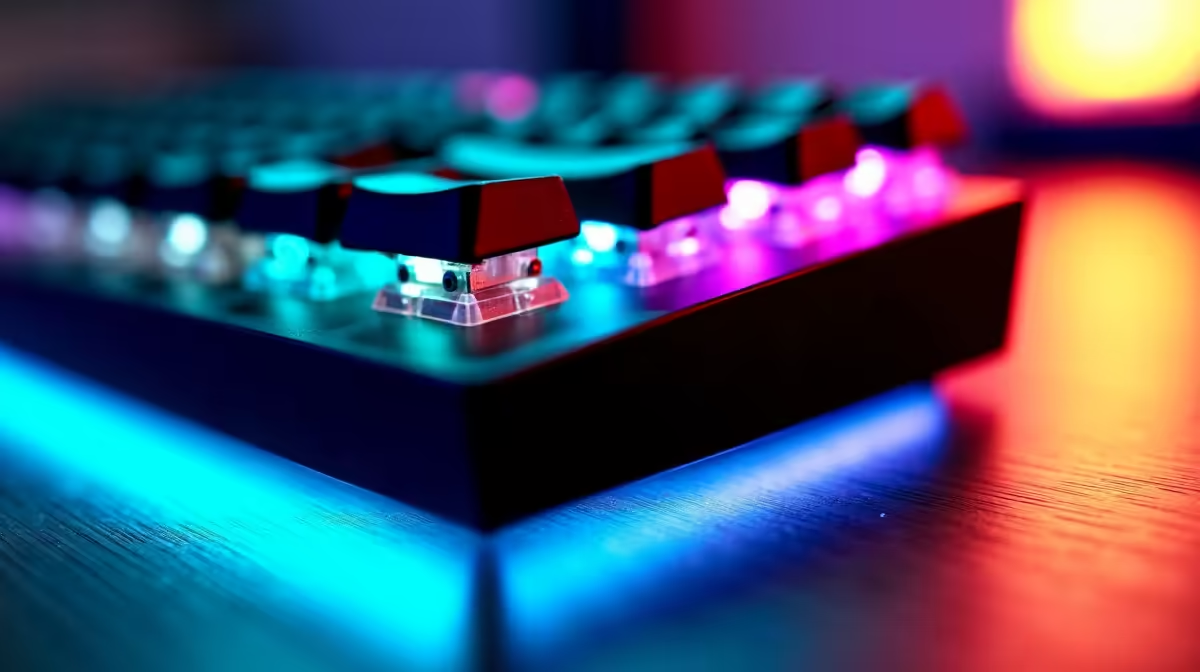
Puzzle games occupy a unique space in PC gaming - they demand precision input, deliberate keystrokes, and long sessions of focused play rather than the rapid-fire reflexes required by shooters. The keyboard you use for Portal, The Witness, or Baba Is You shapes the entire experience, and choosing one thoughtfully means understanding how switch type, actuation force, and layout affect calm, methodical gameplay.
Quick Answer
For puzzle games, tactile or linear switches with medium actuation force (around 45–55g) work best - they provide satisfying feedback without fatigue during extended sessions. A tenkeyless or compact layout suits most puzzle gaming setups, and a keyboard with good build quality and minimal flex reduces accidental inputs during careful key presses.
🎮 Switch Types: What Works Best for Puzzle Gaming
Puzzle games are not speed-critical like FPS or fighting games - you're optimizing for comfortable, consistent feedback across sessions that can last hours.
Tactile switches (Cherry MX Brown, Gateron Brown, Boba U4) are the sweet spot. The tactile bump gives clear feedback that a keypress registered without requiring you to fully bottom out - reducing finger fatigue during long sessions. Linear switches (Gateron Yellow, Gateron Black) suit gamers who prefer a smooth, consistent keystroke without the bump. Heavier linear options like Gateron Black (60g actuation) can help with deliberate puzzle inputs by preventing accidental presses when resting fingers on keys while thinking.
Clicky switches (Cherry MX Blue) are divisive - the audible click is satisfying but fatiguing over multi-hour sessions, and noisy in shared accommodation. Silent variants (Gateron Silent Brown, Cherry MX Silent Red) are ideal for shared spaces. The gaming keyboard range at Evetech covers mechanical options across these switch families.
⌨️ Layout Considerations for Puzzle Gamers
Full-size keyboards are rarely necessary for puzzle gaming - few puzzle titles use the numpad. The tenkeyless (TKL) layout is the standard recommendation: retains the function row and navigation cluster that some games use for quicksave/quickload, while keeping overall footprint compact.
For pure puzzle gaming, 65% or 75% layouts work well - they drop dedicated function keys but maintain arrow keys, which are critical for grid-based puzzle games. Going below 60% risks losing arrow key access that many puzzle titles rely on for movement or navigation.
Build quality matters more in puzzle gaming than in fast-paced genres. When you hold a key while thinking through a solution, keyboard rigidity prevents unintended inputs. Look for aluminum top plates and double-shot PBT keycaps - both outlast plastic cases and ABS keycaps significantly. A wrist rest or low-profile design reduces strain during methodical, extended sessions. Browse Evetech's keyboard range for options that match these criteria.
🖥️ Software, Macros, and Puzzle Game Utility
Unlike competitive games, puzzle games rarely restrict macros. A programmable keyboard improves the experience: map quicksave to a thumb key, bind screenshot functions for documenting solution states, or colour-code your WASD cluster differently from function keys in puzzle RPGs with complex keybindings.
Per-key RGB has a practical application here beyond aesthetics. Keyboards with onboard memory store profiles without requiring software running in the background - useful for students switching between multiple systems. Pairing your keyboard with a solid gaming PC setup ensures everything works cohesively across your gaming and study sessions.
🏗️ Budget Guidance for SA Buyers
Puzzle gaming doesn't demand expensive input hardware. A mid-range mechanical keyboard in the R800–R1,500 range with tactile switches serves most puzzle gamers excellently. The key attributes are comfortable switches and solid build quality, not ultra-fast polling rates or extensive RGB ecosystems. At R1,500–R2,500 you enter keyboards with aluminum cases, hot-swap switch sockets (change switches without soldering), and better stock keycap quality - genuinely worth the step up for daily-use keyboards.
Frequently Asked Questions
Are membrane keyboards acceptable for puzzle gaming? Yes - puzzle games are not latency-critical enough to demand mechanical precision. A good quality membrane keyboard is perfectly functional. Mechanical keyboards offer better long-term durability and more comfortable extended-session feel, making them a worthwhile upgrade if budget allows.
What about keyboards with dedicated volume knobs or media keys? Genuinely useful for puzzle gaming - you'll often want to adjust background music without leaving the game. Keyboards with analog volume wheels or dedicated media keys add quality-of-life without impacting gaming performance.
Can I use a 60% keyboard for puzzle games? It depends on the game. 60% keyboards lack dedicated arrow keys, which some puzzle games require for grid navigation or movement. Check your most-played titles before committing to a 60% layout.
Do mechanical keyboards need special maintenance? Basic maintenance involves occasional keycap removal for cleaning. Switches themselves are rated for 50–100 million keystrokes and rarely need attention. A compressed air canister every few months keeps debris from accumulating under keys.
Check out All Gaming Keyboards and Graphics Card Deals at Evetech — South Africa's home for gaming gear.
Ready to Find Your Perfect Match? Build the complete puzzle gaming setup - explore PC deals at Evetech.











