


Laptop Dictionary for South Africa
Laptop Dictionary. Every term explained in plain English so you can shop with confidence and compare specs accurately.
Read moreTop Laptop for AutoCAD picks evaluated on performance, value & SA availability with current Rand pricing from Evetech.

Are you a South African designer, architect, or engineer hunting for the best laptop for AutoCAD in 2026? You need a machine that handles hefty 3D models, detailed drawings, and smooth multitasking without breaking the bank. Choosing the right laptop can shape your productivity and creativity—especially if you work from home or hit site visits often. Let’s explore top tips and the specs that matter most for AutoCAD success.
AutoCAD demands power—especially when working with complex layers or rendering. Prioritise a processor with at least quad-core Intel i7 or AMD Ryzen 7 for speedy calculations and smooth zooming. Equally crucial is RAM: 16GB is the sweet spot for typical projects, though 32GB guarantees more future-proof multitasking.
Graphics matter too, as AutoCAD leverages GPU acceleration. While integrated chips can suffice for basic 2D work, a dedicated NVIDIA or AMD graphics card accelerates 3D modelling and visualisation. Evetech offers a solid range of graphics cards tailored for heavy-duty CAD workloads.
And don’t forget storage—ideally NVMe SSDs for lightning-fast file access and software launch times. A 512GB SSD gives you room for project files with room to breathe.
Your ideal laptop must balance specs with budget. In South Africa’s fluctuating market, expect powerful Intel or AMD models priced between R18,000–R35,000. For gamers who also work in CAD, hybrid options that marry powerful graphics and processors shine. Take a peek at Evetech’s impressive collection of notebooks for sale in South Africa with user reviews and up-to-date pricing.
If desktop power is an option, consider a pre-built PC deal for even stronger specs at competitive prices—perfect for your home office or studio setup.
Laptops provide mobility when visiting sites or clients. However, desktops generally offer better raw power and cooling for intensive rendering. Think about where you’ll do most of your work.
A laptop packed with power isn’t enough if you don’t configure it right. Keep Windows and AutoCAD software updated for best compatibility. Adjust power settings to “high performance” and disable background apps to free up resources. Using dual monitors can boost your workflow, letting you view drawings and references without toggling apps.
For gamers or CAD users craving peak speed, hardware allies like high-refresh-rate screens and fast WiFi also matter. Check out Evetech’s best gaming PC deals for components that deliver ultra-responsive experiences—even in graphically intense games or 3D apps.
Make your Rands stretch further by shopping during Evetech’s specials. These promotions often bundle laptops with accessories or upgrade options, perfect for ergonomy and storage. Whether you prefer a sleek Ultrabook or a bulging powerhouse, smart timing can boost your setup quality without hurting your wallet.
Ready to transform your AutoCAD projects with reliable, powerful gear?
Step Up Your AutoCAD Game Unlock your full productivity potential with top-tier laptops perfect for CAD. Shop now at Evetech for performance that leaves lag in the dust.
Best Laptop for AutoCAD in South Africa available at Evetech.co.za with local warranty and fast delivery.
Best Laptop for AutoCAD in South Africa - check Evetech for latest stock and SA pricing.
Depends on your use case. Best Laptop for AutoCAD in Sou offers good value at current Rand pricing.
Laptop Dictionary. Every term explained in plain English so you can shop with confidence and compare specs accurately.
Read more
Top MacBook for Academic Research picks evaluated on performance, value & SA availability with current Rand pricing from Evetech.
Read more
Can You Use ASUS ROG laptop for Both Gaming and Work Detailed answer with SA data, expert analysis & practical recommendations for local buyers.
Read more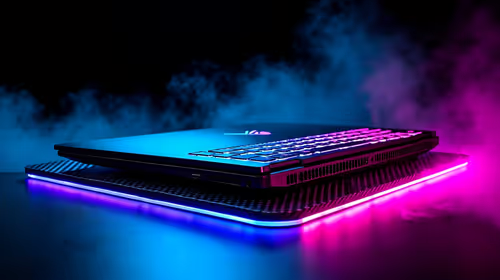
gaming laptop Driver Conflicts: Fix. Step-by-step instructions with SA-specific tips, common pitfalls to avoid & expert recommendations.
Read more
Top Laptop for Veterinary Science at UP : Course picks evaluated on performance, value & SA availability with current Rand pricing from Evetech.
Read more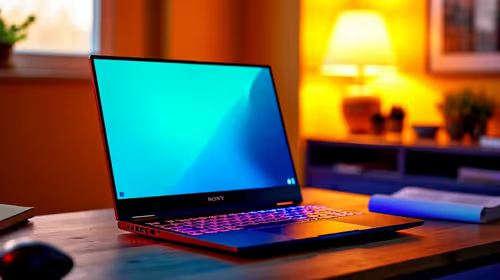
Top Laptop for 4th Year NWU Students picks evaluated on performance, value & SA availability with current Rand pricing from Evetech.
Read more
CS2 Low FPS: Monitor Bottleneck. Real-world benchmark data, FPS numbers & performance analysis. What SA gamers can actually expect.

Is AOC a Good Monitor Brand for Gaming in South Africa Detailed answer with SA data, expert analysis & practical recommendations for local buyers.

What Gaming Monitor Can You Get for R20,000. Full parts list, Rand pricing & expected performance. Build confidently with SA-available components.

What Gamers Actually Bought: November Report. Real purchase data from SA retailers revealing what local buyers are actually choosing and why.

Can the RX 7700 XT Handle 1440p 144Hz Gaming. Performance testing verdict with real data & practical recommendations for SA buyers.

Top Laptop with Core i7 + RX 7700S: Picks picks evaluated on performance, value & SA availability with current Rand pricing from Evetech.

RX 7700 XT Black Myth Wukong 2 FPS: Performance. Real-world benchmark data, FPS numbers & performance analysis. What SA gamers can actually expect.

RTX 6080 Gran Turismo 7 PC Performance: FPS Test. Real-world benchmark data, FPS numbers & performance analysis. What SA gamers can actually expect.

Eliminate background noise in gaming voice chat using cardioid microphones to focus on your voice and reject room sounds. Get cleaner comms fast with smart placement and settings—🎮🎧

Wondering how much to spend on a high-end gaming headset in South Africa? We break down budget vs performance, what you actually get, and smart upgrade steps 🎧⚡

Wondering about THX Spatial Audio vs 7.1 surround for positional awareness? We compare imaging, depth, and cueing so you can pick the best option for gaming. 🎧👣

50mm bio-cellulose drivers vs standard drivers: does material affect audio precision? Compare clarity, bass control, and imaging so you can choose the right headphones. 🎧🔍