


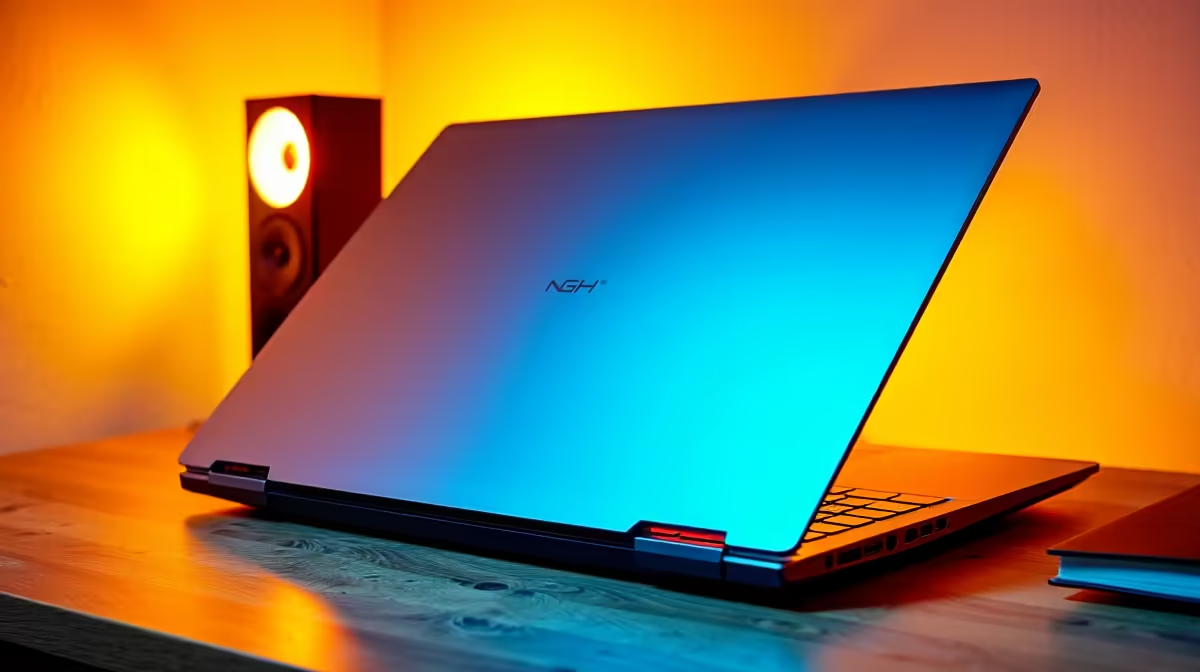
Commerce students at UCT face a demanding academic workload across financial accounting, economics, statistics, and business management - and the laptop you choose will directly impact how effectively you handle it all. The right machine balances portability for moving between Jameson Hall and the Leslie Commerce Building, battery life for full days on campus, and processing power for data-heavy coursework.
Quick Answer
What is the best laptop for Commerce at UCT in 2026? For BCom students at UCT, a laptop with at least an Intel Core i5/Ryzen 5 processor, 16GB RAM, a 512GB SSD, and a minimum 8-hour battery life is the practical baseline. Microsoft Office compatibility and reliability matter more than raw gaming power. Budget R12,000–R20,000 for a laptop that handles the full four-year Commerce degree without needing replacement.
🔧 What Commerce at UCT Actually Demands from a Laptop
UCT's Commerce Faculty runs programmes in Accounting, Economics, Finance, and Business Management - each with distinct software and hardware needs.
Accounting and Finance: Microsoft Excel is fundamental from first year. Advanced spreadsheet modelling, pivot tables, and financial data analysis require a responsive processor and sufficient RAM. Students frequently run large Excel workbooks alongside SAP simulations, PowerPoint presentations, and multiple browser tabs. 16GB RAM is the practical minimum for this combination.
Economics: STATA, R, and EViews are used for econometric analysis in upper years. These statistical packages are processor and RAM intensive. A quad-core i5 or Ryzen 5 handles them adequately; an i7 or Ryzen 7 handles them comfortably with room for multitasking.
Business Management: Lighter on specialist software, heavier on productivity. Microsoft 365 (Word, Excel, PowerPoint), Zoom or Teams for group work, and UCT's Vula (Sakai-based) LMS are the core tools. Any modern mid-range laptop handles this.
General UCT requirements: UCT recommends Windows 10 or 11 for full compatibility with its systems. MacOS is supported but some accounting and statistics software has Windows-only versions or limited Mac functionality - check your specific faculty's software list before committing to a MacBook.
📊 Recommended Specifications for UCT Commerce 2026
Processor: Intel Core i5-13th gen or i7-14th gen / AMD Ryzen 5 7000 series or Ryzen 7 7000 series. Minimum is a quad-core processor - avoid entry-level Intel Core i3 or dual-core chips for a full Commerce degree.
RAM: 16GB is the minimum recommended. 32GB future-proofs the machine for four years of increasingly intensive coursework and allows seamless multitasking between STATA, Excel, and browser-based research.
Storage: 512GB NVMe SSD minimum. 1TB is preferable - four years of lecture recordings, datasets, projects, and software accumulate quickly. SSD storage is non-negotiable for boot speed and application responsiveness in a lecture environment.
Display: 14–15.6 inch, Full HD (1920x1080) minimum. Larger displays help with multi-window layouts for comparing spreadsheets. Higher resolution (2K/QHD) improves readability but increases cost and reduces battery life.
Battery life: 8+ hours real-world. UCT's lecture venues and library areas have limited power outlets. A laptop that cannot last a full day on battery becomes a liability for commerce students with back-to-back lectures.
Weight: Under 2kg preferred. Commerce students carry substantial textbooks. A heavy laptop compounds the burden significantly over four years of daily campus commuting.
Connectivity: USB-A, USB-C, HDMI for connecting to lecture room projectors (some UCT venues still use HDMI), and a 3.5mm audio jack. Wi-Fi 6 compatibility for UCT's campus network is beneficial for congested library environments.
💡 Budget Planning for a UCT Commerce Laptop in South Africa
Evetech's laptop range starts from R8,000 and scales to premium business and creator laptops. For UCT Commerce, here is how to think about your budget:
R8,000–R12,000: Entry-level to mid-range. Core i5/Ryzen 5 with 8GB RAM (upgrade to 16GB where possible) and 512GB SSD. Functional for first and second year. May feel limiting in third and fourth year with heavier statistical software.
R12,000–R18,000: The recommended sweet spot for UCT Commerce. Mid-to-high-spec i5/i7 or Ryzen 5/7, 16GB RAM standard, 512GB–1TB SSD, quality 14–15.6" display. Handles the full four-year degree comfortably.
R18,000–R25,000: Premium options with better build quality, longer warranty, and performance headroom. Business-class laptops in this range (ThinkPad, EliteBook, ASUS ExpertBook) often include enhanced keyboards and more durable construction - worth considering for a four-year investment.
NSFAS funded students: The NSFAS laptop allowance of R5,200 is insufficient for a new laptop that meets UCT Commerce requirements. NSFAS-funded students should research supplementary support, bursaries, or installment purchasing options. Some faculties have loaner hardware programmes - check with UCT Student Affairs.
Extended warranty: Given SA's servicing landscape, purchasing a 3-year extended warranty or accidental damage protection is strongly recommended. Laptop repairs outside of warranty in South Africa can approach R3,000–R6,000 for screen or motherboard replacements.
Microsoft Office: UCT provides Microsoft 365 licensing to enrolled students at no additional cost. Do not pay for Office separately - activate it through your UCT student account.
❓ Frequently Asked Questions
Do UCT Commerce students need a specific operating system? Windows 11 is recommended for full software compatibility. UCT's Vula LMS works on macOS, but specialist accounting and econometrics software (some versions of STATA, certain SAP modules) may have Windows-only versions. Confirm your faculty's specific software stack before purchasing a MacBook.
Is 8GB RAM enough for BCom at UCT? For first and second year, 8GB is manageable. By third and fourth year, running STATA alongside Excel and multiple browser tabs becomes uncomfortable. If your budget allows only 8GB at purchase, choose a laptop where RAM is user-upgradeable so you can expand later.
How important is a dedicated GPU for UCT Commerce students? Not important for most Commerce coursework. Integrated graphics (Intel Iris Xe, AMD Radeon integrated) handle everything a Commerce student needs day-to-day. A dedicated GPU is unnecessary and adds cost and battery consumption. Only relevant if you plan to game on the same machine.
What laptop weight is practical for daily UCT campus use? Under 1.8kg is the comfortable daily carry threshold for most students. Thin-and-light laptops in the 1.2–1.6kg range are ideal for moving between lectures across UCT's hilly Upper Campus. Avoid gaming laptops (typically 2.2–3kg) as daily university machines.
Browse Laptop Specials and Graphics Card Deals at Evetech to find the right laptop for your needs and budget.
Ready to Find Your Perfect Match? Shop at Evetech











