

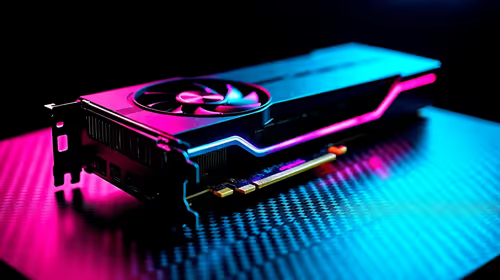
Fortnite Settings on RTX 5060 Ti: Best Performance
Fortnite Settings on RTX 5060 Ti: Performance. Real-world benchmark data, FPS numbers & performance analysis. What SA gamers can actually expect.
Read moreTop Laptops for Students : R8,000 to R25,000 Guide picks evaluated on performance, value & SA availability with current Rand pricing from Evetech.

If you've received your NSFAS laptop allowance letter, here's the honest truth: R5,200 won't get you much beyond a basic Chromebook. Most functional laptops for university start around R8,000, meaning many students need to bridge that gap themselves or look at entry-level alternatives. But don't worry—there are genuinely solid options in the R8,000–R25,000 range that'll handle lectures, assignments, and weekend gaming without breaking the bank.
At this price point, you're looking at dual-core or entry-level quad-core processors (usually Intel Core i3 or AMD Ryzen 3), 8GB RAM, and 256GB SSD storage. These specs handle web browsing, Google Docs, and video lectures just fine. Durability matters more here than raw power—look for models with solid build quality and decent battery life (aim for 7+ hours). This range is ideal if you're primarily on campus with access to power outlets during the day and you're not gaming beyond casual titles.
This is where value peaks. At R12,000–R15,000, you'll find Intel Core i5 or AMD Ryzen 5 processors with 8–16GB RAM and 512GB SSDs. Laptops here can handle light content creation (video editing, photo work), coding assignments, and even entry-level gaming. Battery life improves noticeably, and thermal management means you won't overheat in crowded lecture halls. If you're doing engineering, computer science, or design courses, jumping to R15,000–R18,000 gives you the headroom to run professional software without throttling.
Why spend this much as a student? Because your laptop lasts longer. Premium builds mean better keyboards (essential after 4 years of assignments), faster SSDs, and processors that won't feel slow in 2028. If your course involves heavy lifting—3D modelling, video rendering, statistical analysis—then R20,000–R25,000 is actually economical. You'll get Intel Core i7 or AMD Ryzen 7 chips, 16GB RAM standard, and displays that aren't painful to stare at during 12-hour study sessions.
Screen quality matters more than specs for students. Look for 1920×1080 resolution minimum (IPS panels are worth the premium), SSD storage (no mechanical hard drives), and at least 8GB RAM. Keyboard comfort is underrated—you'll spend 2,000+ hours typing assignments and notes, so a cramped chiclet keyboard will drive you insane. Port selection matters too: USB-C for charging, USB-A for legacy devices, HDMI or USB-C video out for presentations.
Living at home means you can prioritise price over portability. Commuting students need ultrabooks under 1.5kg and solid battery life. Res students split the difference—something around 1.7–2kg that fits in a backpack without being a dead weight.
Don't max out your budget on specs you won't use. A student running CAD or video editing needs i7; a Law student on Word and browsers needs i5. Buy for what you'll actually do, not what you think sounds impressive.
Whether you're bridging that NSFAS gap or investing in proper tools for your course, the right laptop is waiting in the R8,000–R25,000 range. The key is matching specs to your actual workload, not just chasing the biggest number. Explore our laptop collection to find the perfect fit for your degree.
Ready to find your next study laptop? Browse our full range of student-friendly options starting from R8,000 and discover the perfect balance of performance and affordability for your academic journey. Explore student laptops
Best Laptops for South African Students available at Evetech.co.za with local warranty and fast delivery.
Best Laptops for South African Students - check Evetech for latest stock and SA pricing.
Depends on your use case. Best Laptops for South African offers good value at current Rand pricing.
Fortnite Settings on RTX 5060 Ti: Performance. Real-world benchmark data, FPS numbers & performance analysis. What SA gamers can actually expect.
Read more
Top Aftermarket RX 7900 XTX Cards: AIB Partner picks evaluated on performance, value & SA availability with current Rand pricing from Evetech.
Read more
Top Case for RTX 5060: Airflow & Size Compatibility picks evaluated on performance, value & SA availability with current Rand pricing from Evetech.
Read more
Complete ATX Case Size Guide: Interior Dimensions. Best deals curated with real SA discounts, price history & tips on getting genuine value.

What GPU Do You Need for AI & Machine Learning. Hardware requirements breakdown with recommended specs & SA pricing for each tier.

Top Settings for RTX 4060 at Ultrawide 1440p picks evaluated on performance, value & SA availability with current Rand pricing from Evetech.

Head-to-head comparison of FreeSync vs G-Sync Explained: Which Should Gamers for SA gamers. Performance benchmarks, Rand pricing & which delivers better value.

Every spec on PCIe 5.0 explained in plain English. What matters for gaming and creator work in 2026, what's marketing fluff, and how each number translates to real-world performance.

Every spec on bios explained in plain English. What matters for gaming and creator work in 2026, what's marketing fluff, and how each number translates to real-world performance.

Every spec on gaming setups explained in plain English. What matters for gaming and creator work in 2026, what's marketing fluff, and how each number translates to real-world performance.

Every spec on cooling systems explained in plain English. What matters for gaming and creator work in 2026, what's marketing fluff, and how each number translates to real-world performance.

Every spec on 10tb enough storage explained in plain English. What matters for gaming and creator work in 2026, what's marketing fluff, and how each number translates to real-world performance.

External HDD vs External SSD: real-world performance, SA pricing, power draw and which one delivers better value for your build. The clear answer — without the fluff.

What to prioritise when shopping for external hard drive in South Africa: the specs that matter, Rand value tiers, and the trade-offs between budget and flagship picks in 2026.

Desktop External HDDs vs Portable Drives: real-world performance, SA pricing, power draw and which one delivers better value for your build. The clear answer — without the fluff.