

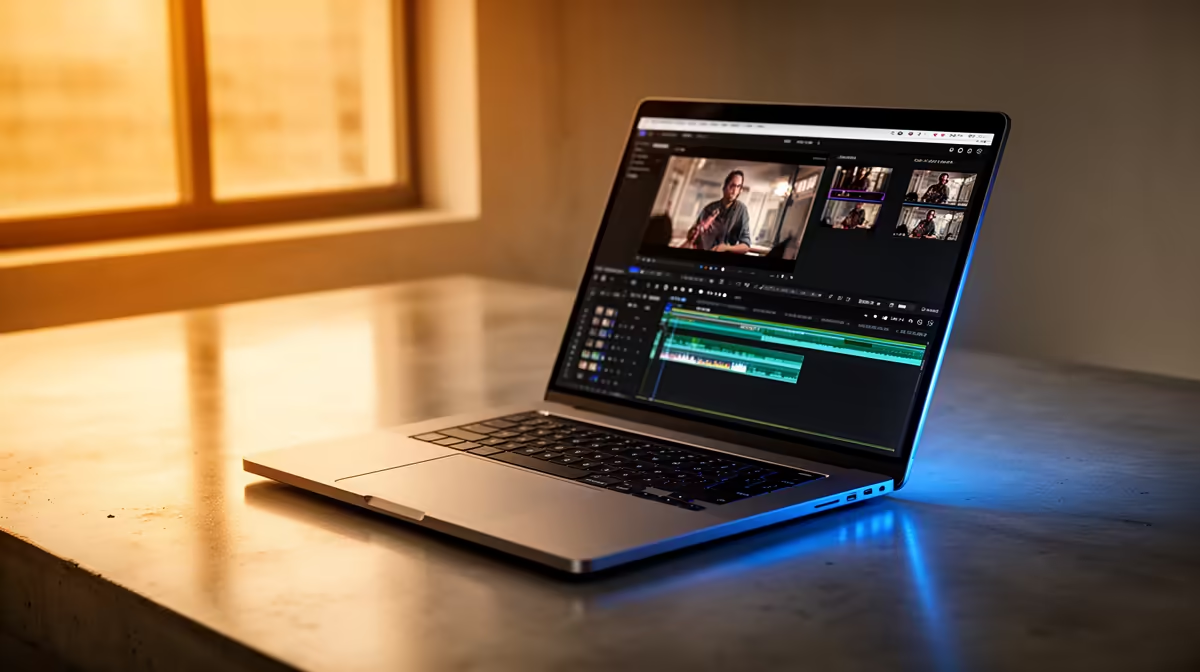
The MacBook Pro 14" M5 Pro (approximately R42,999–R49,999) is the best MacBook for video editing in South Africa. It balances performance, portability, and price. The Pro 16" M5 Pro (~R52,999+) is better if you live on the timeline, but overkill if you're cutting content part-time. The Air M5 15" (~R30,000–R32,000) handles editing competently but throttles on sustained 4K timelines. Start with the Air 15" if budget is tight; jump to the Pro 14 if rendering is your daily reality.
Why the Pro 14 Wins for Editors
Final Cut Pro, DaVinci Resolve, and Adobe Premiere thrive on the M5 Pro's extra GPU cores and thermal headroom. A 10-minute 4K timeline with colour grading exports in 12–15 minutes on the Pro 14, versus 18–22 minutes on the Air 15. For a YouTube creator posting weekly, that's an extra hour weekly—30 hours annually. For freelancers, that time is money.
The Pro's cooling design sustains performance through multi-hour editing sessions without throttling the playback framerate down. The Air throttles slightly after 45 minutes of continuous timeline scrubbing—barely noticeable for casual editing, frustrating for day-long colour correction.
Video Editing Workflows in South Africa
YouTube Creators (4K ~24fps)
A YouTuber editing weekly 10–15 minute videos in 4K resolution: the Air 15" M5 handles this comfortably. Effects, colour grading, and motion graphics are snappy. Export times are 20–30 minutes per timeline—manageable for hobby-to-part-time creators. The Air 15" at R31,000 is the smart entry point.
Freelance Editors (Mixed 4K/8K, Fast Turnarounds)
A freelancer juggling three projects weekly, editing 4K footage with effects and colour: the Pro 14 M5 Pro is justified. The extra GPU cores shorten export queues. Real-time playback remains smooth even with heavy effects stacks. The Pro pays for itself in client satisfaction and quick turnarounds.
Content Agencies (Daily 4K, Batch Processing)
Editing dailies in batches for multiple clients: the Pro 16 M5 Pro or even M5 Max becomes necessary. Multi-track editing, proxy workflows, and batch exports eat throughput. A 16" screen with external monitors is the agency standard setup.
Social Media Creators (Instagram/TikTok, High Volume)
Creating 30–60 second cuts daily, mostly trending audio and quick cuts: even the Neo M4 works, but the Air 15" M5 is smarter. You're not rendering heavy effects; you're rapid-cutting and exporting. The Air's battery life and portability matter more than GPU cores. Volume is your bottleneck, not per-export time.
Real-World Render Times (4K 25fps, 30-second clip, DaVinci Resolve)
- Neo M4: 8–10 minutes
- Air M5 13": 6–7 minutes
- Air M5 15": 5–6 minutes
- Pro 14 M5 Pro: 3–4 minutes
- Pro 16 M5 Pro: 3–4 minutes (matching, thermal headroom slightly better)
For one export per week, the Neo/Air difference is a 15-minute lunch break variance. For five exports per day, the Pro saves you 5–10 hours weekly. Scale your choice accordingly.
Storage: Non-Negotiable
Video editing demands storage. Raw 4K footage consumes 1GB per minute. A 10-minute video project = 10GB raw, 20GB with proxies and cache. The machine's internal SSD must have breathing room. Minimum configs:
- Air 15: 512GB SSD becomes tight fast. Jump to 1TB (~R5,000 extra).
- Pro 14: 512GB is tight; 1TB is baseline. 2TB (~R15,000 extra) is ideal for batch work.
Pair your MacBook with external SSD storage from Evetech for scratch disks and archive. Never edit directly off external storage; always cache locally.
External Monitors: Pro Tip for SA Creators
A MacBook's built-in screen is never enough for professional editing. A second monitor adds immense workflow value—place timeline on one, preview on the other, inspector on the built-in screen. Browse Evetech's professional monitors (colour-accurate 24–27" units) at R8,000–R15,000. Adding an external monitor is often smarter than jumping from Air to Pro if you're budget-constrained. Air 15" + monitor = Pro experience at lower cost.
Loadshedding Realities for Editors
During Stage 4+ loadshedding, power availability is uncertain. All MacBooks outlast typical loadshedding windows on battery (4–6 hours of rendering work). But here's the truth: serious video editing happens plugged in. You're rendering final exports, which are CPU-intensive and battery-unfriendly. Loadshedding is annoying but not the machine's limiting factor. The Air and Pro are equally unreliable during rolling blackouts—get a UPS backup (~R2,000–R4,000) instead of buying a pricier machine.
The Processor Trap: M5 Pro vs M5 Max
Don't confuse Pro/Max with screen size. An M5 Max on the 14" is a beast for editing—renders 4K 30–40% faster than M5 Pro. But the Max costs R65,000+. For video editing specifically, the Pro 14 is where video ROI peaks. The Max is for rendering 8K, motion graphics, or AI work—outside typical video creator scope.
Video Editing Rig Setup ⚡
smart SA editing setup: MacBook Pro 14 M5 Pro (~R45K) + external 1TB SSD (~R3K) + colour-accurate 27" monitor (~R12K) = R60K total. Compare to Air 15 M5 (~R31K) + 1TB SSD (~R3K) + monitor (~R12K) = R46K. The extra R14K buys GPU cores that save 5 hours weekly render time. For part-timers, the Air setup is smarter. For full-timers, the Pro pays for itself in 6 months. [Browse Evetech's monitor range](https: www.evetech.co.za PC-Components buy-monitors-screens.aspx) to choose colour-accurate units that match your Mac's colour profile.
South African Creator Context
Johannesburg and Cape Town have growing freelance and agency markets. If you're entering video work in these cities, the Pro 14 is the professional baseline—clients expect fast turnarounds, and the Pro ensures you're not the bottleneck. If you're building a personal YouTube channel, the Air 15 is enough; upgrade to Pro once you're invoicing clients.
Verdict: Pro 14 M5 Pro Is the Editing Sweet Spot
For professional video editing in South Africa, the MacBook Pro 14" M5 Pro is the optimal choice. It's portable (unlike a desktop), fast enough for daily rendering, and holds value in the second-hand market. The Air 15 M5 works for part-time creators, but the Pro 14 is where editing becomes genuinely enjoyable—no throttling, snappy previews, fast exports.
Budget choice: Air 15 M5 (~R31K) for hobbyists and part-time creators. Professional choice: Pro 14 M5 Pro (~R45K) for freelancers and small studios. No-budget choice: Pro 16 M5 Max (~R75K+) for agencies and dailies facilities.
The Real Talk
MacBook editing is premium. If budget is under R30,000 and you're serious about video, a high-end Windows laptop or a desktop workstation might be smarter. But if you're already committed to the Apple ecosystem (iPhone, iPad), a MacBook is the natural choice. The workflow integration (AirDrop, iCloud, Final Cut Pro native optimization) saves time that justifies the premium.
Ready to set up your video editing MacBook? Rent or test a Pro 14 at a local reseller and edit a sample timeline. If export times are meaningful in your workflow, the Pro pays for itself. If they're not, save with the Air 15 and invest in external monitors and storage. Explore Evetech's complete editing setup ecosystem to source monitors, SSDs, and accessories that pair with your new MacBook.











