

Quick Answer
The best mechanical keyboard for South African gamers balances switch feel, build quality, and realistic local pricing - linear switches like Red or Speed Silver suit fast-paced gaming, while quality tenkeyless and compact layouts offer desk versatility that full-size boards cannot match.
What Makes a Mechanical Keyboard Good for Gaming
Mechanical keyboards use individual switches under each keycap that register keystrokes through physical actuation rather than the membrane contact layers used in budget keyboards. For gaming, the practical benefits are genuine: consistent actuation force across all keys, tactile or audio feedback that confirms keypress registration, and response characteristics measured in milliseconds rather than tens of milliseconds. The durability rating of 50 to 100 million keystrokes per switch means a quality mechanical keyboard lasts years longer than membrane alternatives.
Switch type is the first and most important decision. Linear switches - Cherry MX Red, Cherry MX Speed Silver, and their equivalents from Gateron and Kailh - actuate smoothly without a tactile bump or audible click. They are the dominant choice in competitive gaming because the consistent keystroke feel and slightly lower actuation force enable faster key spam and reduces finger fatigue during extended sessions. Tactile switches like Cherry MX Brown add a bump at the actuation point that many gamers enjoy as confirmation feedback without the loud click of clicky switches. For South African gamers sharing accommodation - res, digs, or koshuis - the noise profile matters. Clicky switches like Blue are satisfying to type on but generate significant noise that affects housemates.
Actuation force is measured in grams. Most linear gaming switches actuate at 45 grams, tactile browns at 45 to 55 grams, and speed variants at 40 grams. Lower actuation force enables faster keypresses in rapid input scenarios like weapon switching, ability spam, and movement key combinations.
Form Factor and Layout Considerations for SA Gamers
Keyboard form factor significantly affects the gaming experience and desk ergonomics. Full-size keyboards include a number pad on the right but require more desk space, pushing the mouse further from the center and increasing shoulder extension during gaming. Tenkeyless (TKL) keyboards remove the number pad, bringing the mouse closer to the keyboard and improving posture for long gaming sessions. This is why TKL is the dominant choice among competitive players and is the recommended layout for most South African gamers who have limited desk space.
Compact 65 percent and 60 percent layouts remove the function row and navigation cluster in addition to the number pad. They free up significant desk real estate and look clean on streaming setups, but they require key combinations for function keys and navigation, which is a genuine usability adjustment for productivity work alongside gaming. For gamers who also use their keyboard heavily for work - many South African professionals blend gaming and work on the same setup - TKL strikes the best balance.
Hot-swap sockets are a feature worth prioritizing if your budget allows. Hot-swap boards let you change switches without soldering, meaning you can try different switch types after purchase as your preference develops. This is particularly valuable in South Africa where returning hardware is less convenient than in markets with mature consumer return policies.
RGB, Build Quality, and Realistic SA Pricing
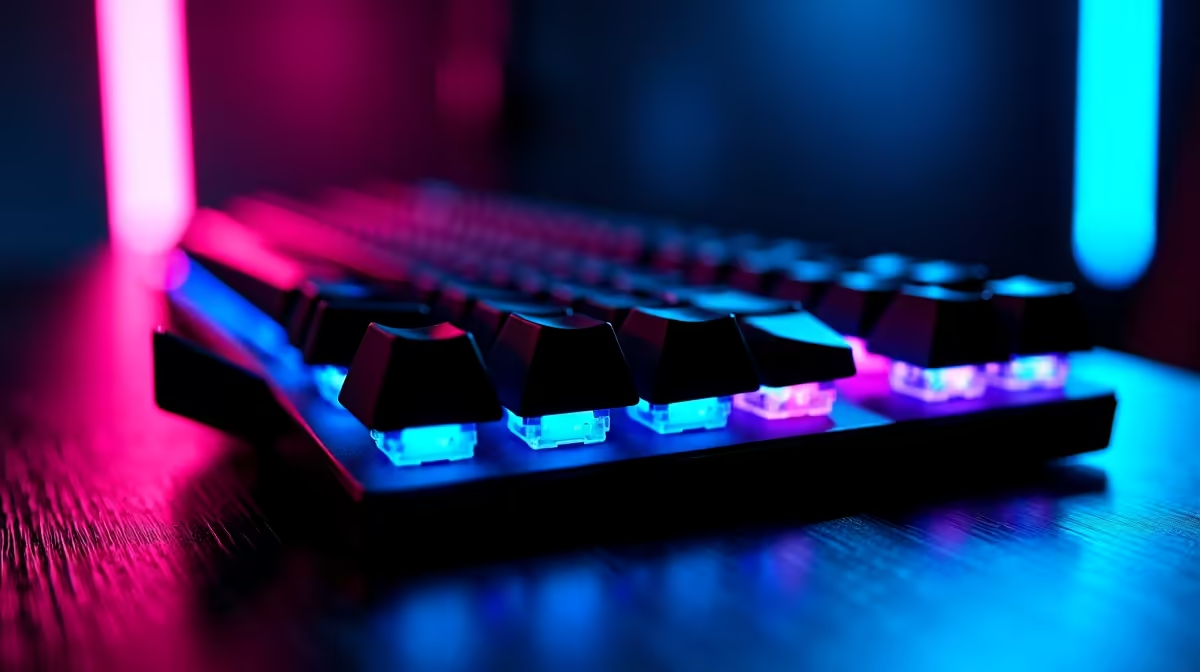
RGB lighting is essentially universal on gaming mechanical keyboards in 2026. Beyond visual appeal, per-key RGB enables color coding of game controls - binding movement keys to one color, ability keys to another - which can accelerate muscle memory development for complex game inputs. South African gamers who stream or create content also benefit from a well-lit keyboard in their frame.
Build quality divides the market into distinct tiers. Budget mechanical keyboards in the R800 to R1,500 range offer plastic bodies, standard OEM keycaps, and quality switch options. They are a significant upgrade from membrane keyboards and are the recommended entry point for gamers curious about mechanical keyboards without committing to premium pricing. Mid-range boards in the R1,500 to R3,000 range introduce aluminium or polycarbonate bodies, thicker PBT keycaps that resist shine over time, and improved stabilizers for spacebar and modifier keys that eliminate the rattle of budget offerings. Premium boards above R3,000 feature sound dampening, premium stabilizers, quality per-key RGB diffusion, and build quality that justifies long-term ownership.
For South African students on NSFAS budgets or gamers prioritizing GPU and CPU upgrades, the R800 to R1,500 range offers genuine mechanical keyboard benefits without compromising the rest of the PC budget. For established gamers who have upgraded their core components and are looking to improve their peripheral setup, the R1,500 to R3,000 tier delivers a noticeably premium experience that is worth the step up.
Wireless vs Wired for Gaming
Wireless mechanical gaming keyboards have matured significantly and the latency concerns that once made wired keyboards mandatory for competitive play are largely resolved at the high end of the wireless market. Modern 2.4GHz wireless gaming keyboards operate at polling rates of 1000Hz or higher with latency indistinguishable from wired in controlled testing.
For South African gamers, the battery life consideration is worth factoring in alongside load shedding reality. A wireless keyboard that needs charging during a power outage, when your PC may also be running off UPS power, is less ideal than a wired keyboard that simply works regardless of battery state. That said, most quality wireless gaming keyboards deliver 40 to 80 hours per charge, making daily charging unnecessary for most use patterns. Wired keyboards remain the zero-complication choice for competitive gaming setups.
Frequently Asked Questions
Q: What switch type is best for FPS gaming in South Africa?
A: Linear switches are the standard recommendation for FPS gaming. Cherry MX Red, Gateron Red, or their speed equivalents offer smooth consistent actuation that suits rapid key inputs. The specific brand matters less than ensuring you are choosing a linear type - the differences between switch brands in this category are minor and personal preference plays a significant role.
Q: How long does a mechanical keyboard last compared to a membrane keyboard?
A: Quality mechanical switches are rated for 50 to 100 million keystrokes versus the 5 to 10 million typical of membrane keyboards. In practical terms, a well-maintained mechanical keyboard outlasts two to four membrane keyboards. For South African buyers where hardware replacement costs are significant, the longevity argument for mechanical keyboards is strong.
Q: Is a TKL or full-size keyboard better for gaming?
A: TKL is generally better for gaming desks where mouse space is important. Removing the number pad brings your mouse hand closer to the keyboard, reducing shoulder extension and improving comfort during long sessions. Full-size keyboards have more versatility for productivity work if you use the number pad regularly for data entry.
Q: Can I use a mechanical gaming keyboard for schoolwork and gaming?
A: Yes. A quality mechanical keyboard excels at both typing and gaming. Tactile switches like Brown are popular for users who split time between gaming and typing because the tactile bump provides useful feedback for touch typing without being overly disruptive. TKL layout with a tactile switch is an excellent dual-purpose choice for SA students and professionals who game.
Also at Evetech: All Gaming Keyboards | Graphics Card Deals
Ready to Find Your Perfect Match? Shop at Evetech











