

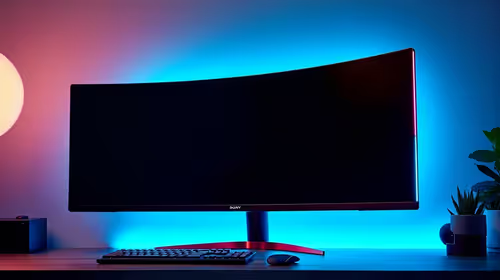
Best Monitor for 2nd Year UWC Students in SA
Top Monitor for 2nd Year UWC Students picks evaluated on performance, value & SA availability with current Rand pricing from Evetech.
Read moreTop Monitor for 2nd Year NWU Students picks evaluated on performance, value & SA availability with current Rand pricing from Evetech.

Second-year NWU students need a monitor that handles both academic work and downtime gaming or entertainment without breaking the budget. A 24-inch 1080p IPS panel with at least 75Hz refresh rate covers coursework, coding, and casual gaming comfortably, with prices starting around R2,500 to R3,500 in South Africa.
By second year at North-West University, whether you are on the Potchefstroom, Mahikeng, or Vanderbijlpark campus, your monitor requirements are more demanding than first year. You are working with heavier software, more complex assignments, and spending more hours in front of your screen. The right monitor reduces eye strain during long study sessions and gives you enough screen space to manage multiple windows effectively.
For most NWU second-year courses, the minimum useful monitor size is 24 inches at 1080p. A 1080p IPS panel at 24 inches gives you a sharp image, accurate colours for any design or engineering coursework, and wide viewing angles that matter when studying with a group in your room or koshuis. For NWU engineering, law, and information technology students who regularly work with multiple documents or code editors side by side, a 27-inch 1080p or 24-inch 1440p monitor is worth the additional spend.
South African monitor pricing in 2026 gives NWU students decent options across the budget range:
NSFAS-funded students should note the R5,200 laptop allowance is intended for a laptop, not peripherals. External monitor purchases need to come from separate funds or a bursary top-up arrangement.
For NWU students, IPS panels are the clear recommendation. Here is why each panel type fits or does not fit student use:
IPS (In-Plane Switching): Best colour accuracy and viewing angles. Ideal for any coursework involving reading, design, data analysis, or extended writing sessions. Moderate contrast ratios but excellent image quality. Recommended for most NWU students.
VA (Vertical Alignment): Higher contrast ratios than IPS (better blacks), which is excellent for movie watching and gaming in dark rooms. Colours are good but not as accurate as IPS at budget price points. A reasonable choice for students on res who want better movie and gaming visuals.
TN (Twisted Nematic): Fastest response times but worst viewing angles and colour accuracy. Only makes sense for esports-focused gamers who prioritize 1ms response time above all else. Not recommended for general NWU student use.
Connectivity matters when living in residence or digs. Check that your chosen monitor includes:
Power consumption is a consideration for loadshedding resilience. Most 24-inch monitors draw 20 to 40 watts, which means a modest UPS or power bank rated for AC devices can keep your monitor running for an hour or more during load shedding stages, enough to finish an assignment or save your work.
What is the best monitor size for a NWU student in 2026? 24 inches at 1080p is the sweet spot for most NWU students. It fits comfortably on standard res and digs desks, provides enough screen real estate for multitasking, and is available at student-friendly prices. Students who do a lot of coding or design work benefit from stepping up to 27 inches or 1440p resolution.
Is a 60Hz monitor enough for NWU student use? 60Hz is adequate for coursework, document editing, and video watching. For gaming, 75Hz or 144Hz delivers a noticeably smoother experience. Given that 75Hz IPS monitors are available in SA for only R200 to R400 more than 60Hz equivalents, there is rarely a reason to choose 60Hz in 2026.
Can I use my monitor during load shedding at res? This depends on whether your NWU residence has generator power during load shedding stages. Potchefstroom campus residences have varied generator coverage. A personal UPS connected to your power strip extends monitor and laptop runtime for 1 to 2 hours during stages 2 and above.
Should a NWU student buy a monitor before or after arriving on campus? Buying after arriving is sensible, as you can assess your room size and desk setup first. However, monitor availability and pricing in Potchefstroom itself is limited compared to Johannesburg, so purchasing online before the semester starts and having it delivered or brought from home is often the more practical route.
Ready to Find Your Perfect Match? Shop monitors at Evetech with nationwide delivery to suit your NWU student setup.
Best Monitor for 2nd Year NWU Students i available at Evetech.co.za with local warranty and fast delivery.
Best Monitor for 2nd Year NWU Students i - check Evetech for latest stock and SA pricing.
Depends on your use case. Best Monitor for 2nd Year NWU offers good value at current Rand pricing.
Top Monitor for 2nd Year UWC Students picks evaluated on performance, value & SA availability with current Rand pricing from Evetech.
Read more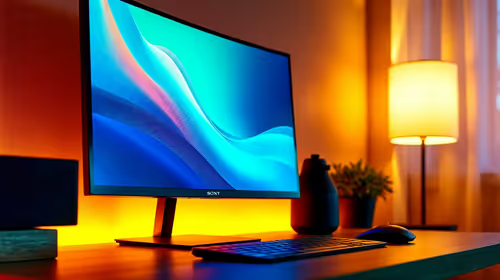
Top Monitor for 2nd Year DUT Students picks evaluated on performance, value & SA availability with current Rand pricing from Evetech.
Read more
Top Desk for a Triple Monitor Setup picks evaluated on performance, value & SA availability with current Rand pricing from Evetech.
Read more
Top UPS for Dual Monitor Setup During Load Shedding picks evaluated on performance, value & SA availability with current Rand pricing from Evetech.
Read more
Top Monitor for Starcraft 2 picks evaluated on performance, value & SA availability with current Rand pricing from Evetech.
Read more
Top Monitor for Photo Editing picks evaluated on performance, value & SA availability with current Rand pricing from Evetech.
Read more
CS2 Low FPS: Monitor Bottleneck. Real-world benchmark data, FPS numbers & performance analysis. What SA gamers can actually expect.

Is AOC a Good Monitor Brand for Gaming in South Africa Detailed answer with SA data, expert analysis & practical recommendations for local buyers.

What Gaming Monitor Can You Get for R20,000. Full parts list, Rand pricing & expected performance. Build confidently with SA-available components.

What Gamers Actually Bought: November Report. Real purchase data from SA retailers revealing what local buyers are actually choosing and why.

Can the RX 7700 XT Handle 1440p 144Hz Gaming. Performance testing verdict with real data & practical recommendations for SA buyers.

Top Laptop with Core i7 + RX 7700S: Picks picks evaluated on performance, value & SA availability with current Rand pricing from Evetech.

RX 7700 XT Black Myth Wukong 2 FPS: Performance. Real-world benchmark data, FPS numbers & performance analysis. What SA gamers can actually expect.

RTX 6080 Gran Turismo 7 PC Performance: FPS Test. Real-world benchmark data, FPS numbers & performance analysis. What SA gamers can actually expect.

Setting Up Monitor Light. Tested & verified settings for best FPS and visual quality on SA hardware budgets.

Assassins Creed Shadows Ultrawide Support: 21:9. Clear setup instructions with SA-specific considerations, troubleshooting tips & recommended components.

Complete Gaming Setup Guide for the Collector. Clear setup instructions with SA-specific considerations, troubleshooting tips & recommended components.

Will the Steam Deck 2 Have an OLED Screen? Leaked. Plain-English explanation of what it means, why it matters & how it affects your buying decisions in SA.